XMeye - How to Upload Video to FTP?
Applies to:
DL41B/DL81B/DL41A/DL81A/DL41D/DL81D/DH81S/DH81X/DH81NG/DM41D/DM41A/DM81A/DN41D/DN81D/DN41S/DN41NA/DM41H/DM81H/DM21O/DM31O/DE41N/DE81N/DN81NB/DM81Z/DM61W/DG81CP/DG81CQ/DH81NK/DG81CR/DH41NK/DM41G/DN41CJ/DN81BJ/DN61EC/DG81W/DG61X/DG41T/DT81DQ/DT41DC/DT61ER/DG41BE/DG81BE/NP41F/N43SU/N44SU/N48PZ/N481U/N441U/N44PBD/N461W/N48PAU
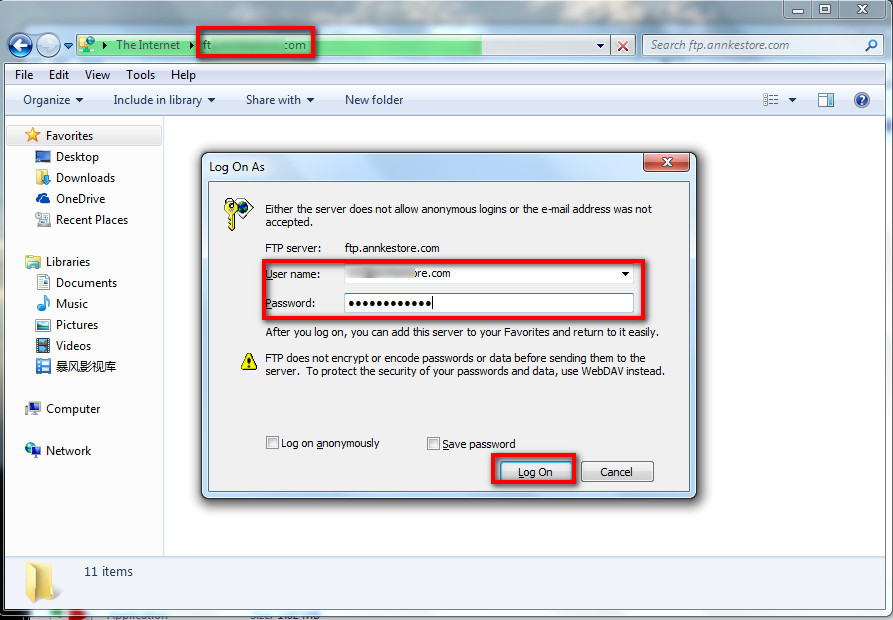
1. create a user name and password on FTP. Make sure it can be used to log in to FTP.
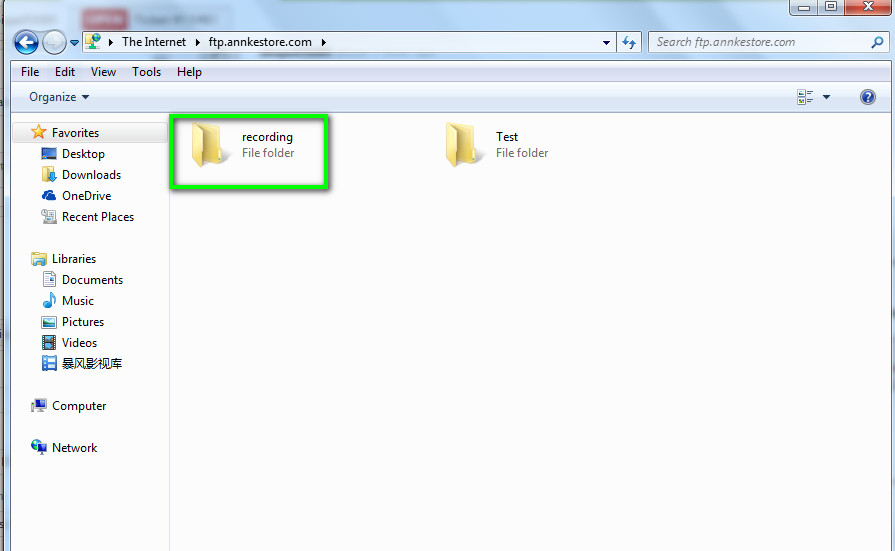
2. create a folder on FTP to save the recording.
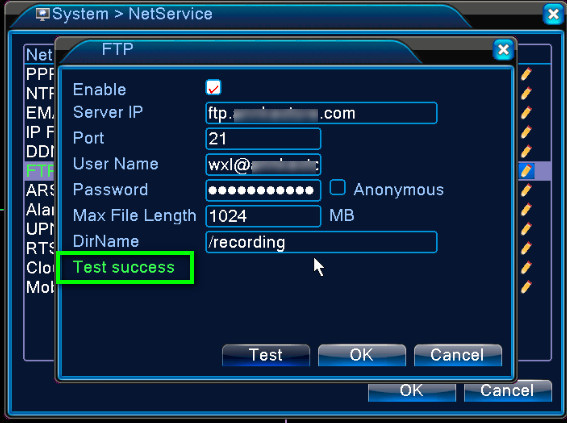
3. Go to the DVR system's Main menu----System---Netservice----FTP to fill out the user name, password, port number, folder path. If it says test success, the FTP set-up is working fine.
4. Go to the Main Menu---Alarm----Motion Detection to set up FTP uploading video.
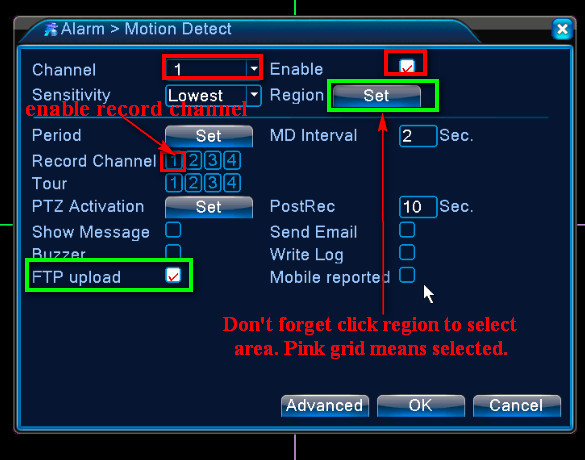
5. Finally, if there is movement detected by the camera, it will upload the video to the FTP server.
It may take the system a few minutes to upload the video to FTP. Please wait with patience.
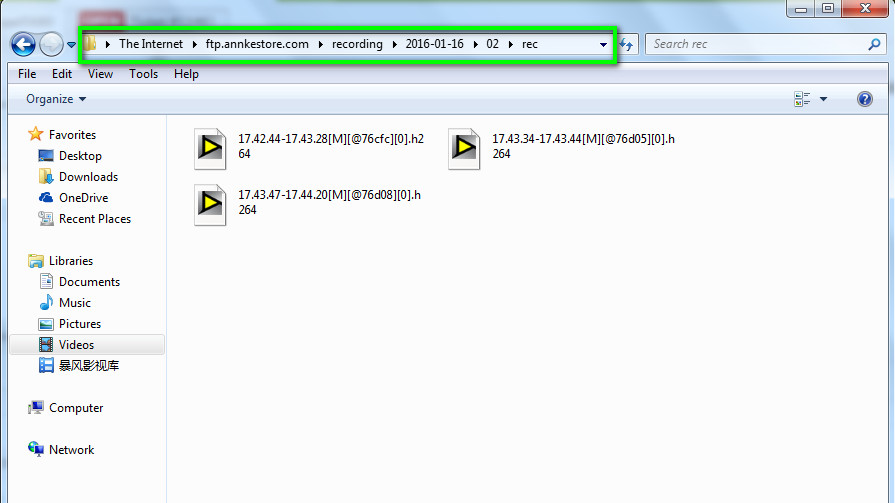
If FTP set up in the DVR system fails, please check the information below.
1. Make sure you can use the user name and password to log in to FTP.
2. Make sure the Directory name is not /. Because DVR can‘t upload the video to the root of FTP.
3. Remove special characters in user name, password, directory name to have a try.
Was this article helpful?
Bu bilgiler sorununuzu çözmeye yardımcı oldu mu?
Still need help?
Uzman ekibimiz size yardımcı olmak için burada.