XMeye - How to Manually Fix DVR/NVR's IP?
Applies to:
DL41B/DL81B/DL41A/DL81A/DL41D/DL81D/DH81S/DH81X/DH81NG/DM41D/DM41A/DM81A/DN41D/DN81D/DN41S/DN41NA/DM41H/DM81H/DM21O/DM31O/DE41N/DE81N/DN81NB/DM81Z/DM61W/DG81CP/DG81CQ/DH81NK/DG81CR/DH41NK/DM41G/DN41CJ/DN81BJ/DN61EC/DG81W/DG61X/DG41T/DT81DQ/DT41DC/DT61ER/DG41BE/DG81BE/NP41F/N43SU/N44SU/N48PZ/N481U/N441U/N44PBD/N461W/N48PAU
1. Please connect DVR to a router with a reticle and make sure DVR has connected to the router successfully.
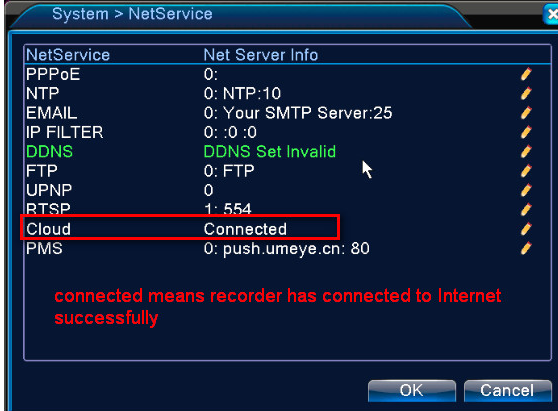
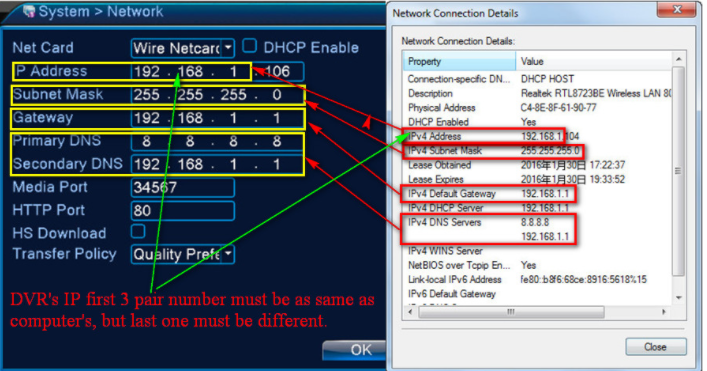
2. Please use a computer that is connected to the same router and check that computer‘s network information. Here we use a Windows 7 computer as an example:
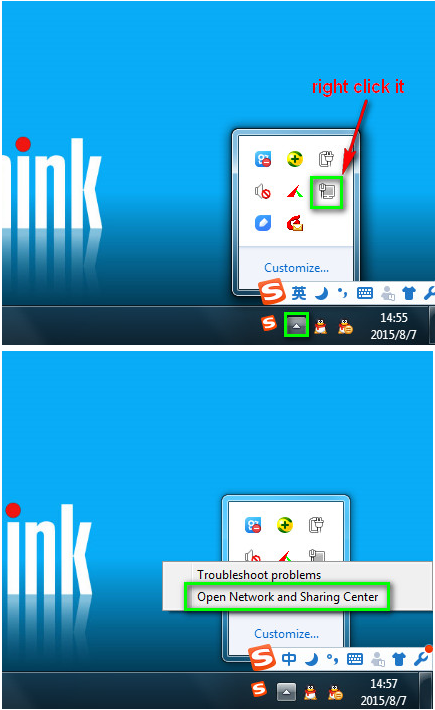
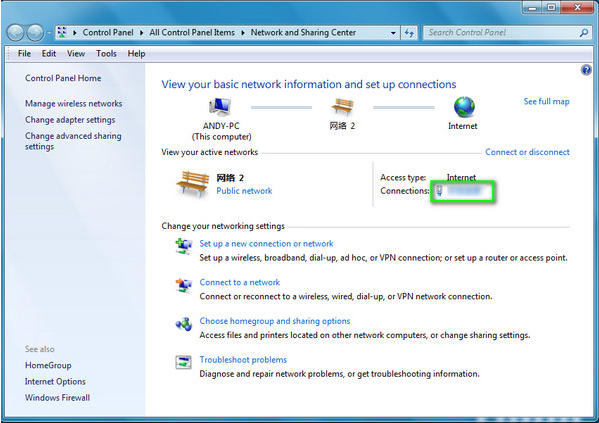
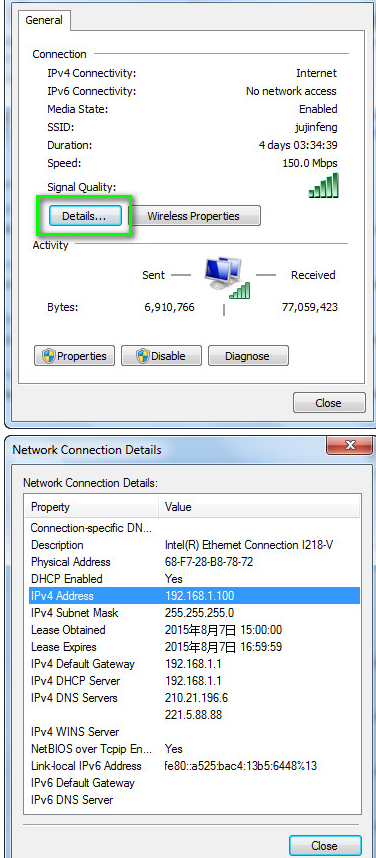
3. Please go to the Main Menu-->System-->Network to fix the system‘s IP like the picture below. (Please remember to cancel "DHCP" first.

Was this article helpful?
Bu bilgiler sorununuzu çözmeye yardımcı oldu mu?
Still need help?
Uzman ekibimiz size yardımcı olmak için burada.