XMeye - How to Add More Cameras to Sannce Wireless NVR Kit (Model N48WHK)?
Applies to: N48WHK
Purpose:
By default, the Sannce NVR (the recorder) model N48WHK works in the 4-channel mode with 4 pre-paired cameras in the kit.
However, this NVR can actually work with more cameras up to 8. To make it possible, please follow the steps below.
Steps:
1. Switch the NVR to the 8-channel mode.
Setting route: Log in to the NVR on a TV or monitor, navigate to [Main Menu-->System-->Digital-->Channel Type], tick on the box for 8 channels as the red frame shown in the below picture, then click [OK]. The NVR will reboot automatically to apply the change.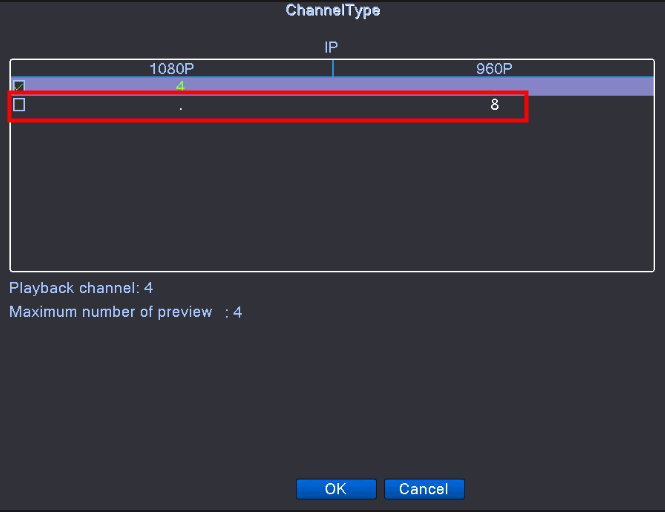
2. Pair the additional camera(s) with NVR.
When the NVR is running again, log in and navigate to [Main Menu-->Wireless]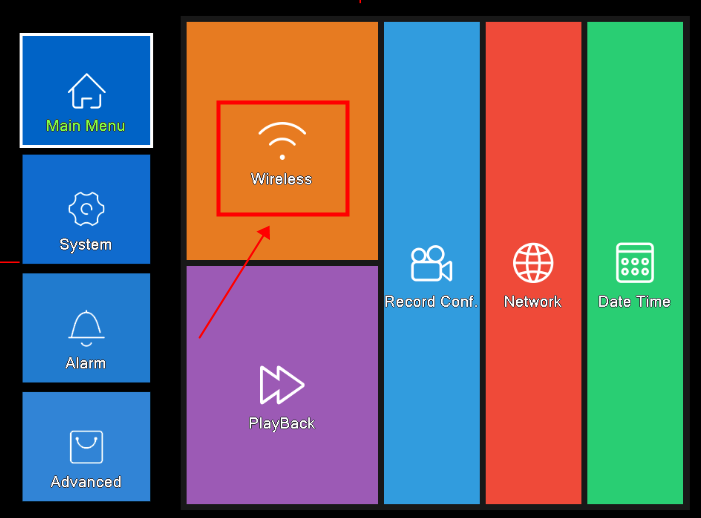
Click [Code for Wireless], and then power on the additional camera(s) one by one to add them to NVR.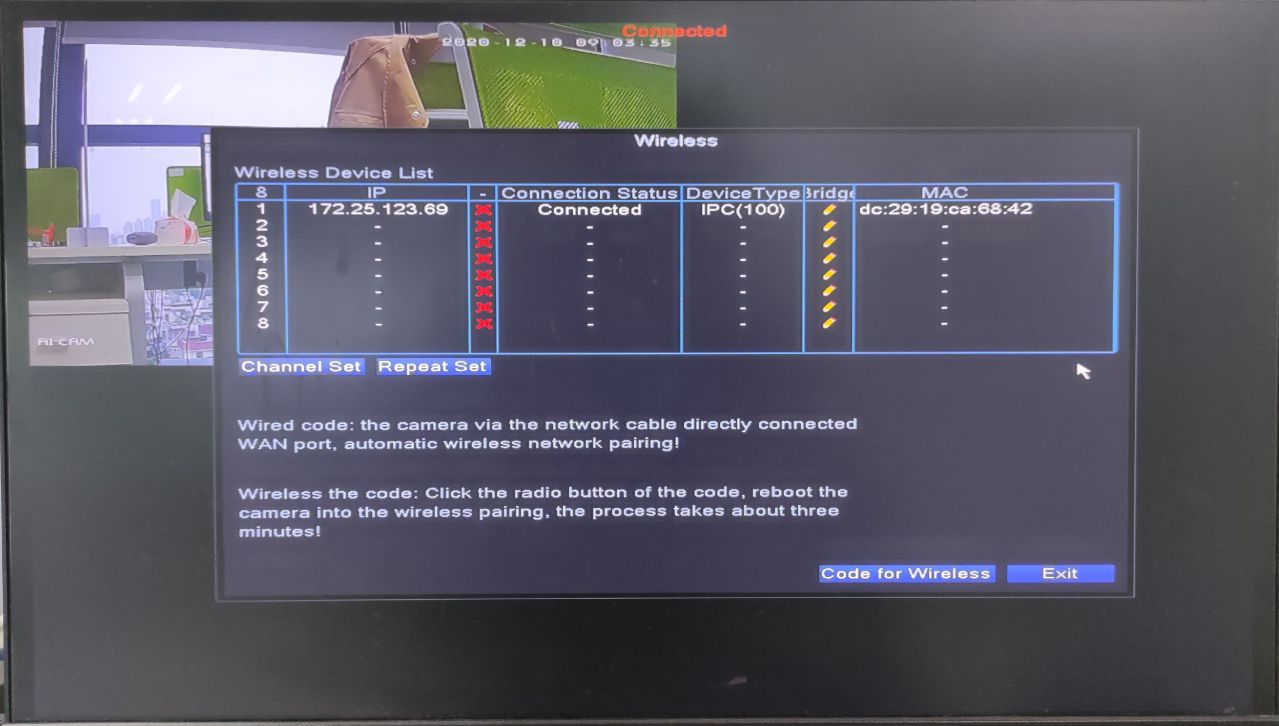
After that, wait for about three minutes and the cameras should be added automatically.
Tips:
On this screen, you can switch a camera from one channel to another. To do this, left-click on a camera's IP address, drag it then put it on another empty channel. In the below picture, the camera on channel 1 has been moved to channel 8.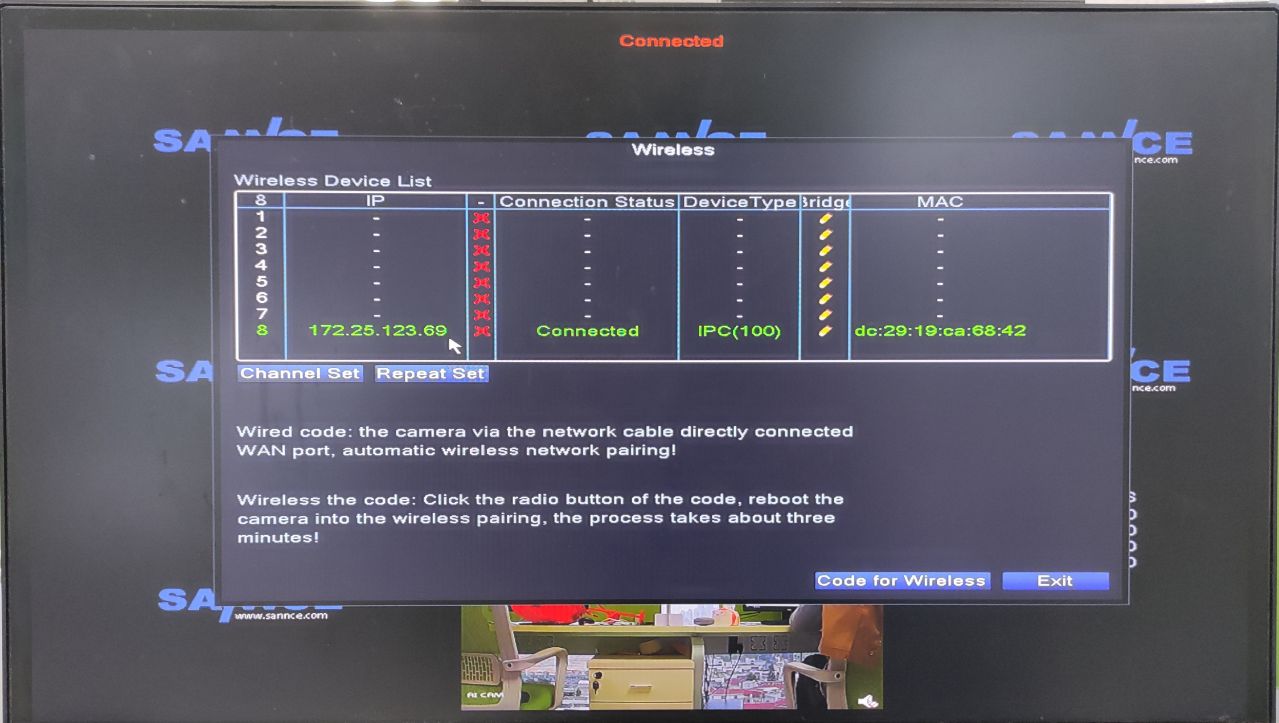
Was this article helpful?
Bu bilgiler sorununuzu çözmeye yardımcı oldu mu?
Still need help?
Uzman ekibimiz size yardımcı olmak için burada.