Type 2-How to upgrade NVR's firmware?
20 Aug 2026
351 views
Applies to:
NW41V/N441H/N441K/N28WEB/N441B/N441D/N441L/N44PAN/N44PAJ/N34WDB/N34WDD/N44WEB/N44WED/N44WEC/NW41V/N44WEF/N48WHF/N48WHE/N34WBB/N48PBE
1. Contact support@sannce.com and check if there is a new firmware first.
2. Copy the new firmware file to the USB hard drive.
3. Insert USB hard drive to NVR's USB port.
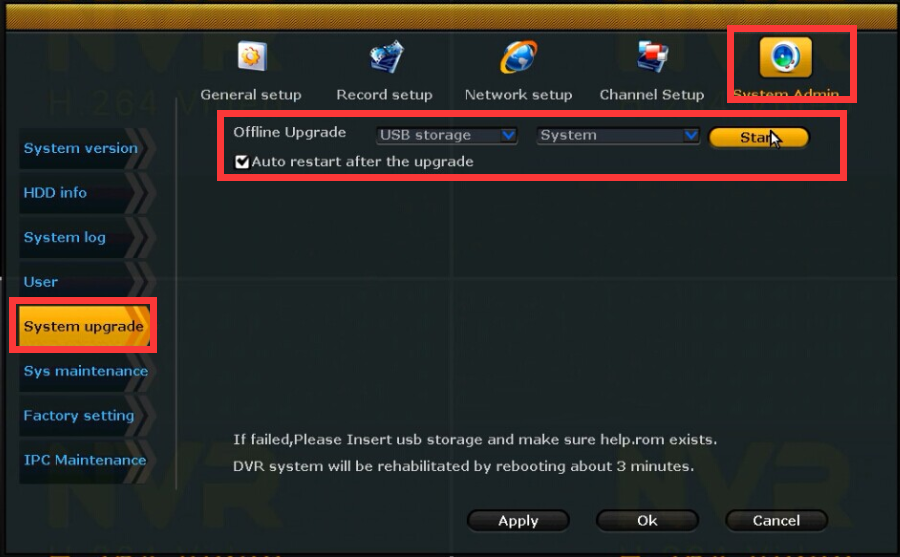
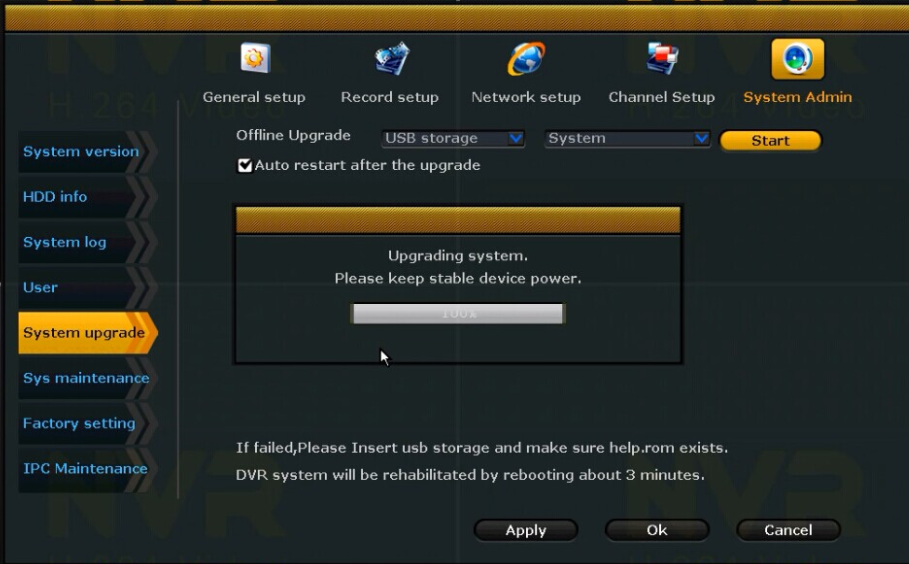
4. Go to System Setup-->System Admin-->System upgrade to select the file and upgrade.


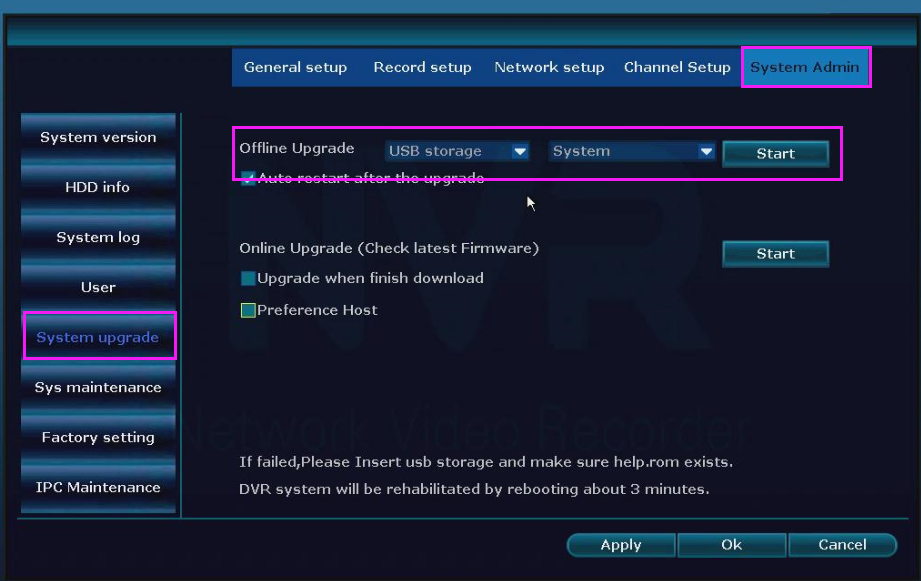
If your NVR menu has the blue interface, please refer to this method:
Was this article helpful?
Bu bilgiler sorununuzu çözmeye yardımcı oldu mu?
Thanks for your feedback!
Still need help?
Uzman ekibimiz size yardımcı olmak için burada.