(Setup) - First time setup the IP camera
20 Aug 2026
321 views
How to Connect an IP camera to an NVR?
Network connections are limited to 100 meters or roughly 300 feet.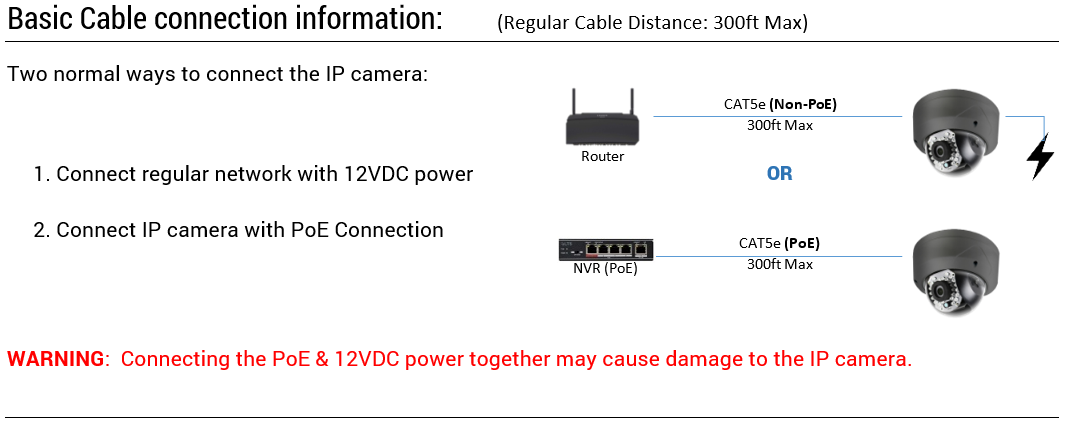
Here are 2 methods for activating IP cameras.
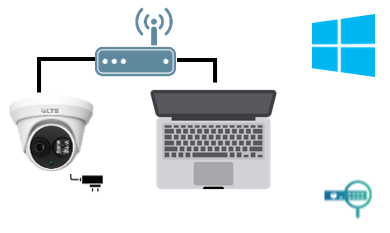
IP Camera Activation with PC
- Connect IP camera to the router & Windows PC connected to the same router.
- Download the IP Portal software
- Found the IP camera from the IP portal, select & activate it.
- Change IP camera IP address.
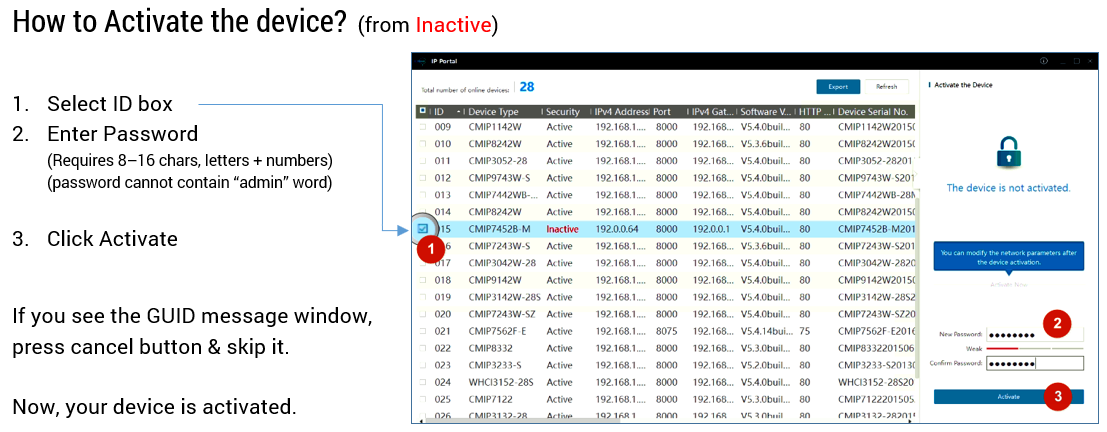
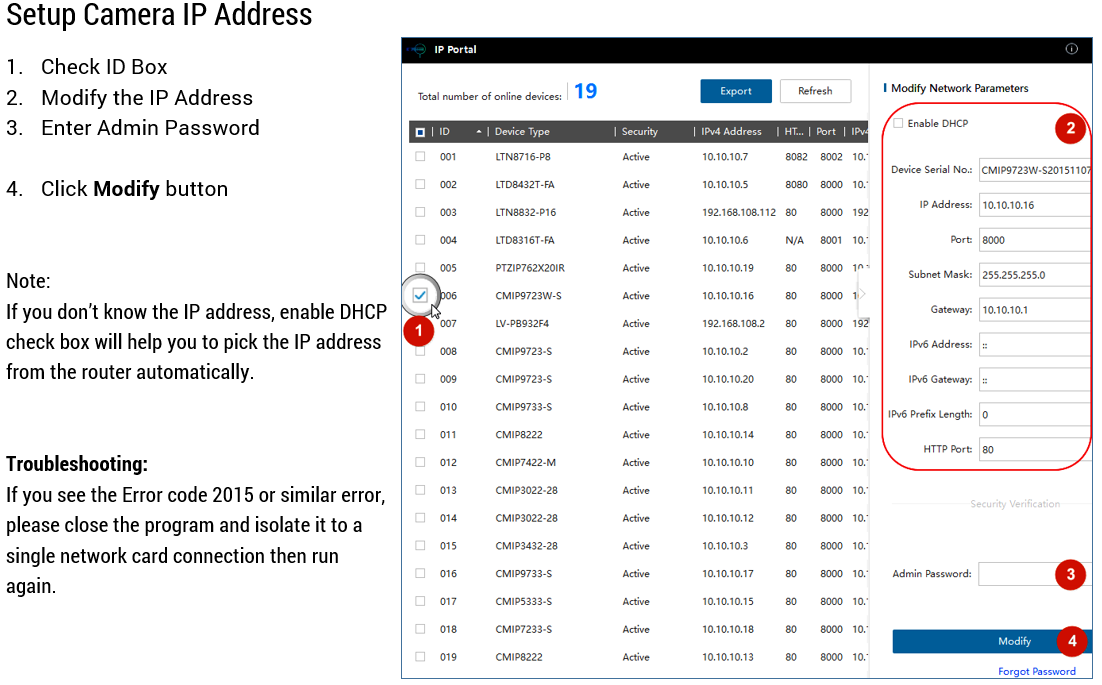
Login to the NVR and add the IP camera using the IP address.
NVR (Plug & Play NVR)
If the camera is directly connected to the onboard PoE of the NVR, the NVR will automatically activate and add the IP camera. The activation password of the IP camera is set on the NVR during the NVR activation process.
Was this article helpful?
Bu bilgiler sorununuzu çözmeye yardımcı oldu mu?
Thanks for your feedback!
Still need help?
Uzman ekibimiz size yardımcı olmak için burada.