Setting up Live View in Speco Blue VMS
20 Aug 2026
532 views
Live View Options
- Select Video Preview
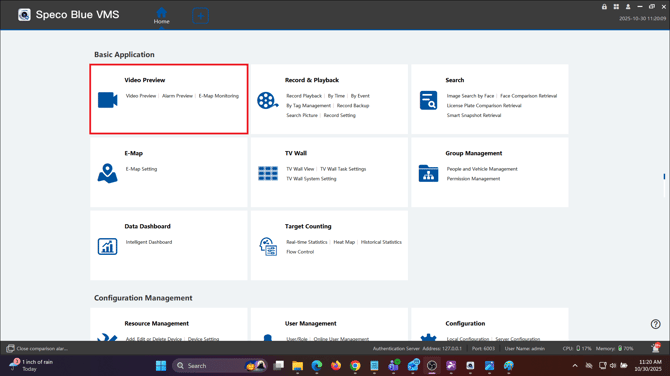
- The bottom number icons will select how many cameras you can view on screen
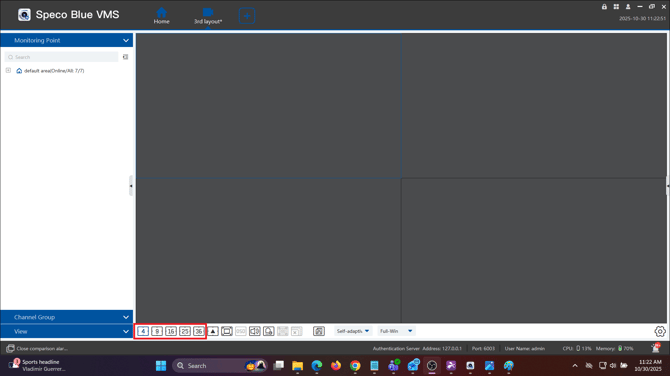
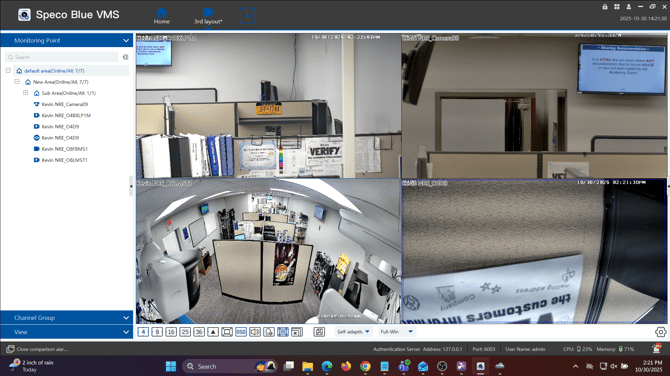
- To create a custom view, drag and drop the areas or individual cameras onto the screen
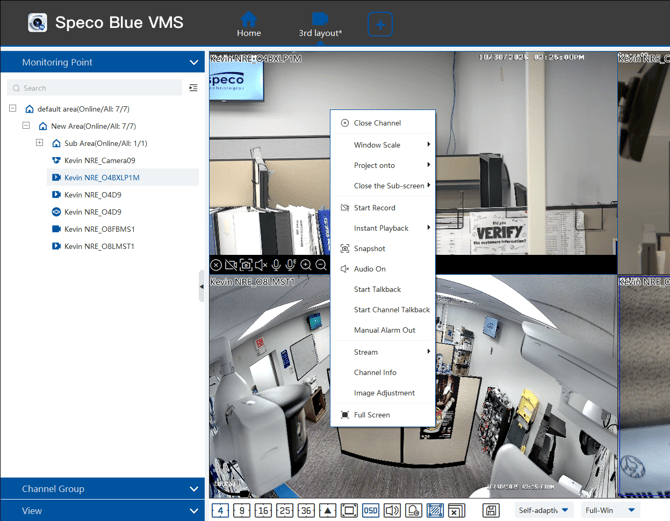
- Right clicking the live image will give your more in depth options on your cameras
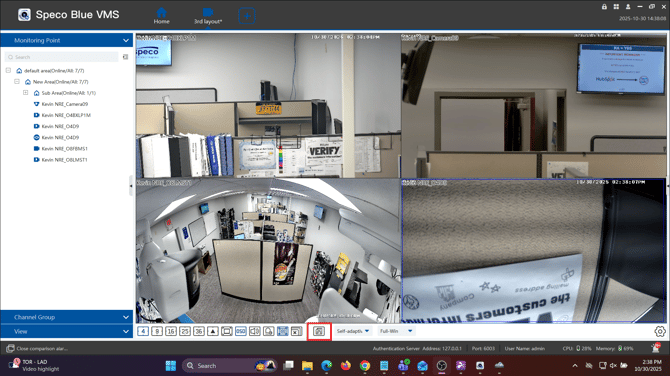
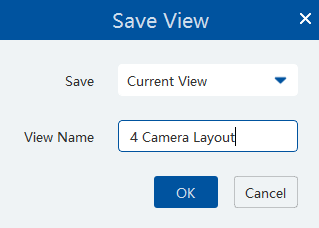
- Click the floppy disk to save the current layout of cameras
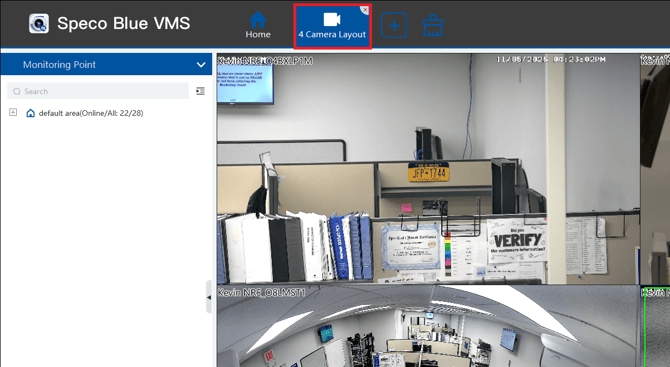
- At any time, your tabs can dragged and dropped to a different monitor to allow for a video wall feature
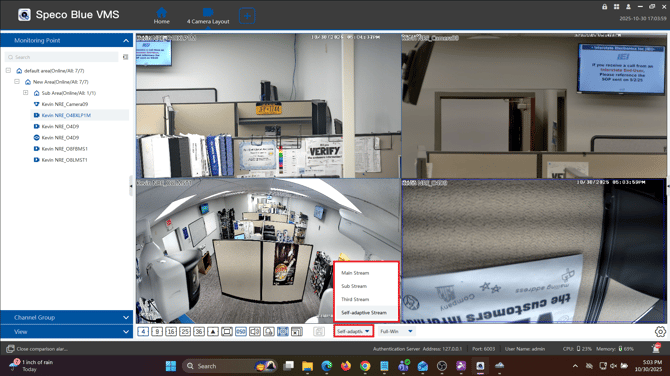
- There are multiple viewing modes to ensure a fluent stream. By default, and recommended is “Self-Adaptive View”.
- If your hardware is not quite up to spec you can change the view to a “Sub / Third stream" to limit hardware resources.
- If your PC meets / exceeds hardware requirements then “Mainstream” can be utilized.
Initial submission Date: November 11th, 2025

Article authored by: Kevin Holland, Technical Support Agent - Tier 1
Live View Options
- Select Video Preview
- The bottom number icons will select how many cameras you can view on screen
- To create a custom view, drag and drop the areas or individual cameras onto the screen
- Right clicking the live image will give your more in depth options on your cameras
- Click the floppy disk to save the current layout of cameras
- At any time, your tabs can dragged and dropped to a different monitor to allow for a video wall feature
- There are multiple viewing modes to ensure a fluent stream. By default, and recommended is “Self-Adaptive View”.
- If your hardware is not quite up to spec you can change the view to a “Sub / Third stream" to limit hardware resources.
- If your PC meets / exceeds hardware requirements then “Mainstream” can be utilized.
Initial submission Date: November 11th, 2025

Article authored by: Kevin Holland, Technical Support Agent - Tier 1
Was this article helpful?
Bu bilgiler sorununuzu çözmeye yardımcı oldu mu?
Thanks for your feedback!
Still need help?
Uzman ekibimiz size yardımcı olmak için burada.