Sannce Smart - What to Do if Your Device's Nat Status Does Not Show Connected?
Applies to: DN41CR/DN81BR/DT61BR/DT61BT
If the users want to view the cameras remotely, the status must be online. It could be checked on the Main Menu-->Version>Nat Status.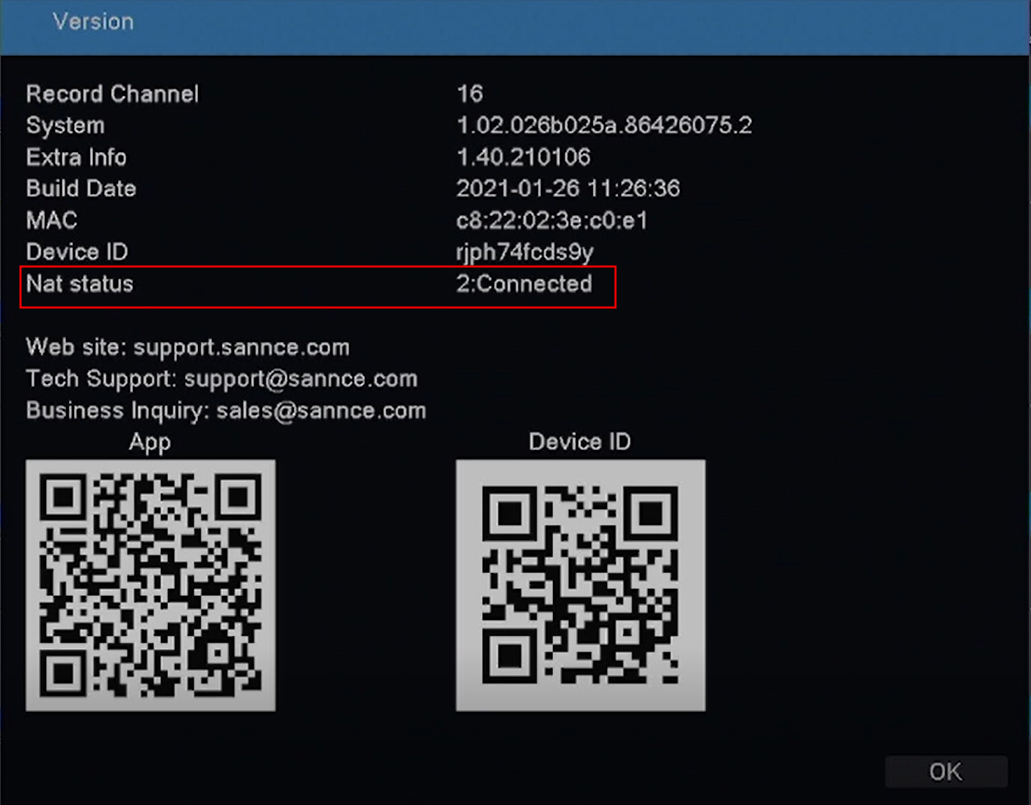
If it is not connected, please try the below troubleshooting:
1. Make sure the receiver is connected to a router via ethernet cable. You can try to change another ethernet cable and another router port to check.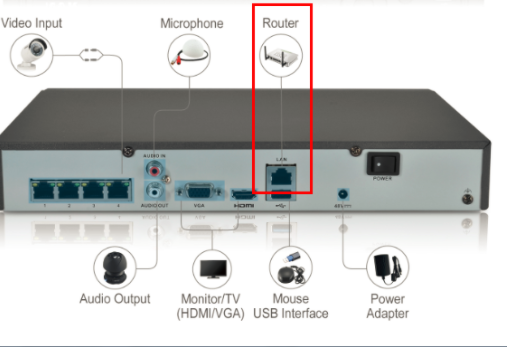
2. Go to Main Menu--Network, uncheck 'DHCP' and change the Primary DNS to "8.8.8.8", then click 'Apply'. Then please check the Nat Status again.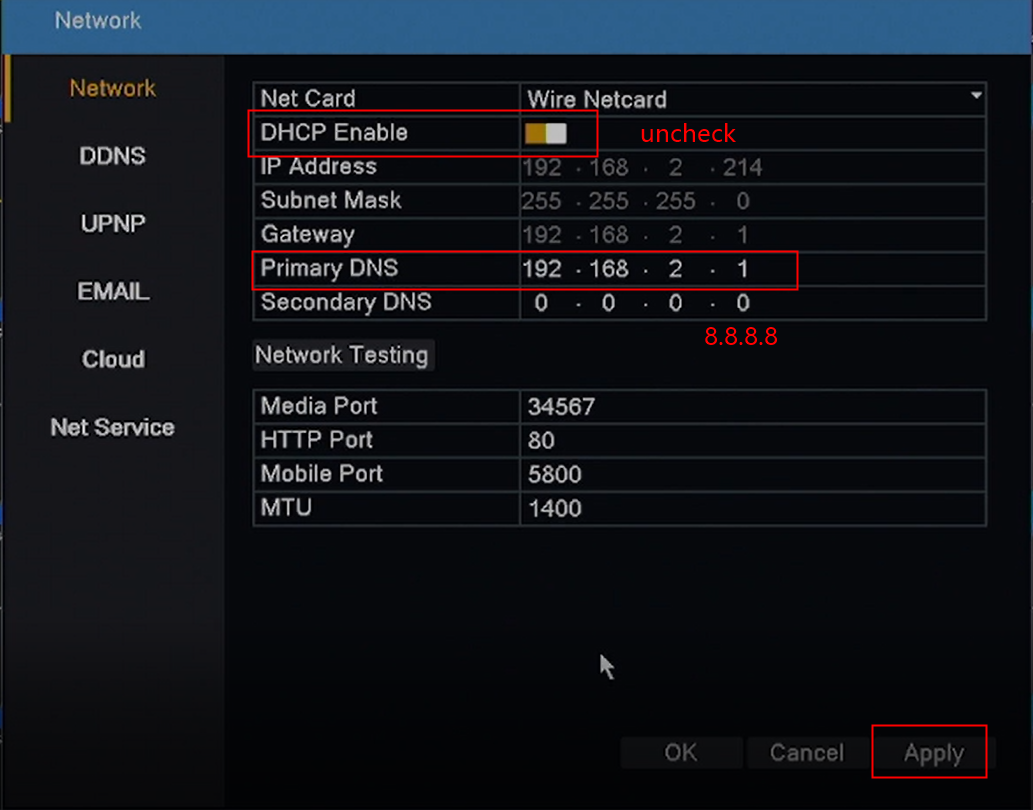
3. If the Nat Status is still not connected, please go back to Main Menu--Network to check "DHCP" again. Then please check the Nat Status again.
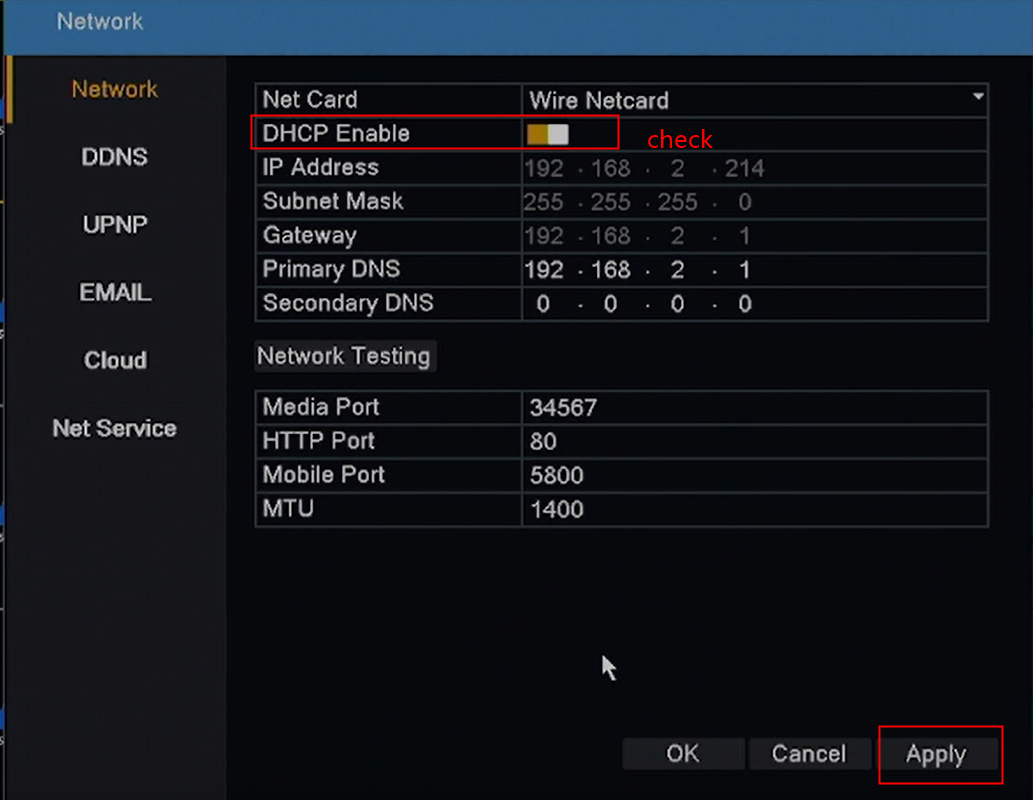
4. If it still does not work, please submit a request here to the technical support for more details.
Was this article helpful?
Bu bilgiler sorununuzu çözmeye yardımcı oldu mu?
Still need help?
Uzman ekibimiz size yardımcı olmak için burada.