Sannce Sight - How to Setup Motion Detection Recording?
Applies to:
NW41V/N441H/N441K/N28WEB/N441B/N441D/N441L/N44PAN/N44PAJ/N34WDB/N34WDD/N44WEB/N44WED/N44WEC/NW41V/N48WHE/N48PBE/N48WHF/N44WEF
Motion detection recording means NVR will record automatically when it is triggered by movement.
The DNVR needs an internal hard disk drive for recording. Without the hard drive, the system can show live viewing, but can’t record, playback either.
The status of the hard drive could be checked on the System Setup-->General Setup-->HDD setup:
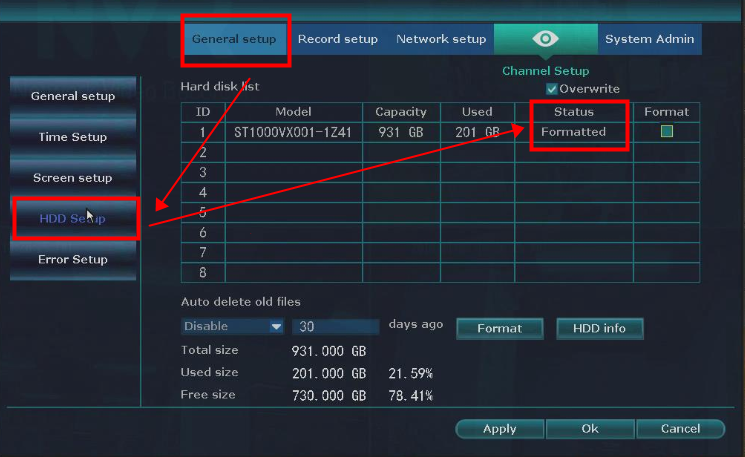
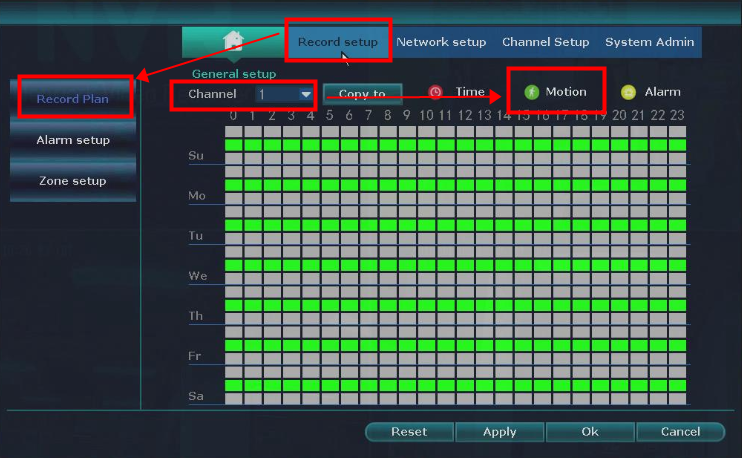
If the status of the hard drive is Formatted, please Go to System Setup-->Record Setup-->Record Plan, and choose the channel.
Then, please click Motion and drag the mouse on the table for each day.
After that, click "Apply" to save the config.
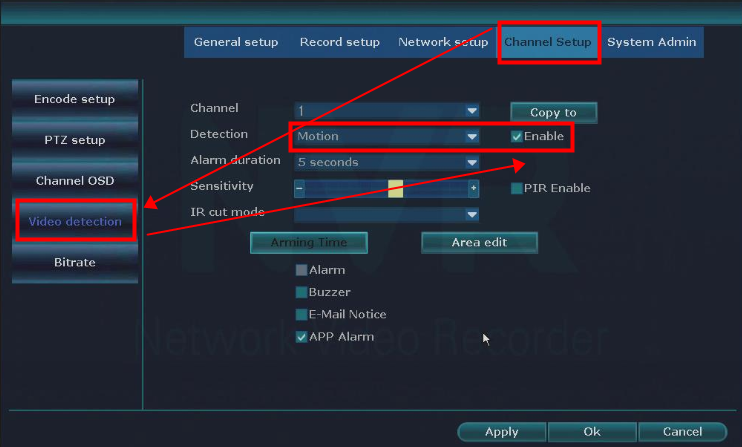
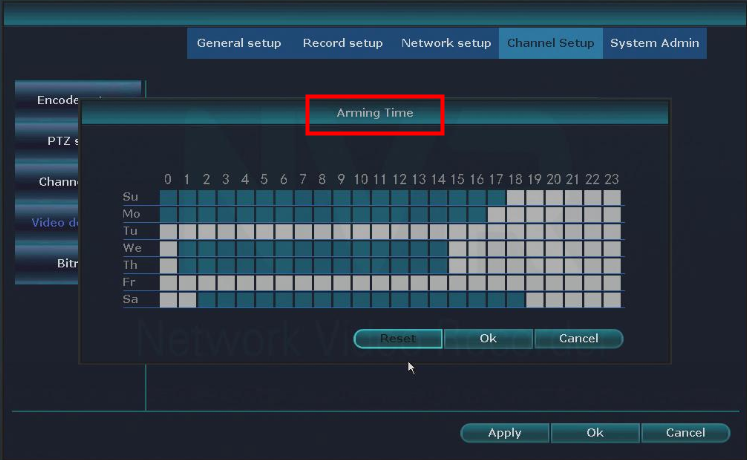
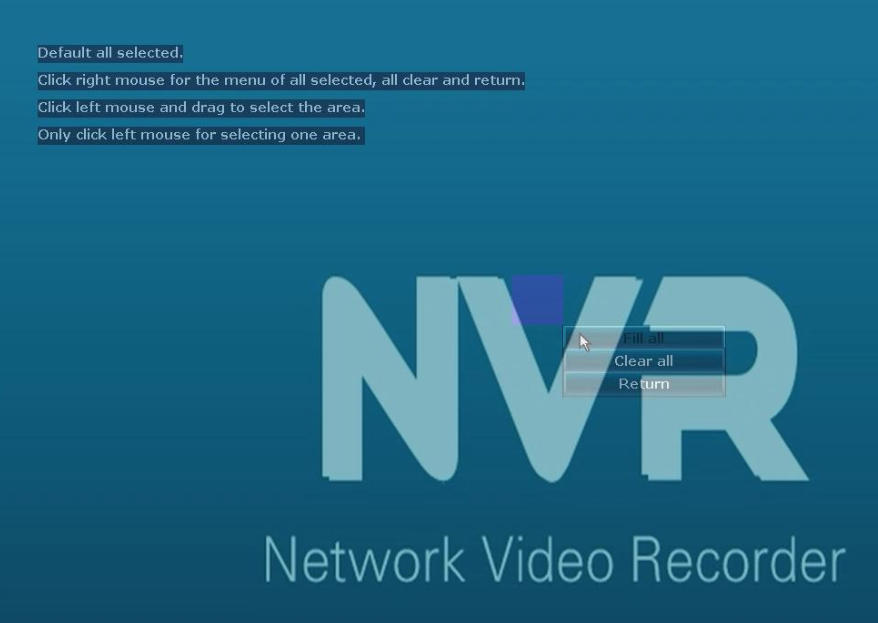
Next, Go to System Setup-->Channel Setup-->Video detection to enable it, and also set up the arming time and edit the area.
If the hard drive is not recognized by the system, please refer to the below instruction to do the troubleshooting:
https://support.sannce.com/hc/en-us/articles/900000435163
Was this article helpful?
Bu bilgiler sorununuzu çözmeye yardımcı oldu mu?
Still need help?
Uzman ekibimiz size yardımcı olmak için burada.