Sannce Sight - How to Rollover/upside Down/Rotate the Image?
20 Aug 2026
326 views
NW41V/N441H/N441K/N28WEB/N441B/N441D/N441L/N44PAN/N44PAJ/N34WDB/N34WDD/N44WEB/N44WED/N44WEC/NW41V/N48PBE/N44WEF
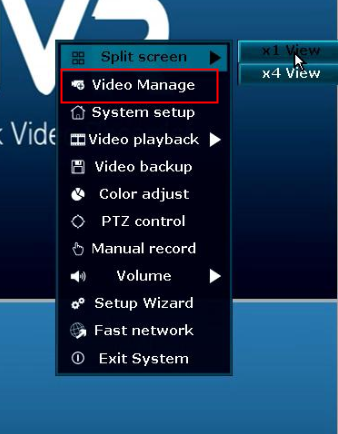
1. Right-click on the monitor, choose "video manage"
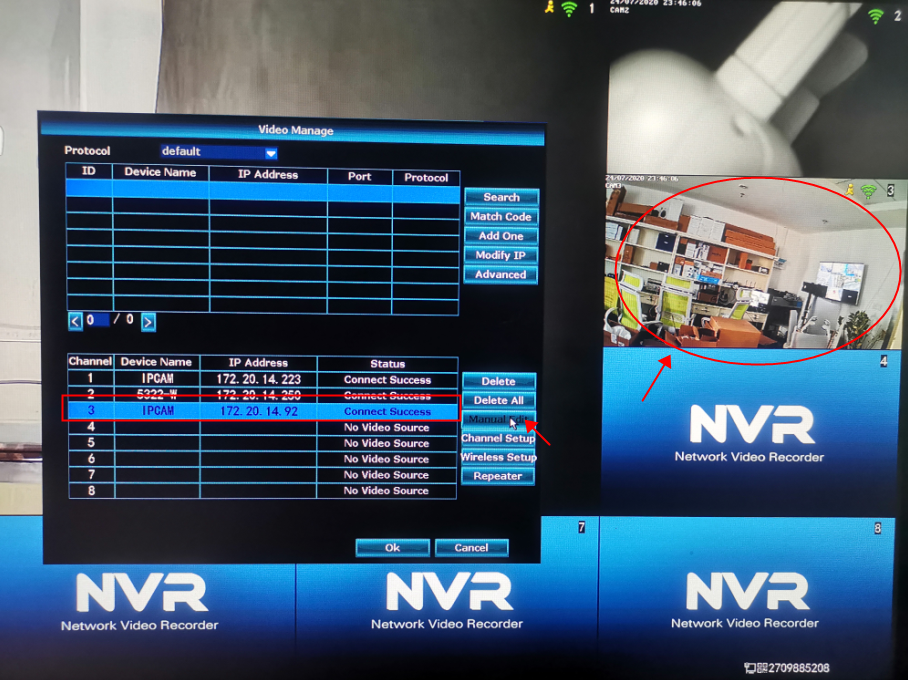
2. Choose the camera that needs to be adjusted, here we take the camera 3 for example:
Choose the camera 3, then click "Manual Edit"
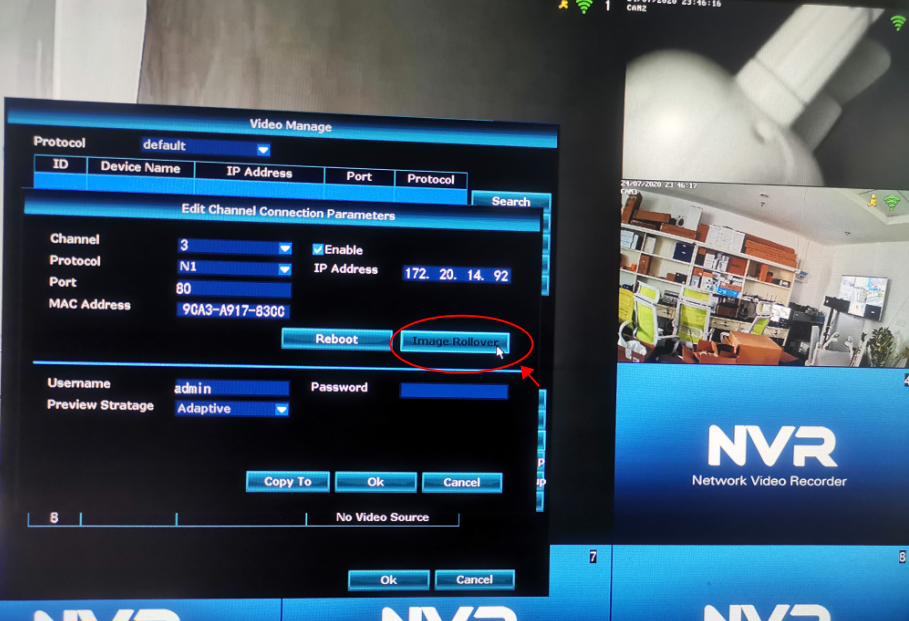
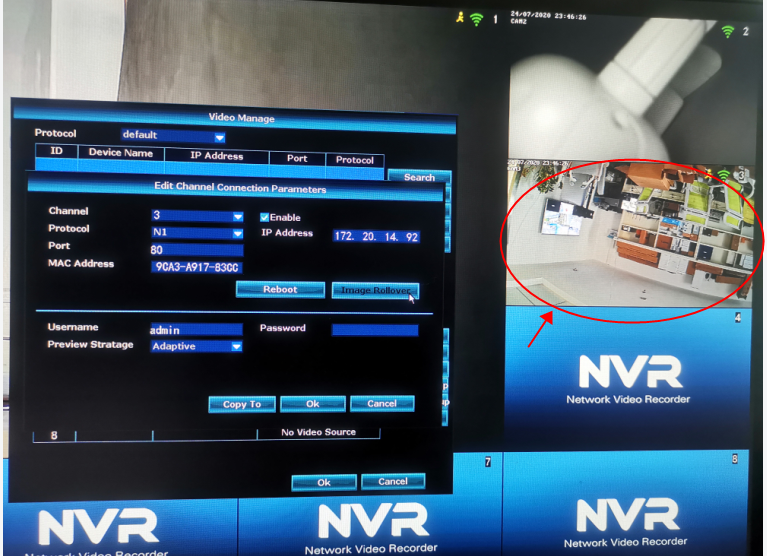
3. Click "Image Rollover", then the image will be upside down
Was this article helpful?
Bu bilgiler sorununuzu çözmeye yardımcı oldu mu?
Thanks for your feedback!
Still need help?
Uzman ekibimiz size yardımcı olmak için burada.