Sannce Sight - How to Back up the Video to the USB stick/External Hard Drive
20 Aug 2026
324 views
NW41V/N441H/N441K/N28WEB/N441B/N441D/N441L/N44PAN/N44PAJ/N34WDB/N34WDD/N44WEB/N44WED/N44WEC/NW41V
1. Please connect the USB stick/external hard drive to the USB port on the NVR. Please format the USB stick/external hard drive to FAT32 on the computer.
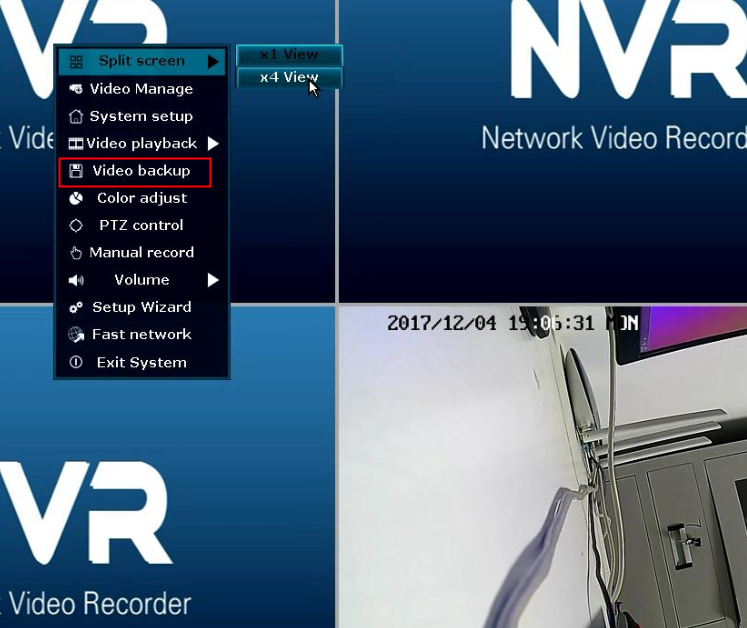
2. Right-click on the monitor, select "Video backup"
3. Please follow the steps below to back up the video.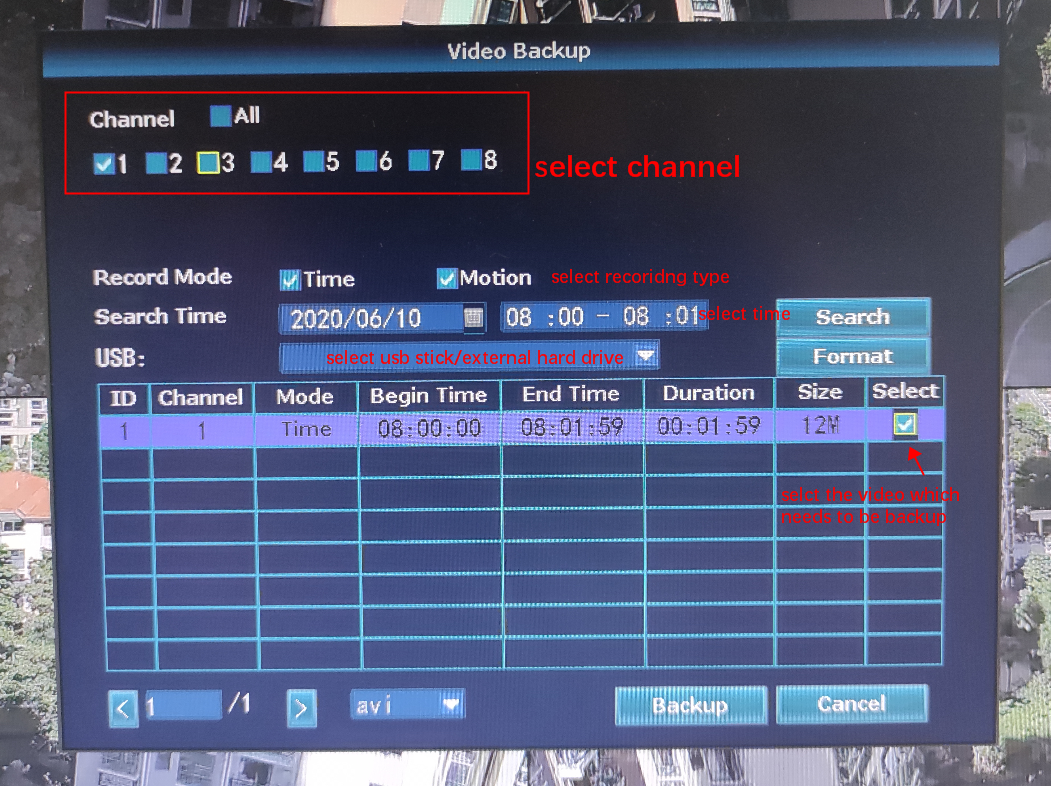
Was this article helpful?
Bu bilgiler sorununuzu çözmeye yardımcı oldu mu?
Thanks for your feedback!
Still need help?
Uzman ekibimiz size yardımcı olmak için burada.