Sannce Home - How to Reset the Password of DVR?
Applies to: DN41CK/DN81BL/DN81BG/DT61BB
1. Plug DVR to the router by ethernet cable.
2. Get a windows computer that is connected to the same router. Install software. Here is the software download link:
For Windows: https://download.annke.com/document/Computer_Software/SADPToolV3.0.3.3.zip
For Mac: https://download.annke.com/document/Computer_Software/SADPTool.pkg.zip
3. Run the software and it will detect the camera‘s IP.
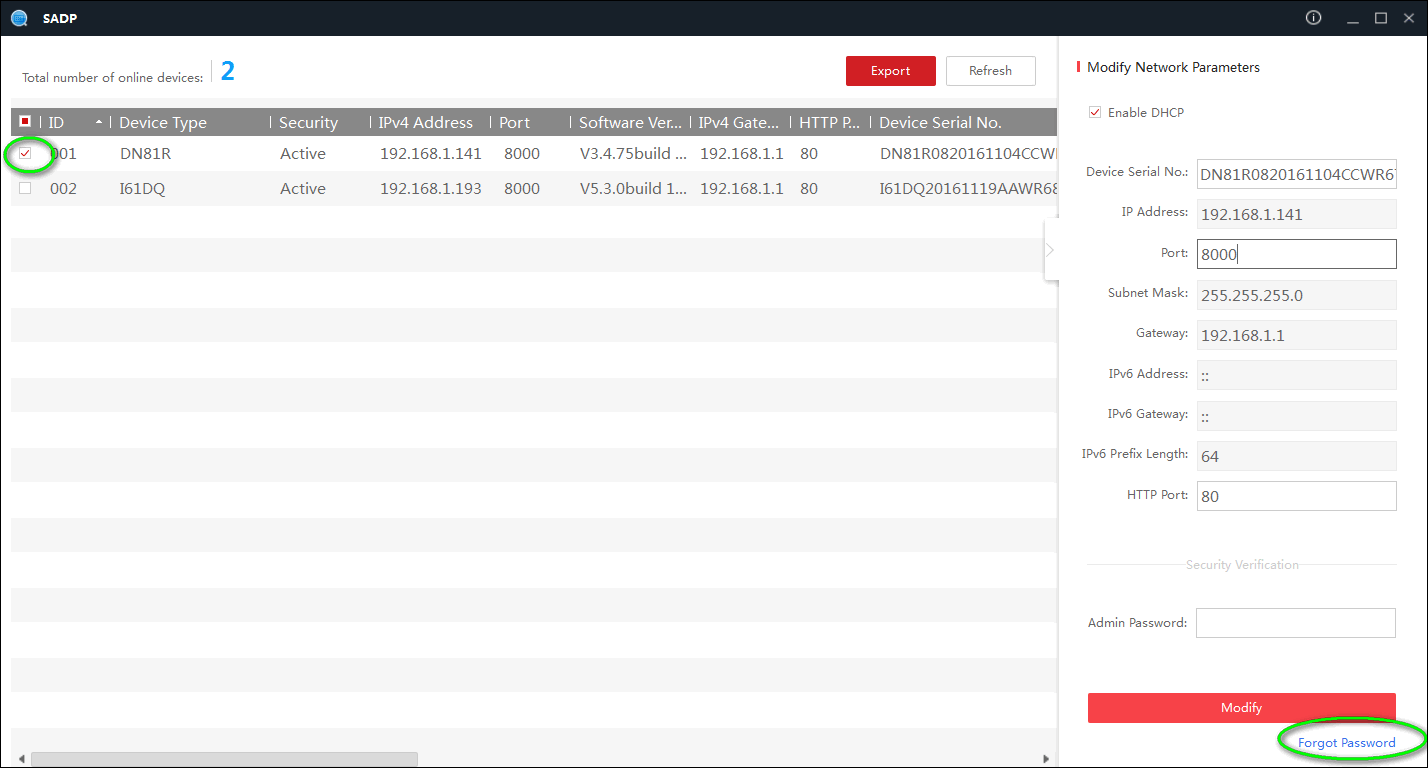
4. Select the camera‘s IP and click forget a password at the right bottom of the software.
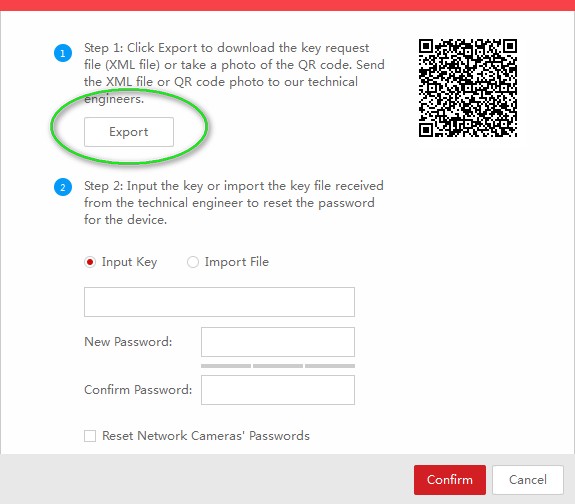
5. Click export and select the path to export a file. Please don't change the file's name and send this file to support@sannce.com.

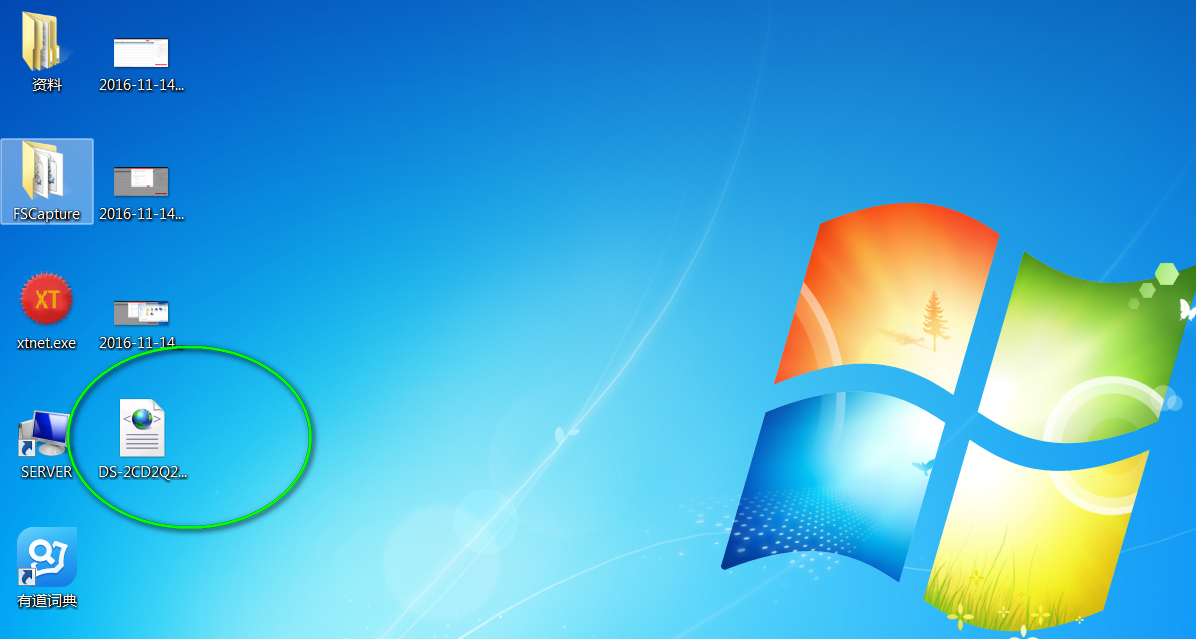
We will send you a code or file to unlock the system.
NOTICE:
1. Please do NOT turn off your DVR and the SADP software after you exported the files. Otherwise, the exported file will be invalid immediately.
2. Please use the key file from us as soon as possible because it's only valid for 24 hours.
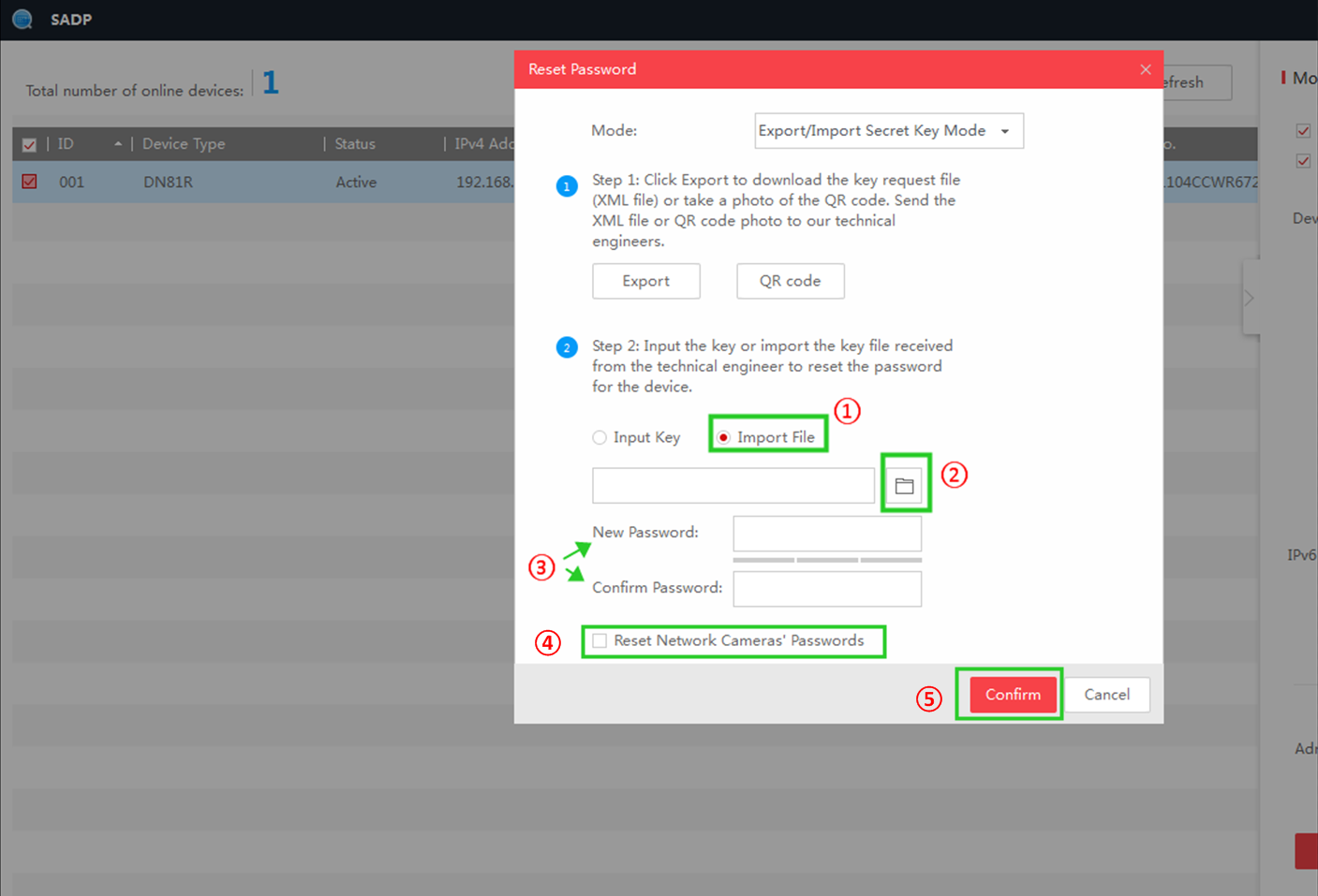
6. Select "Import File" and choose the file we sent to you.
Input your DVR/NVR's new password in "New Password" and "Confirm Password", tick the option "Reset Network Cameras' Passwords", click "Confirm" to finish reset.
Note: Before doing step 6, please connect as many cameras to the NVR as possible, since only the connected cameras' password can be reset together with NVR's.
Was this article helpful?
Bu bilgiler sorununuzu çözmeye yardımcı oldu mu?
Still need help?
Uzman ekibimiz size yardımcı olmak için burada.