Safire - Download from microSD card via Internet Explorer
Note:
This test was performed with Safire camera model number SF-IPB025WHA-4PW with firmware version: V5.5.110 build 201022.
The settings may be different for the model you are using.
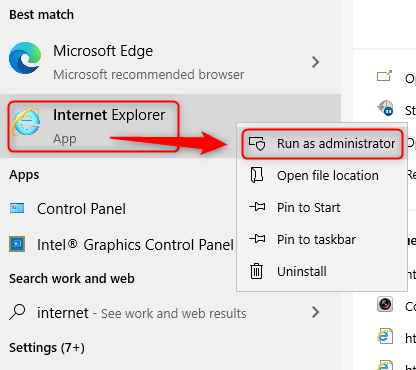
Open Internet Explorer as an administrator.
Enter the IP address of the camera and log in with the camera's user name and password.
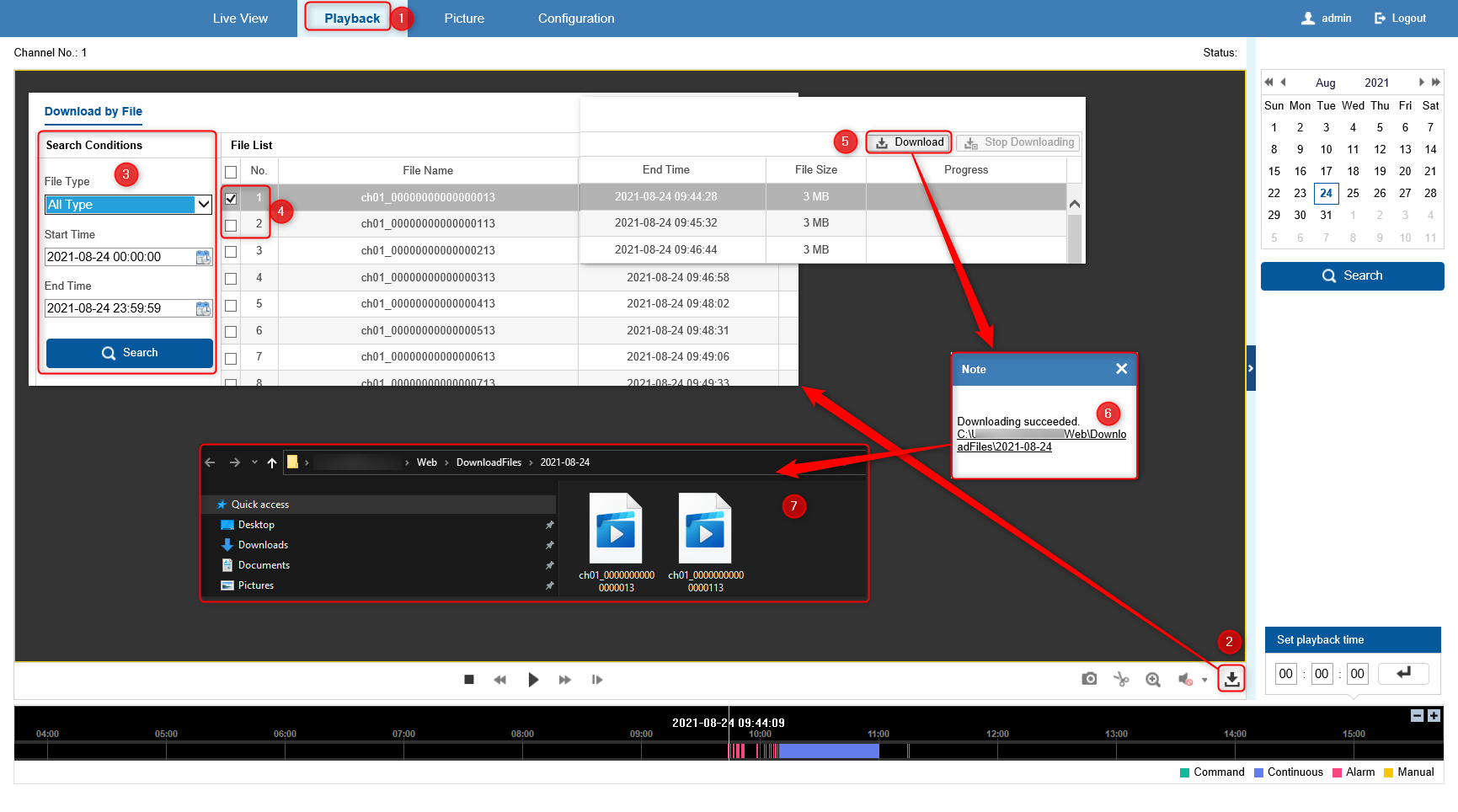
1. Go to "Playback"
2. Select the download icon
3. Set search conditions
4. Select the files to download
5. Click download
6. When the files are downloaded, the link will appear shortly after and clicking the link will open the location of the file. (The location will be the one selected in the Configuration section - Local)
7. We recommend using the VLC player or the VSPlayer
Was this article helpful?
Bu bilgiler sorununuzu çözmeye yardımcı oldu mu?
Still need help?
Uzman ekibimiz size yardımcı olmak için burada.