(PC) - How to disable the Blue Line on screen (VCA Line)
20 Aug 2026
374 views
VCA Rule Line can help you easily find out the VCA area. You may turn it off from here.
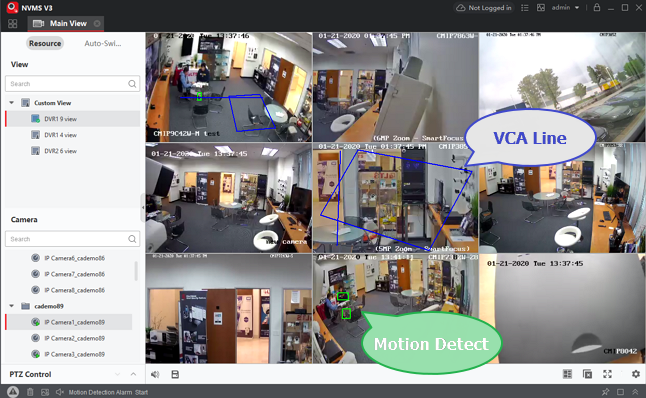
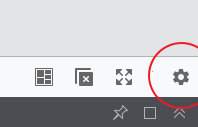
Stop the View first. Go to the Gear icon.
Go to Image tab > switch VCA Rule to Off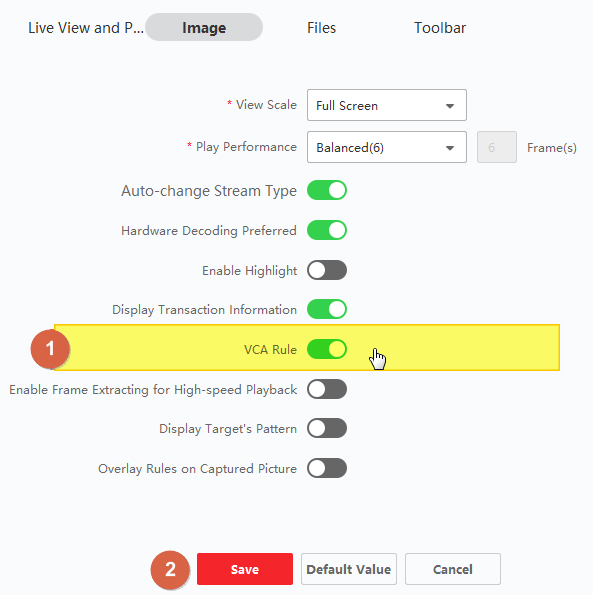
Then, try to play the video again.
For some DVR/NVR LiveView local monitor display blue/green line issue.
Use this way that should solve the issue.
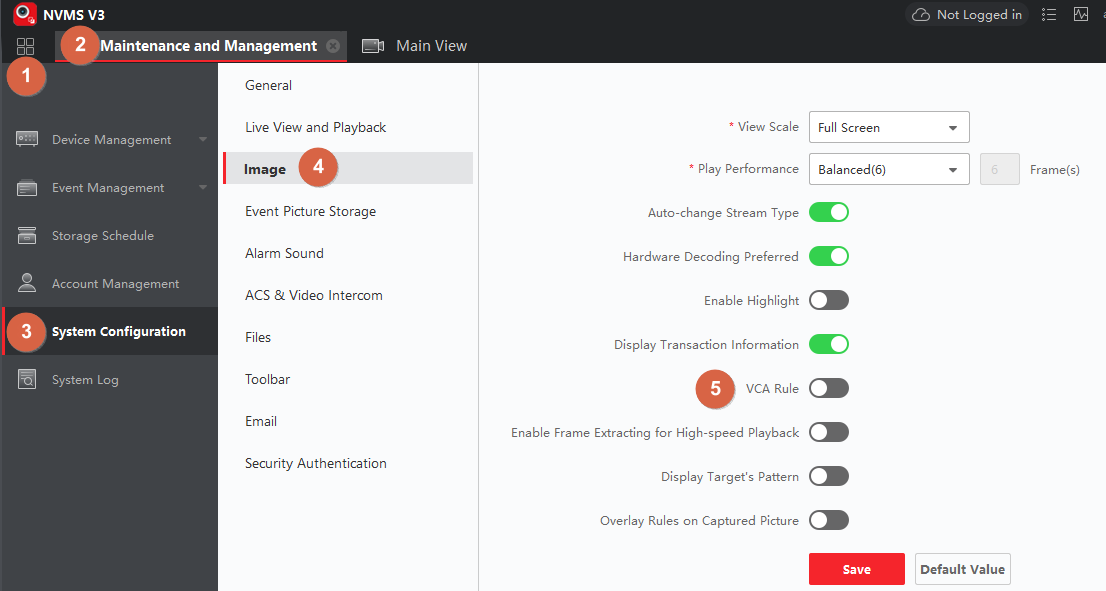
Or, you can go here to find the setting from here.
Was this article helpful?
Bu bilgiler sorununuzu çözmeye yardımcı oldu mu?
Thanks for your feedback!
Still need help?
Uzman ekibimiz size yardımcı olmak için burada.