Import users SAFIRE CONTROL CENTER AC:
From the following section you can download the template to import the users in the program.

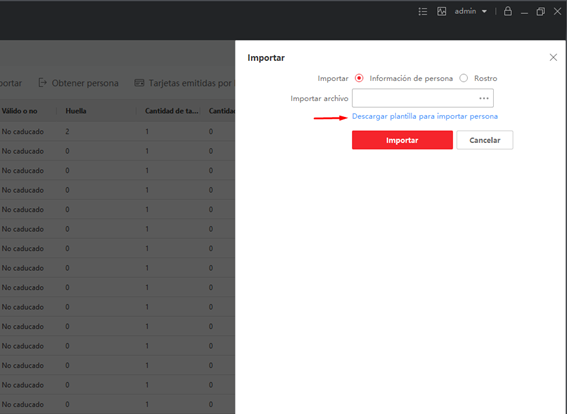
Once the file has been imported, if we open it with Excel we will see that as it is a file with a .csv extension, the Excel program does not separate the columns correctly
To do this we must open the file with Excel from the following section:
We indicate that the delimiter of the data is the comma
Once we have chosen the delimiter the program will separate the data correctly in columns
Once we have the information correctly we complete the data of the users we want to import. The only fields that must be completed must be the ones marked with the icon "*", all the others are complementary.
(IT IS IMPORTANT THAT IN THE FIELD "NAME", WHEN COMPLETING THE FILE, DO NOT PUT ANY COMMA IN CASE YOU HAVE TO PUT NAME AND SURNAME, BECAUSE THE SYSTEM IDENTIFIES THAT COMMA AS A FIELD AND NOT AS A FIELD VALUE)
Then we must export the file with CSV extension:
Once the file is exported we must open it with the notepad:
And as a last step we must delete the header and leave in the file only the data of the employees to import:
Finally we must "Replace" the semicolon separator by the comma, otherwise the program will not recognize the data correctly and the import will not work.
The file should look like this:
Now we can import this file
Was this article helpful?
Bu bilgiler sorununuzu çözmeye yardımcı oldu mu?
Still need help?
Uzman ekibimiz size yardımcı olmak için burada.