IC Realtime - SmartPSS - Accessing the Web Interface Using Smart PSS
20 Aug 2026
364 views
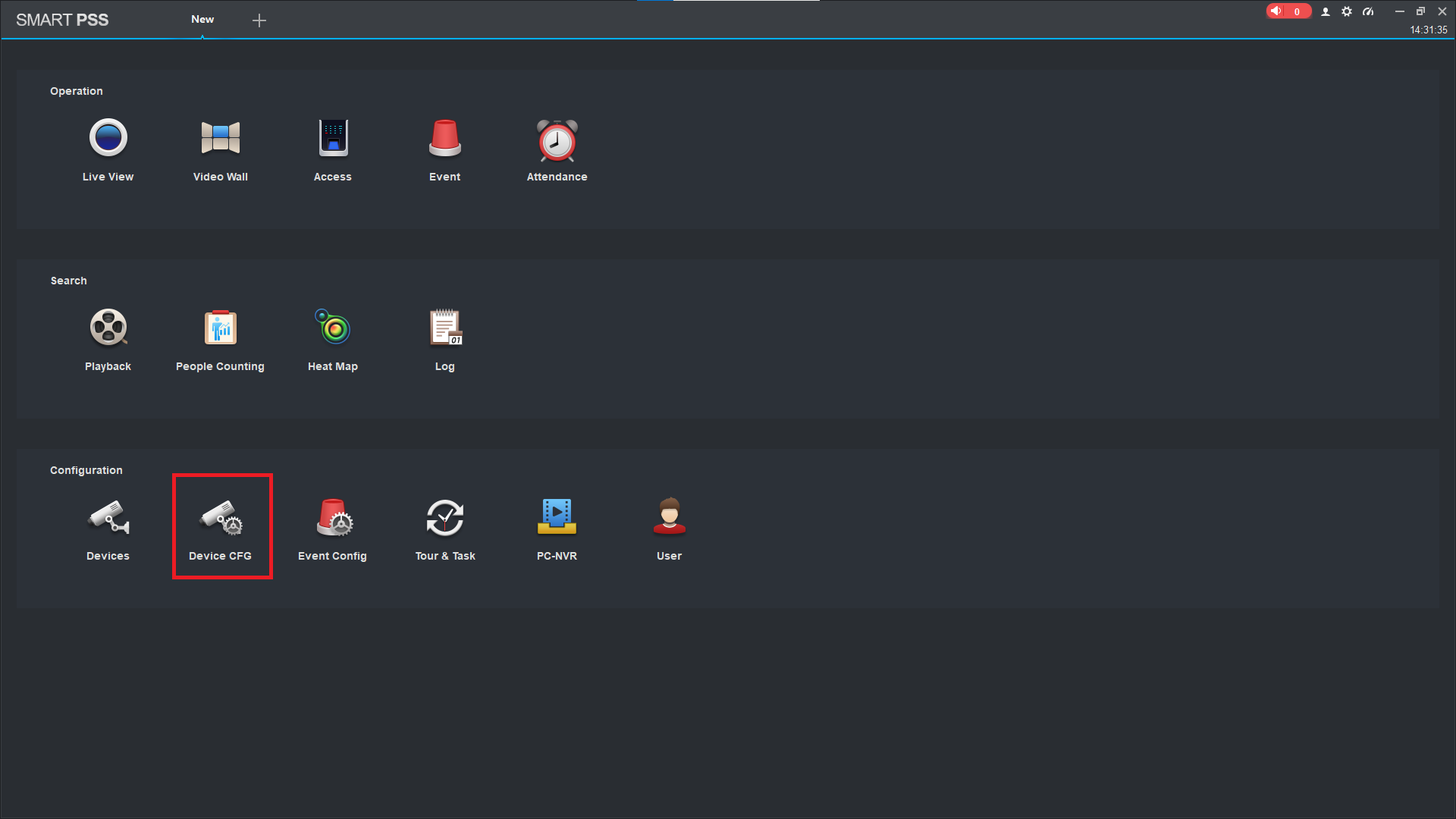
- Access the Smart PSS application and navigate to the Device CFG section.
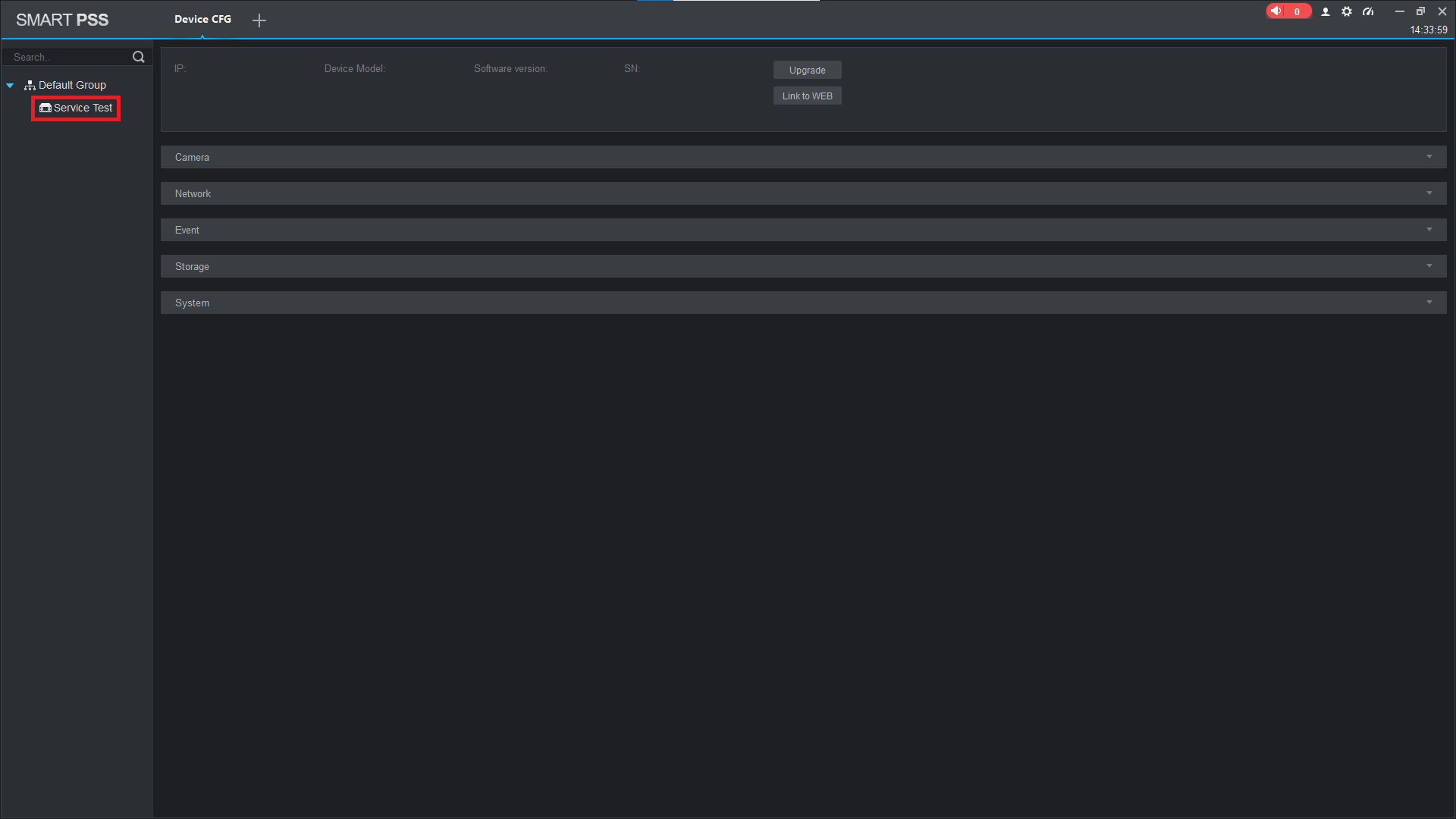
- Choose your device on the left hand panel
- Select Link to WEB.
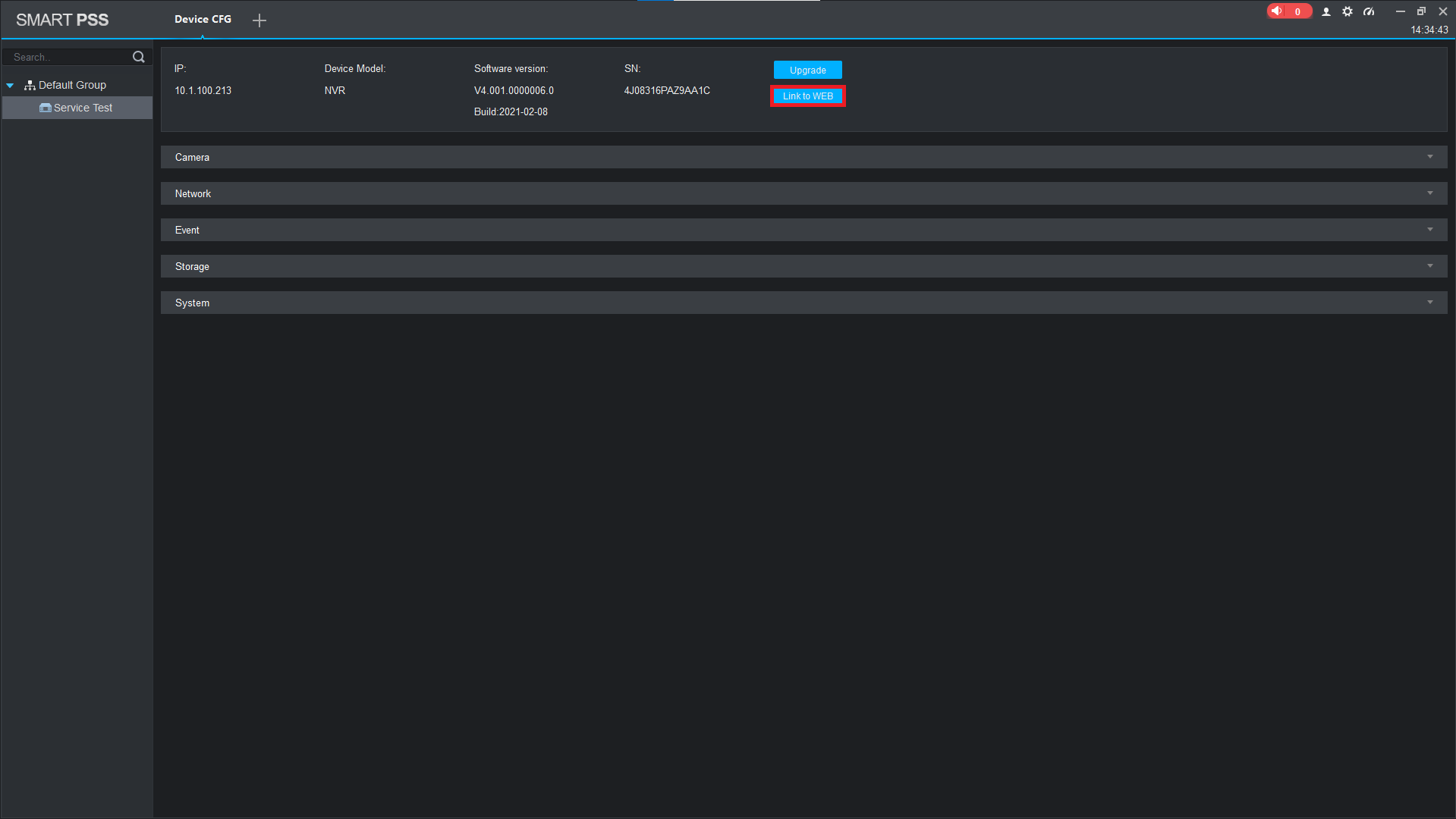
Note: This will only work for devices added by P2P or local IP address. Port Forwarding of the TCP and HTTP ports is required if not using P2P and the device is in a remote location from your SmartPSS instance
Was this article helpful?
Bu bilgiler sorununuzu çözmeye yardımcı oldu mu?
Thanks for your feedback!
Still need help?
Uzman ekibimiz size yardımcı olmak için burada.