How to View Fisheye Video Clip in Dewarp after Export from Speco Blue Recorder
20 Aug 2026
372 views
Click here to review How To Export Video from a Speco Blue Recorder
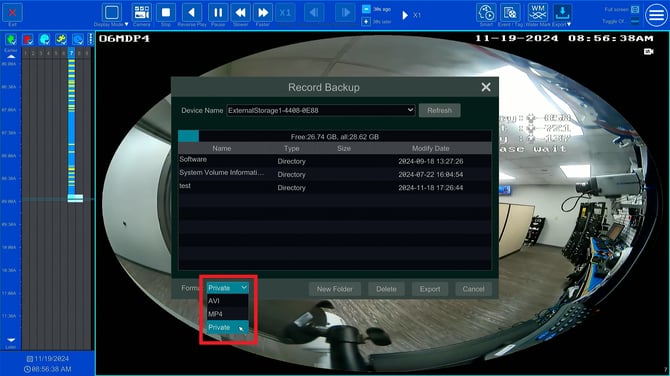
Step 1: Export Clip as Private
- When exporting the clip from the recorder, make sure the Format is Private.
Step 2: Open with Speco Blue Player
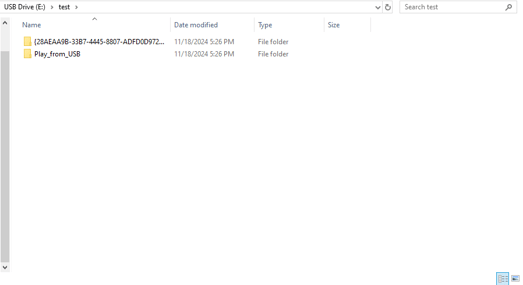
- This is how the export should look like on your thumb drive.
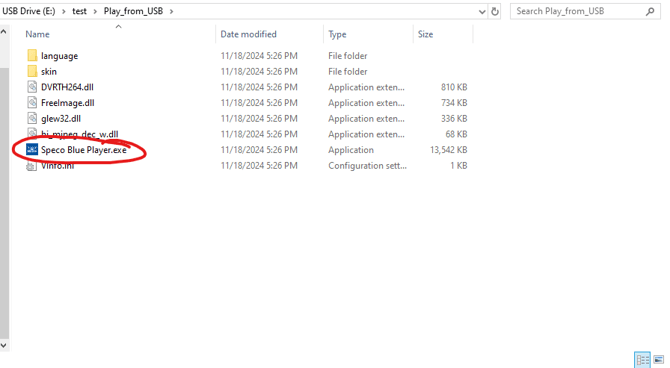
- Open the folder labeled "Play_from_USB"
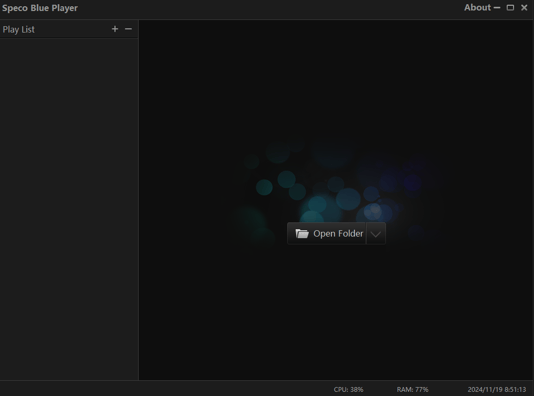
- Run the Speco Blue Player.exe file.
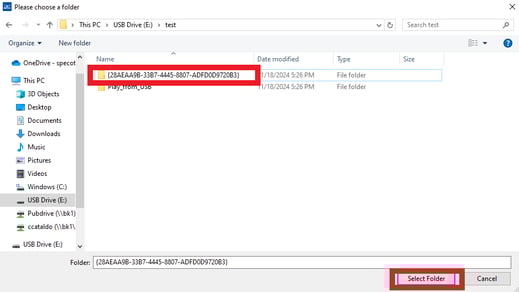
- Click Open Folder.
- Click the other folder from your export.
- Then click Select Folder
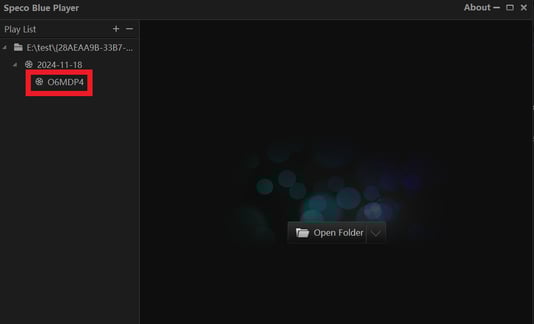
- Double click the camera source on the left-side bar.
- The camera clip will populate in the grid
- Click the Eye Icon on the setting bar.
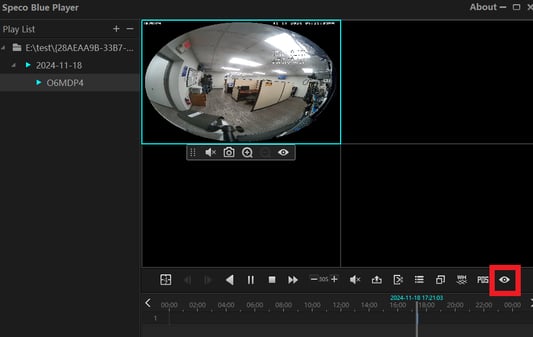
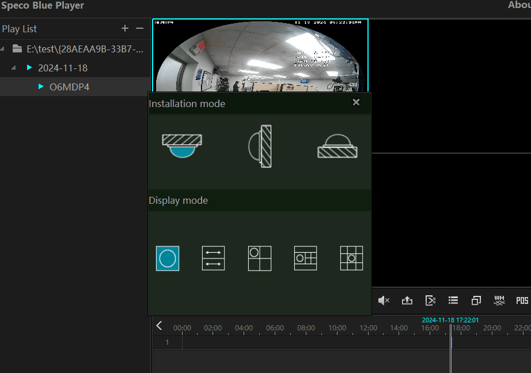
- The fisheye dewarp options will appear the same way they do at the Recorder interface.
Initial submission Date: November 19th, 2024
Article authored by: Christopher Cataldo, Tier 1
Click here to review How To Export Video from a Speco Blue Recorder
Step 1: Export Clip as Private
- When exporting the clip from the recorder, make sure the Format is Private.
Step 2: Open with Speco Blue Player
- This is how the export should look like on your thumb drive.
- Open the folder labeled "Play_from_USB"
- Run the Speco Blue Player.exe file.
- Click Open Folder.
- Click the other folder from your export.
- Then click Select Folder
- Double click the camera source on the left-side bar.
- The camera clip will populate in the grid
- Click the Eye Icon on the setting bar.
- The fisheye dewarp options will appear the same way they do at the Recorder interface.
Initial submission Date: November 19th, 2024
Article authored by: Christopher Cataldo, Tier 1
Was this article helpful?
Bu bilgiler sorununuzu çözmeye yardımcı oldu mu?
Thanks for your feedback!
Still need help?
Uzman ekibimiz size yardımcı olmak için burada.