How to set up security questions for password recovery on Speco Blue Recorders
20 Aug 2026
380 views
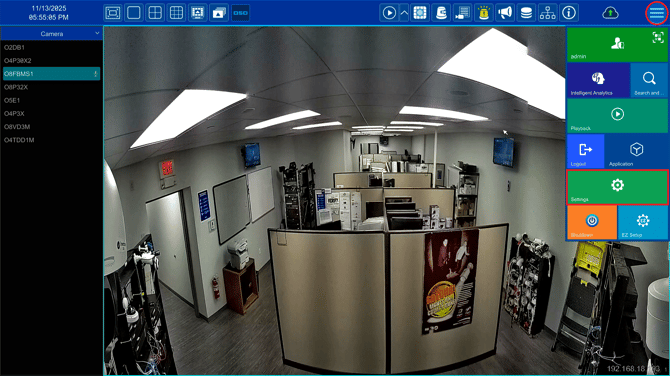
- Click the 3 lines in top right and select Settings
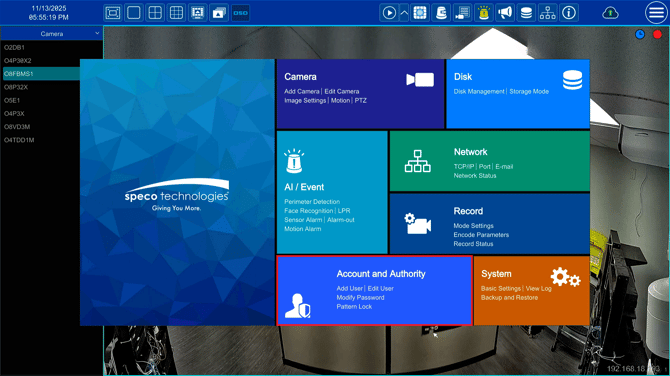
- Select Account and Authority
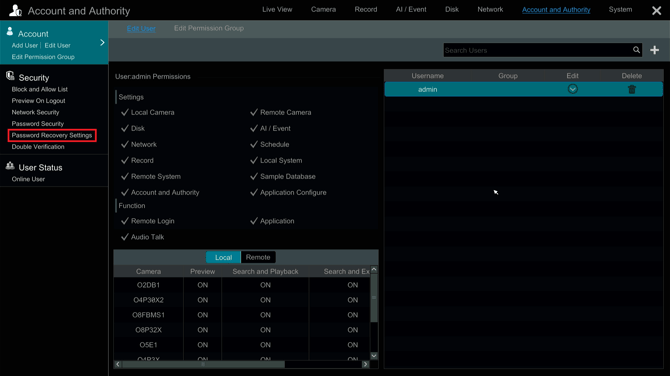
- On the NRX series recorder, select Password Recovery Settings
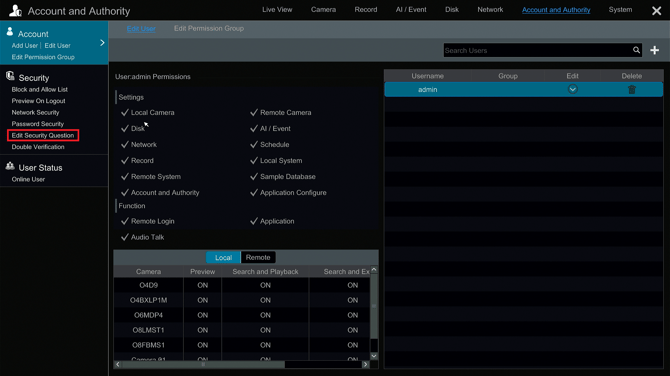
- On all other Blue Series Recorders, select Edit Security Question
- Select Security Questions
- It is highly recommended to set up your email for password recovery as well. Click HERE for a guide on how to set that up.
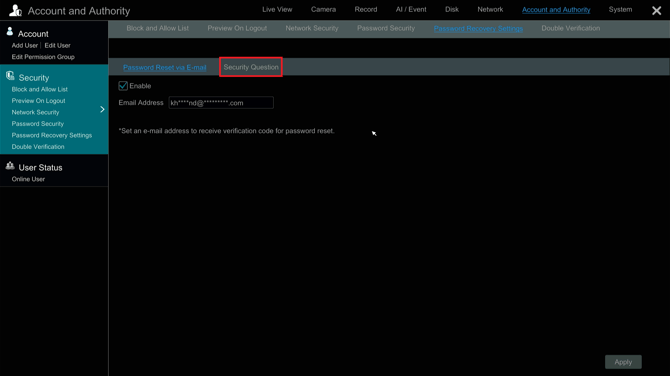
- Add a secure question only you would have the answer to, type in the answer and select Add. When finished, select Apply.
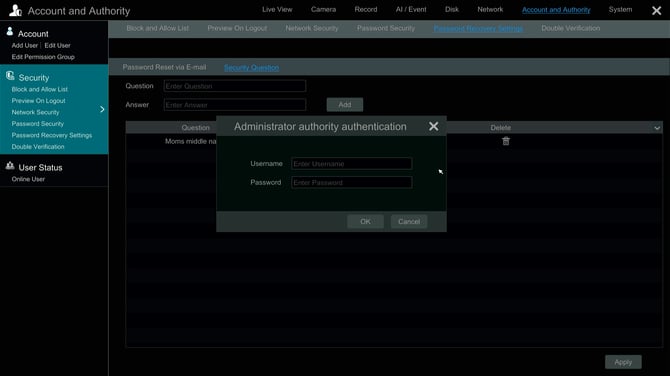
- You can add multiple questions, but only one needs to be answered to reset your password

- You will be prompted to enter the admin username and password
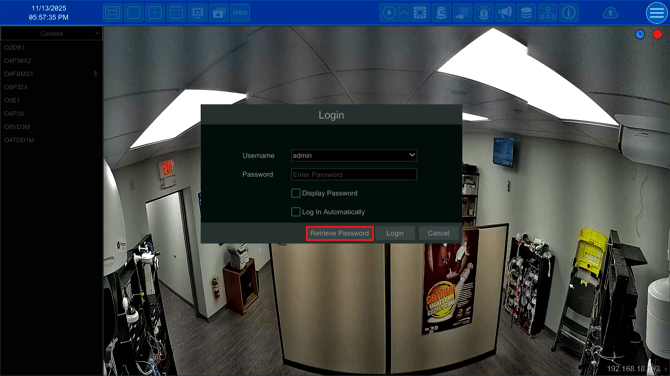
- If you're logged out and forgot the password, select Retrieve Password from the login screen
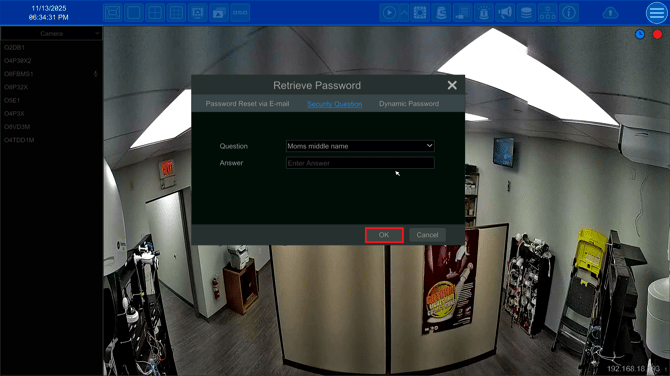
- Select Security Question
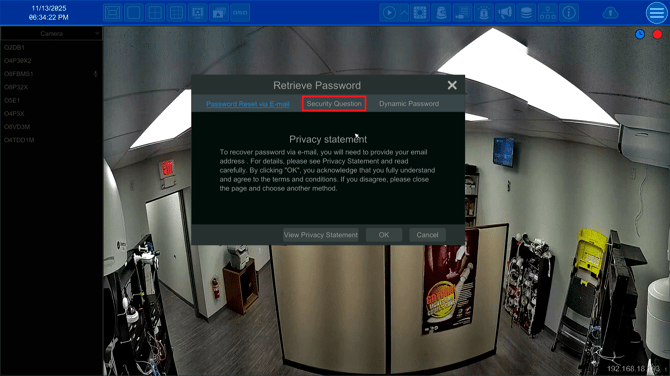
- Select the security question you set up, enter the correct answer, then select OK
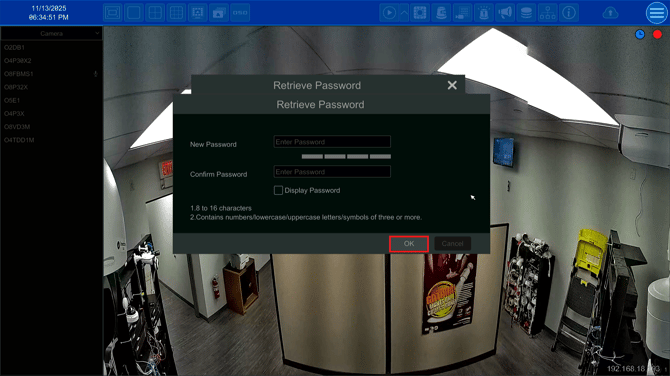
- If you answered the question correctly, you will be prompted to create a new password. Confirm your password, then select OK
- You will now be able to login using the new password you set up
Initial submission Date: November 14th, 2025

Article authored by: Kevin Holland, Technical Support Agent - Tier 1
- Click the 3 lines in top right and select Settings
- Select Account and Authority
- On the NRX series recorder, select Password Recovery Settings
- On all other Blue Series Recorders, select Edit Security Question
- Select Security Questions
- It is highly recommended to set up your email for password recovery as well. Click HERE for a guide on how to set that up.
- Add a secure question only you would have the answer to, type in the answer and select Add. When finished, select Apply.
- You can add multiple questions, but only one needs to be answered to reset your password
- You will be prompted to enter the admin username and password
- If you're logged out and forgot the password, select Retrieve Password from the login screen
- Select Security Question
- Select the security question you set up, enter the correct answer, then select OK
- If you answered the question correctly, you will be prompted to create a new password. Confirm your password, then select OK
- You will now be able to login using the new password you set up
Initial submission Date: November 14th, 2025

Article authored by: Kevin Holland, Technical Support Agent - Tier 1
Was this article helpful?
Bu bilgiler sorununuzu çözmeye yardımcı oldu mu?
Thanks for your feedback!
Still need help?
Uzman ekibimiz size yardımcı olmak için burada.