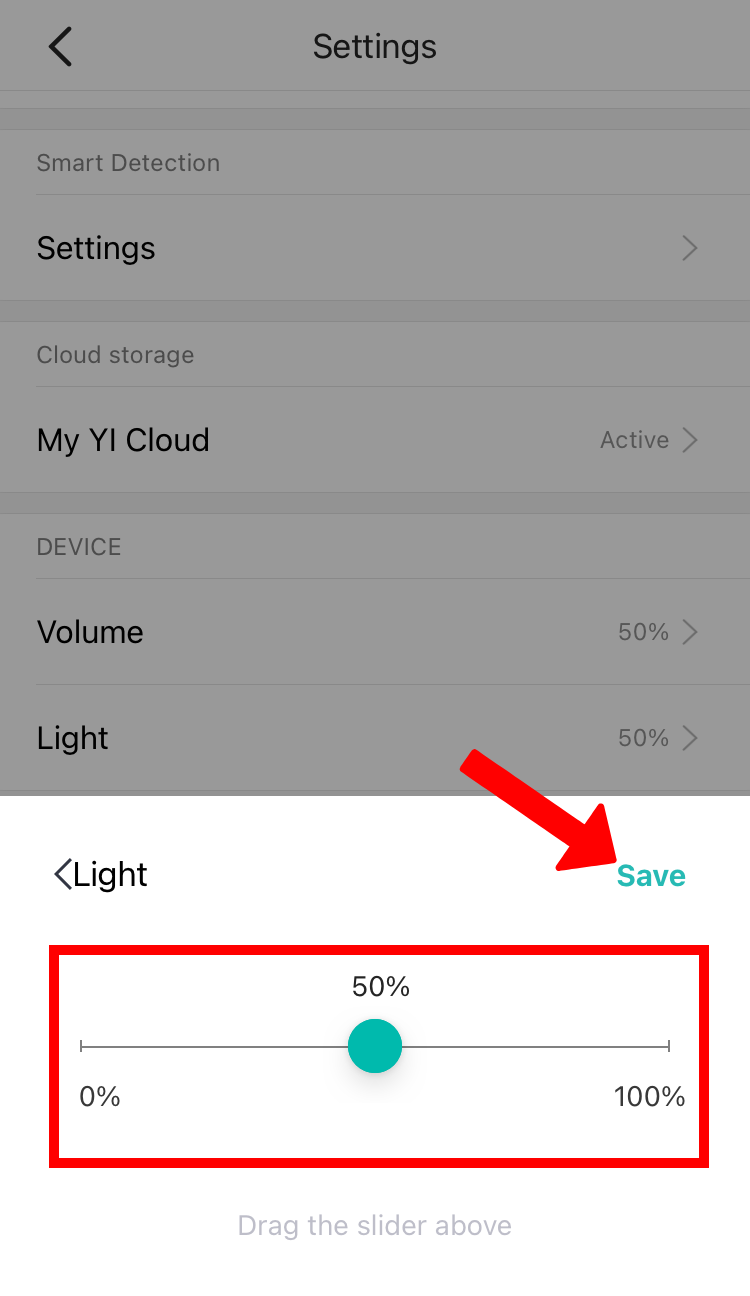
To adjust the Kami Baby Night Light, please follow the steps below:
1. Launch YI Home/Kami App.
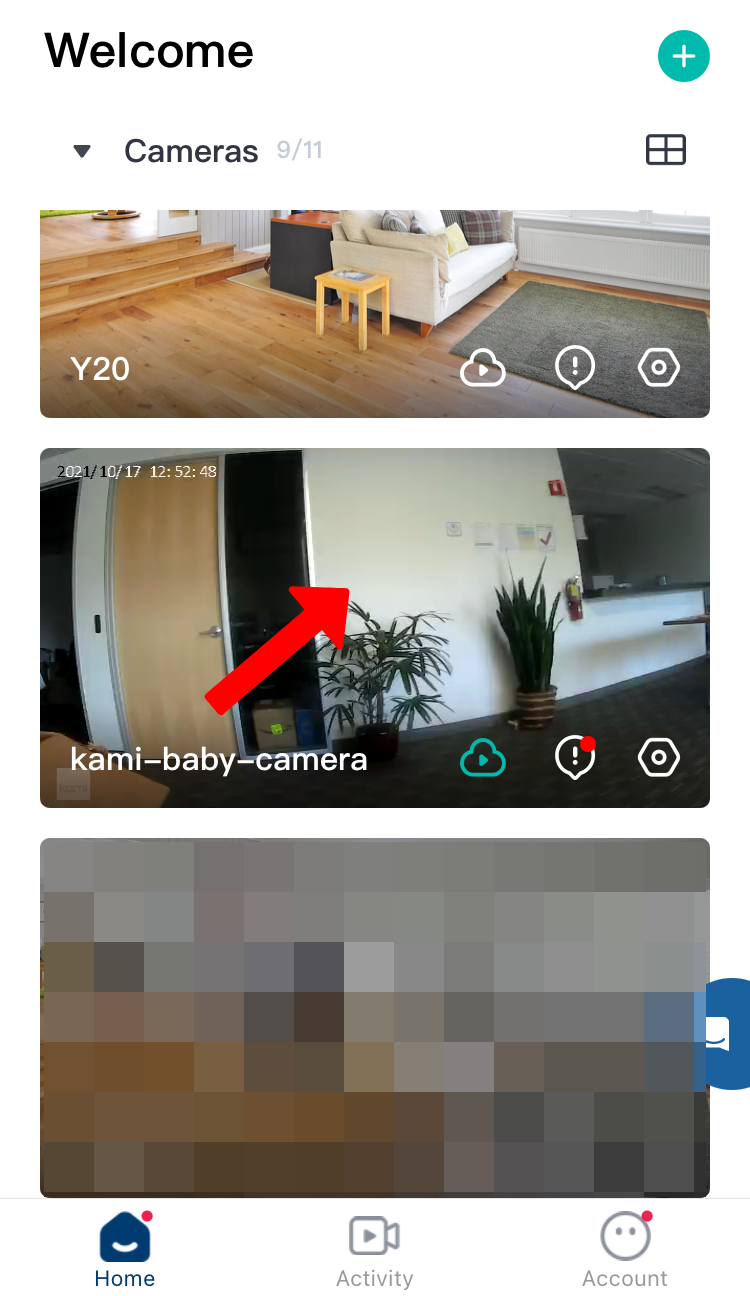
2. Tap on the camera thumbnail.
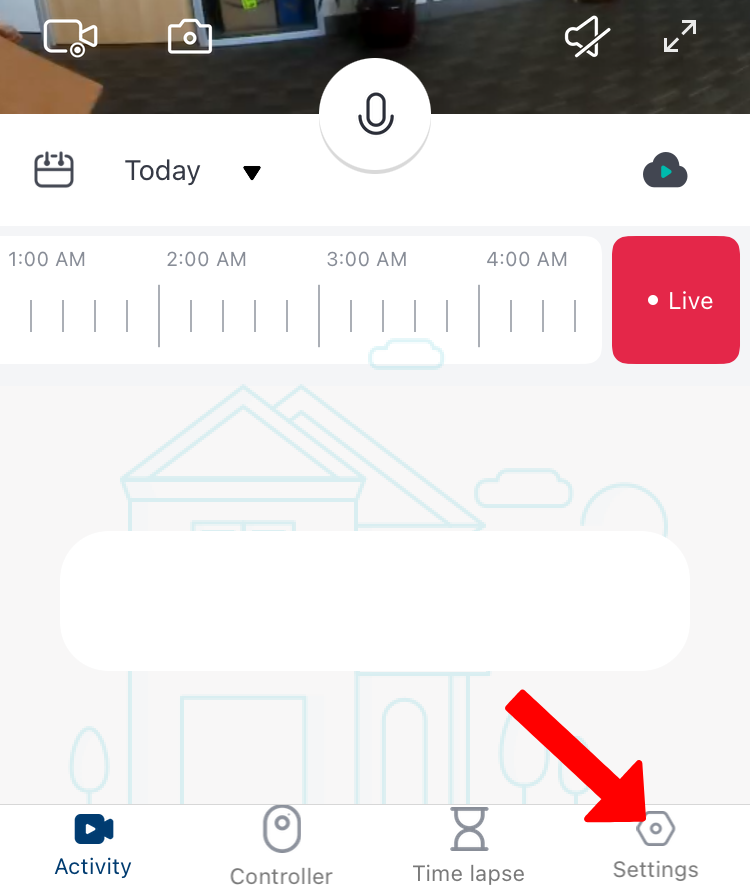
3. Tap on Settings.
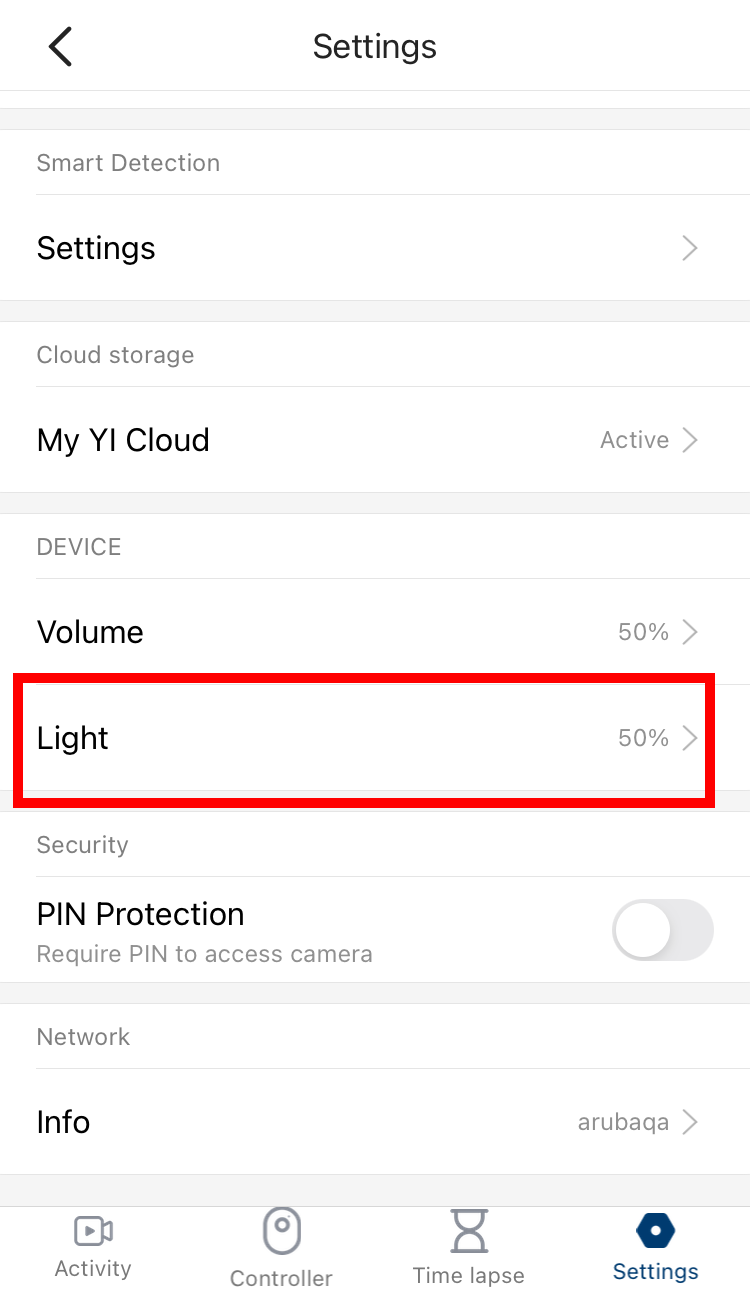
4. Under Device, Tap on Light:
5. Under Light, Drag the slider to adjust the brightness, then click Save.