How to Import Images for Facial Recognition on Speco Blue Recorder
20 Aug 2026
452 views
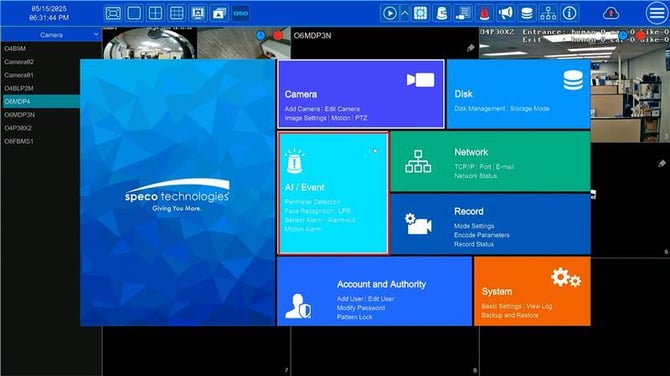
- Go to Settings > AI/Event > Face Recognition
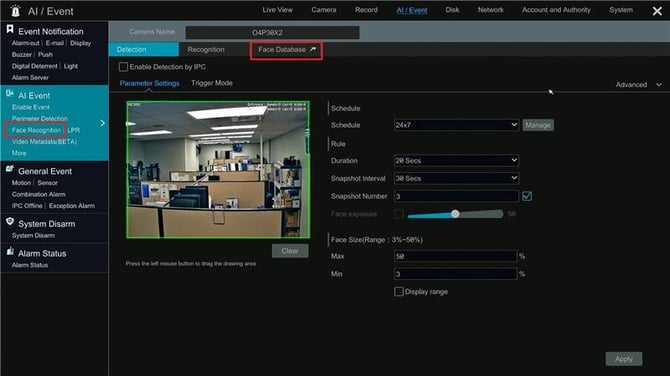
- Next, click on Face Database.
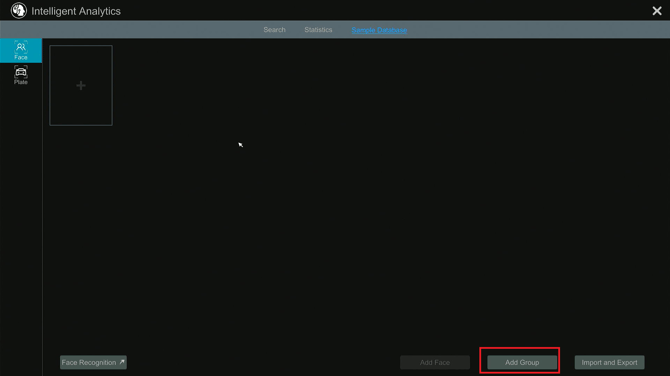
- Click Add Group in the bottom right corner to create a group for faces
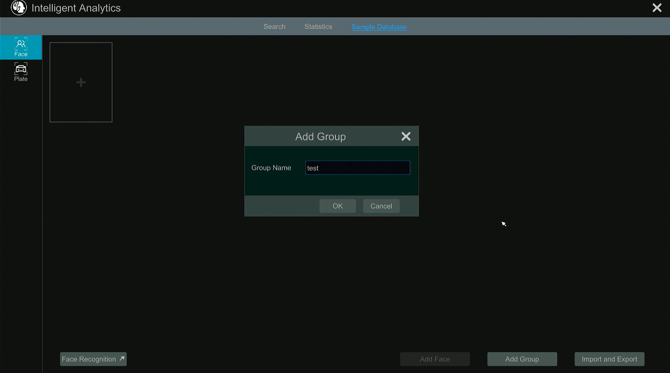
- For this example, the group is called TEST.
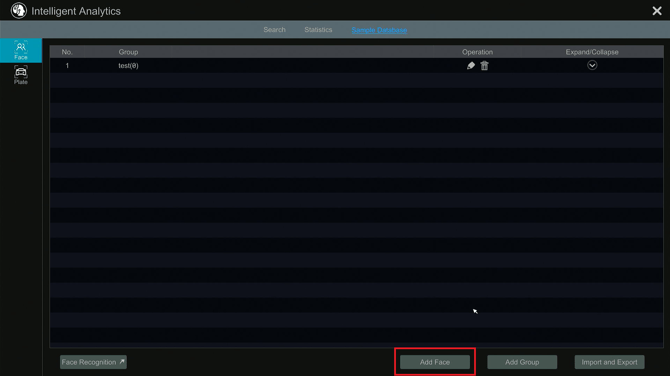
- Once the group is created, click Add Face in the bottom right corner.
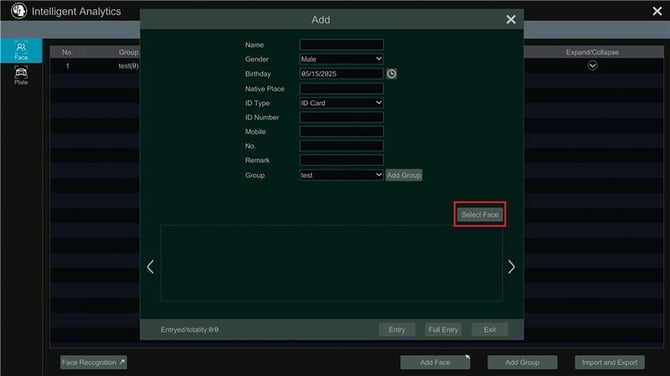
- Fill out the desired information and click Select Face.
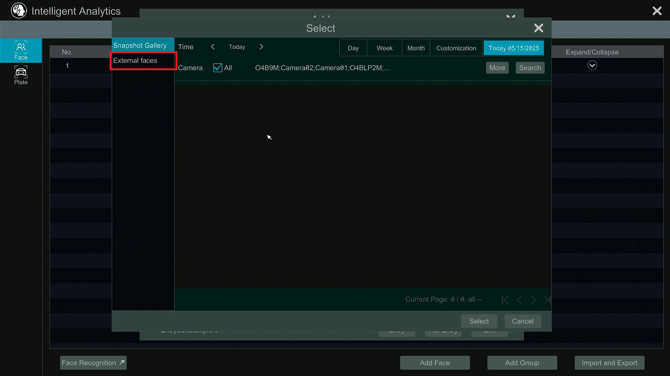
- Select faces previously recorded by the Face Detection cameras
- OR import images by clicking on External Faces.
- Next the import page they will prompt file explorer to open and allow to choose an image for Facial Detection.
- Once an image is selected, enter some additional information and click Entry to complete the import.
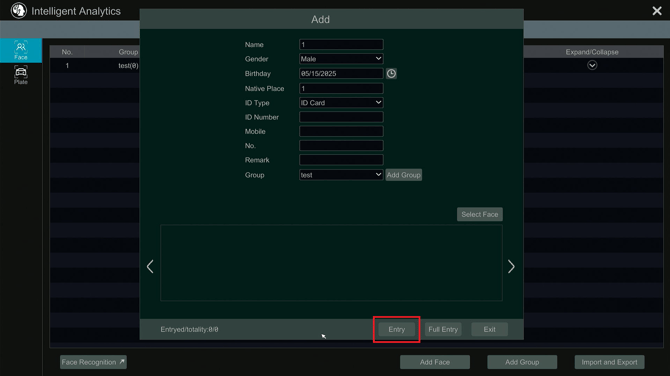
Image requirements include:
File type: .jpg, .jpeg
File Size: Less than 70kb
Pixel Count: (120 x 120) - (1920 x 1080)
Initial submission Date: December 26, 2024

Article authored by: Michael Pagano, Tier 1
- Go to Settings > AI/Event > Face Recognition
- Next, click on Face Database.
- Click Add Group in the bottom right corner to create a group for faces
- For this example, the group is called TEST.
- Once the group is created, click Add Face in the bottom right corner.
- Fill out the desired information and click Select Face.
- Select faces previously recorded by the Face Detection cameras
- OR import images by clicking on External Faces.
- Next the import page they will prompt file explorer to open and allow to choose an image for Facial Detection.
- Once an image is selected, enter some additional information and click Entry to complete the import.
Image requirements include:
File type: .jpg, .jpeg
File Size: Less than 70kb
Pixel Count: (120 x 120) - (1920 x 1080)
Initial submission Date: December 26, 2024

Article authored by: Michael Pagano, Tier 1
Was this article helpful?
Bu bilgiler sorununuzu çözmeye yardımcı oldu mu?
Thanks for your feedback!
Still need help?
Uzman ekibimiz size yardımcı olmak için burada.