How to enable UPNP to perform the Port Forwarding without accessing the router?
Using UPNP ( Universal Plug and Play; if your Router is supported )
UPNP, if it works, allows you to set up remote access automatically with your router. This guide assumes you have already set up the network and you know how to access the login page for the recorder.
Click here for more information on setting up your recorder's network parameters.
Click here for more information on accessing your recorder through the browser.
Enabling UPNP
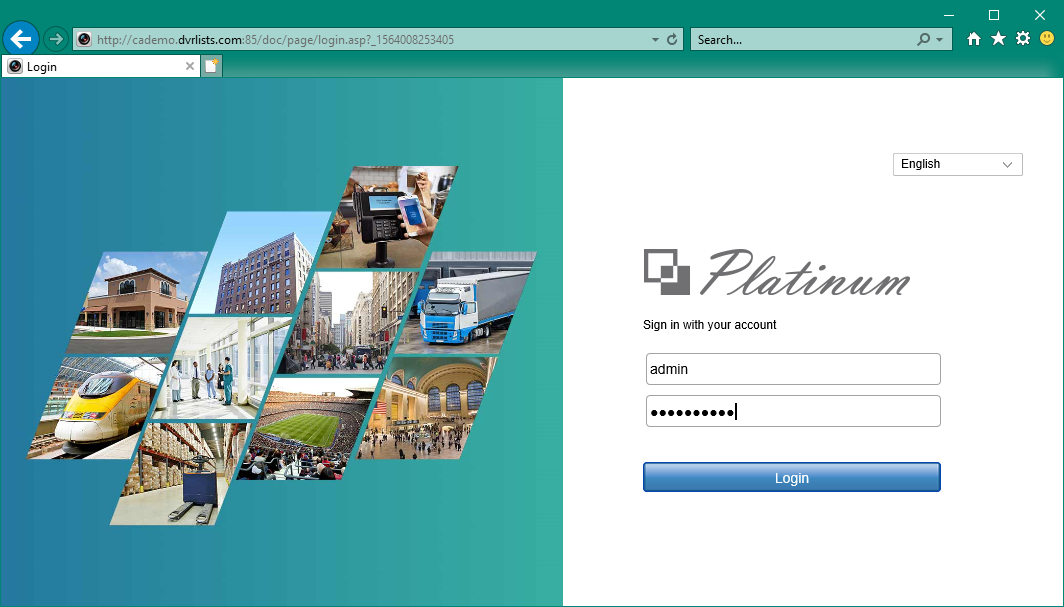
Step 1. Log into your recorder on the browser. make sure use admin account to login
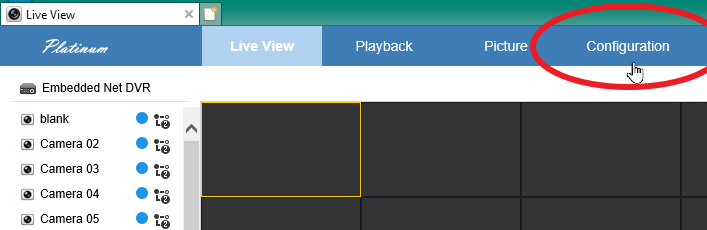
Step 2. Click on "configuration"
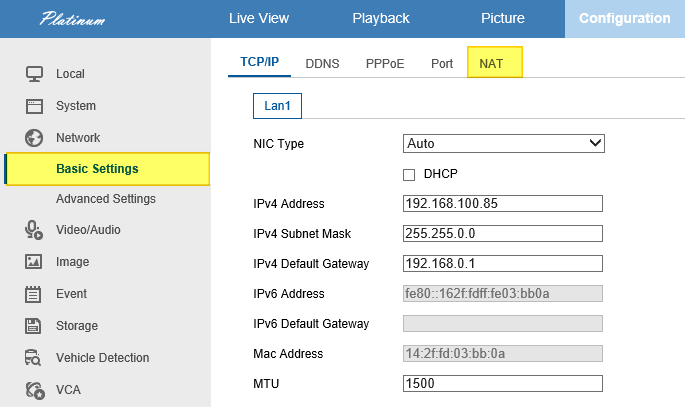
Step 3. Click on Network > Basic Settings > NAT
Step 4. Check "Enable UPnP" and make sure port mapping mode is set to Manual.
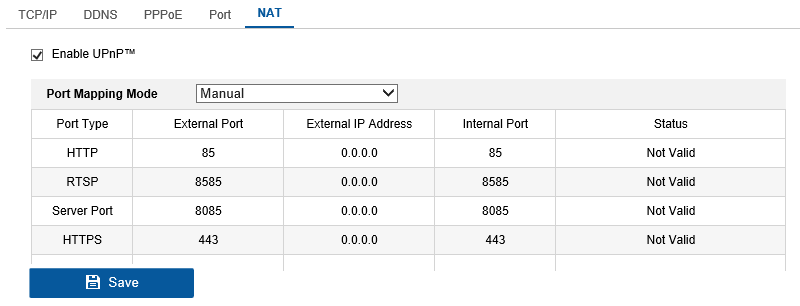
Step 5. Select "Save" to save and apply your settings.
Step 6. Refresh the page and you should now see changes in the External IP address section.
Make sure each Status show Valid
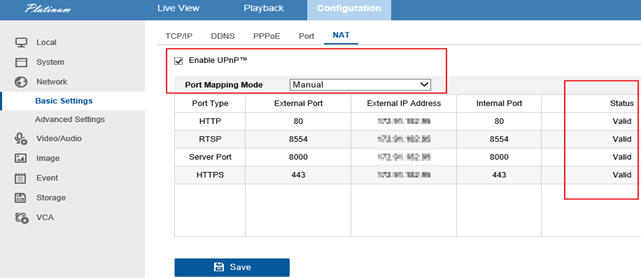
If the External IP address equal to the Public IP address, then it should works.
How to check the Port is Open or Blocked. click Here
Was this article helpful?
Bu bilgiler sorununuzu çözmeye yardımcı oldu mu?
Still need help?
Uzman ekibimiz size yardımcı olmak için burada.