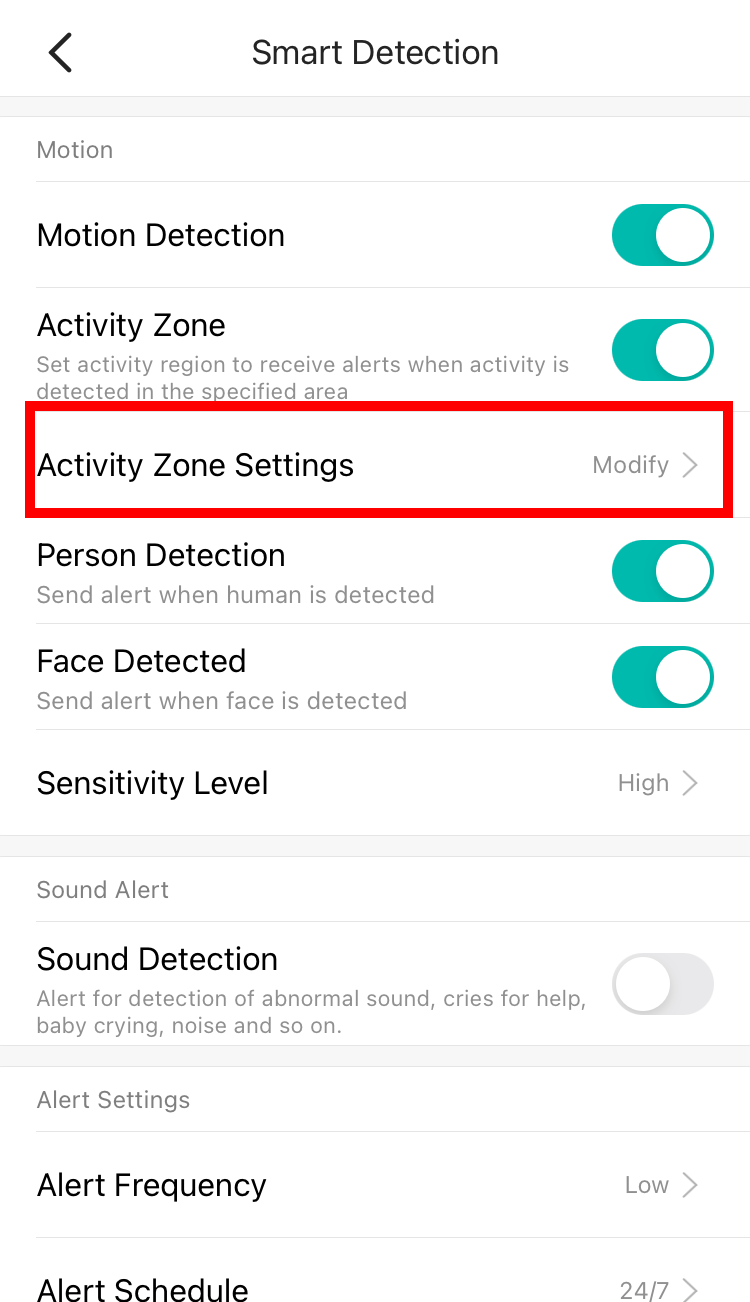
Here are the steps on how to enable Activity Detection and modify the Activity Detection zone:
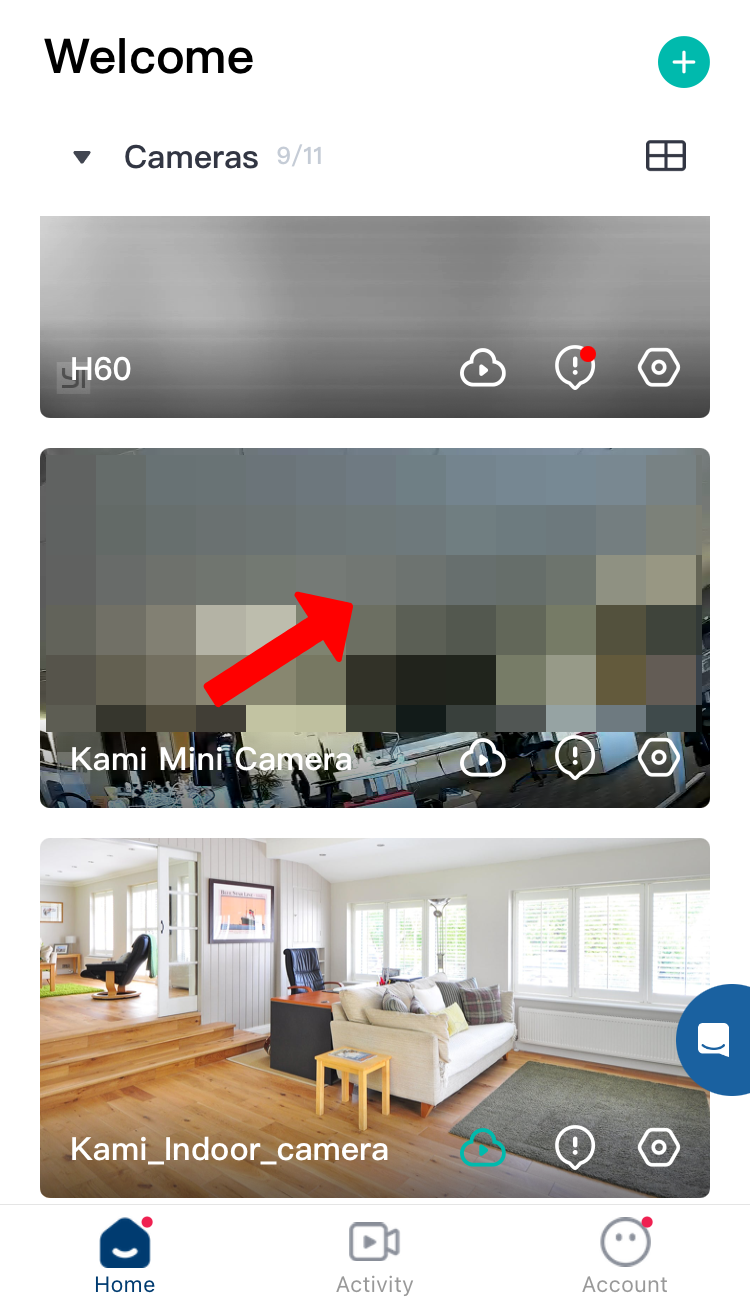
1. Launch the YI/Kami Home App.
2. Select the camera.
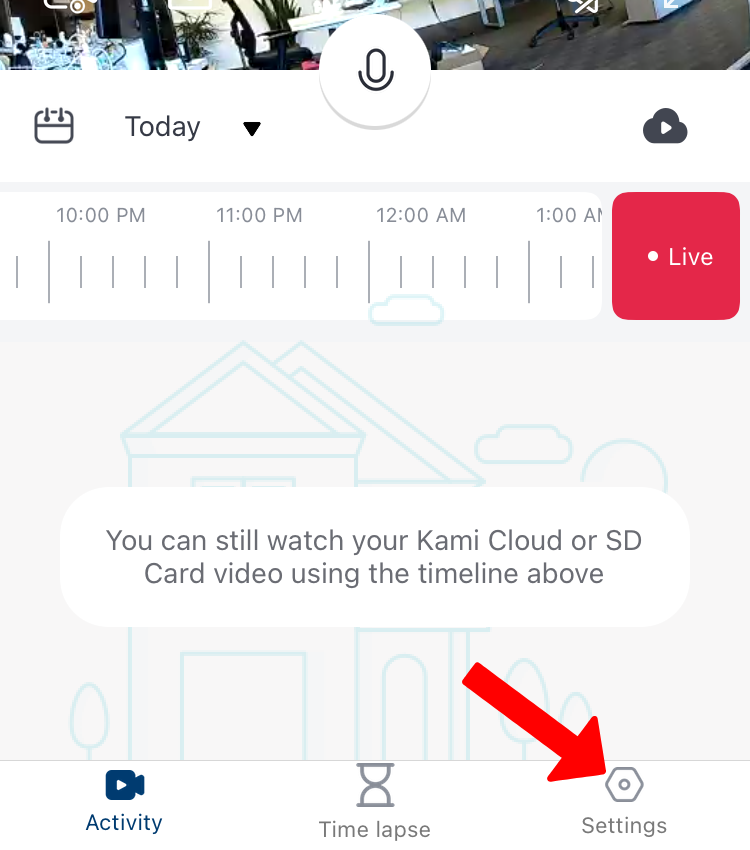
3. Tap on Settings.
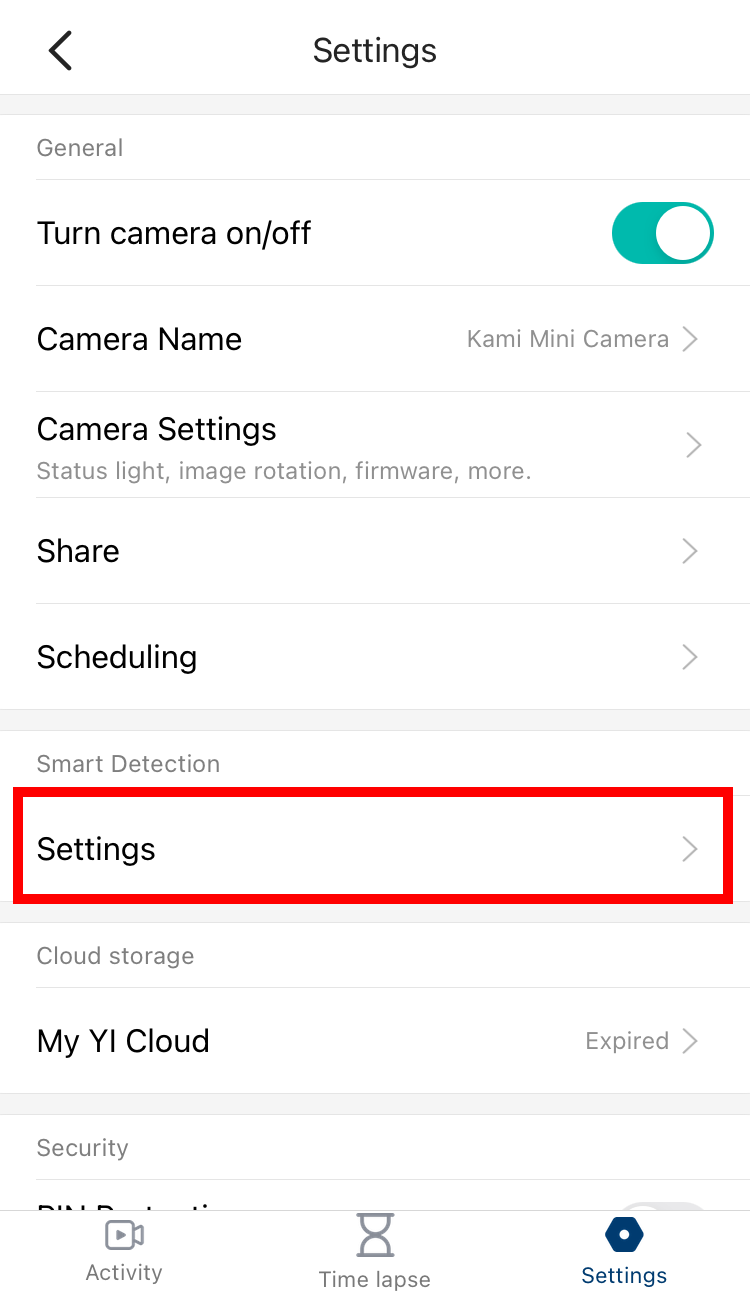
3. Tap on Settings (Under Smart Detection).
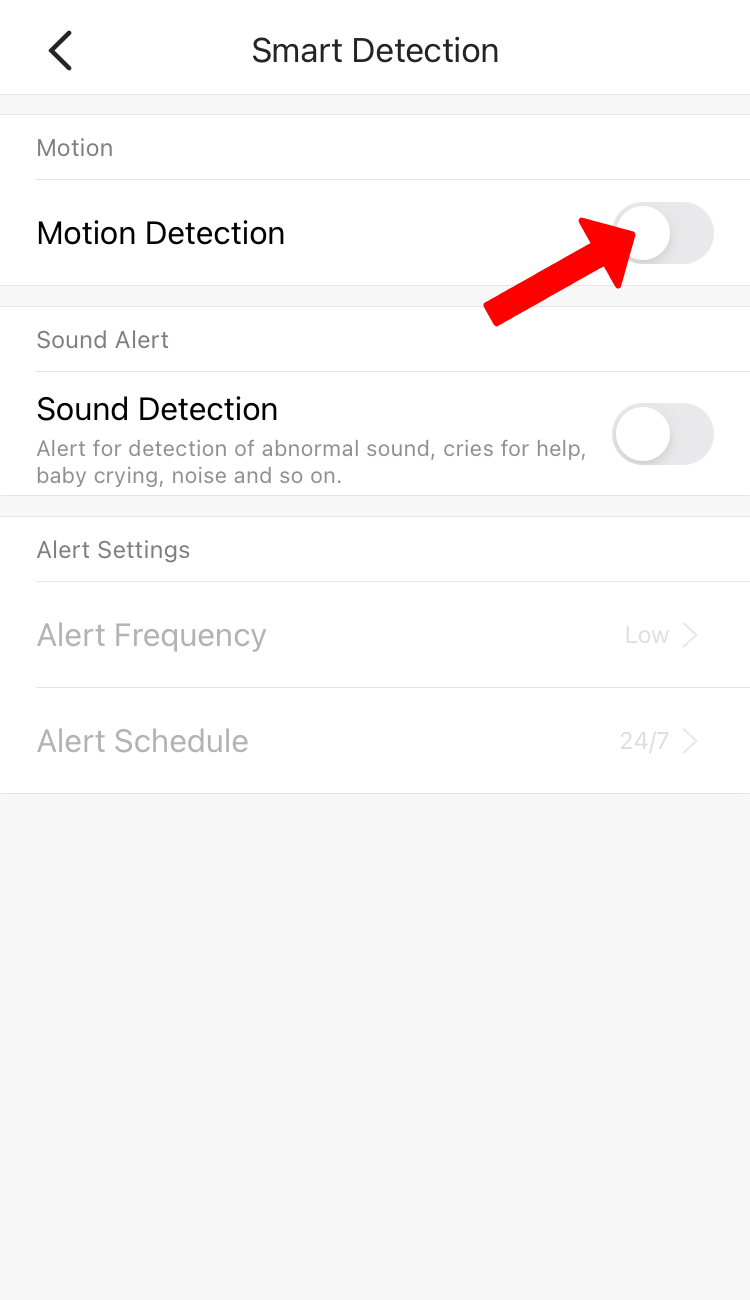
4. Toggle on the Motion Detection switch, you'll have the option to toggle on the Activity Zone.
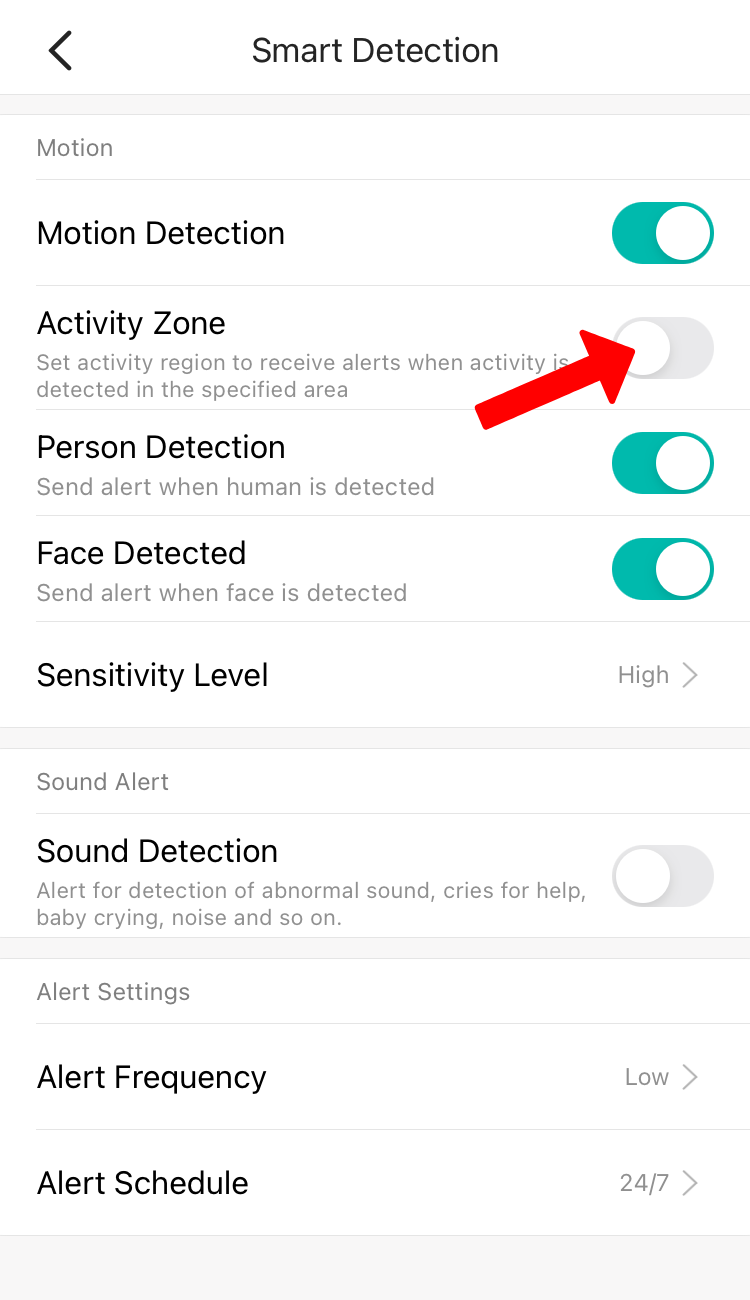
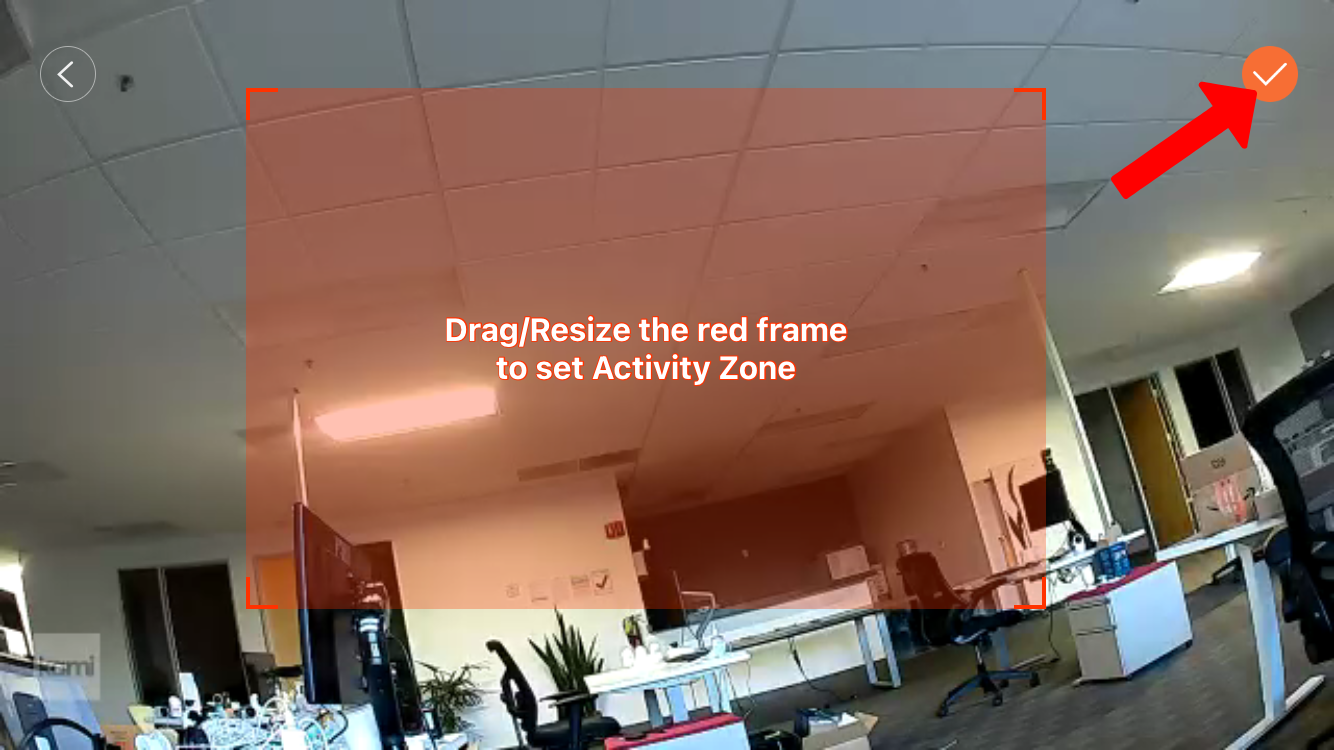
5. Drag and resize the red frame to set the Activity Zone, click the check icon to save the Activity Zone.
6. If you want to modify the current Activity Zone, click on Modify under Activity Zone Settings.