To change the Temperature unit, please follow the instruction below:
1. Launch YI Home/Kami App.
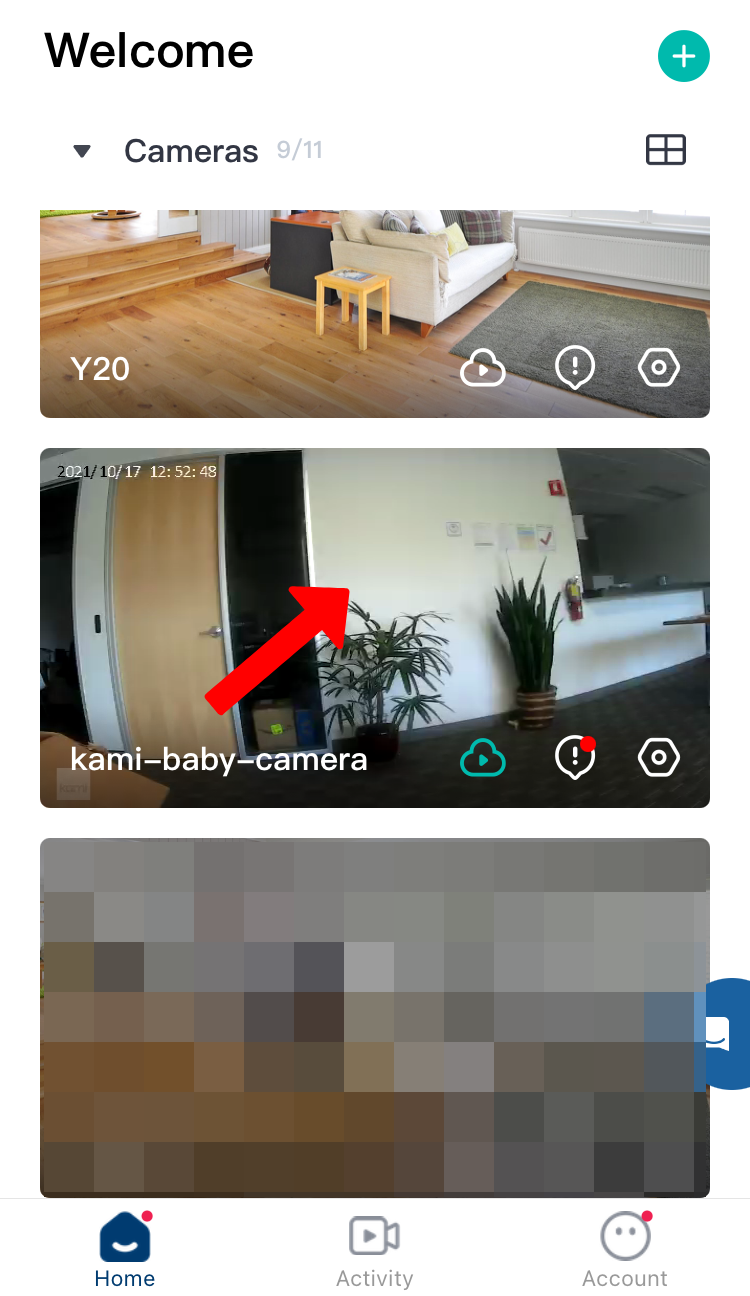
2. Tap on the camera thumbnail.
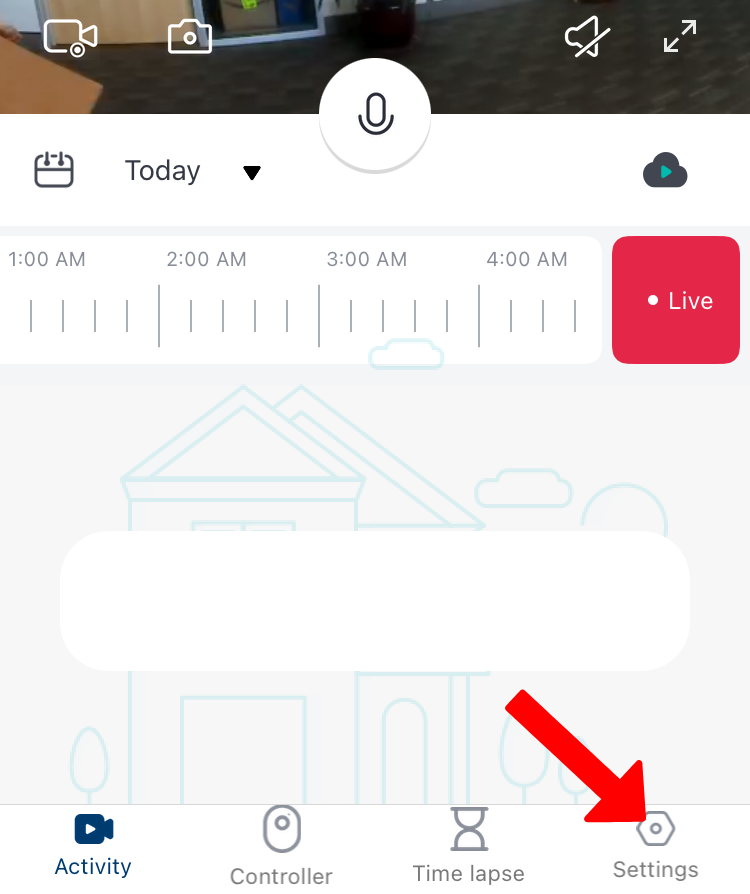
3. Tap on Settings.
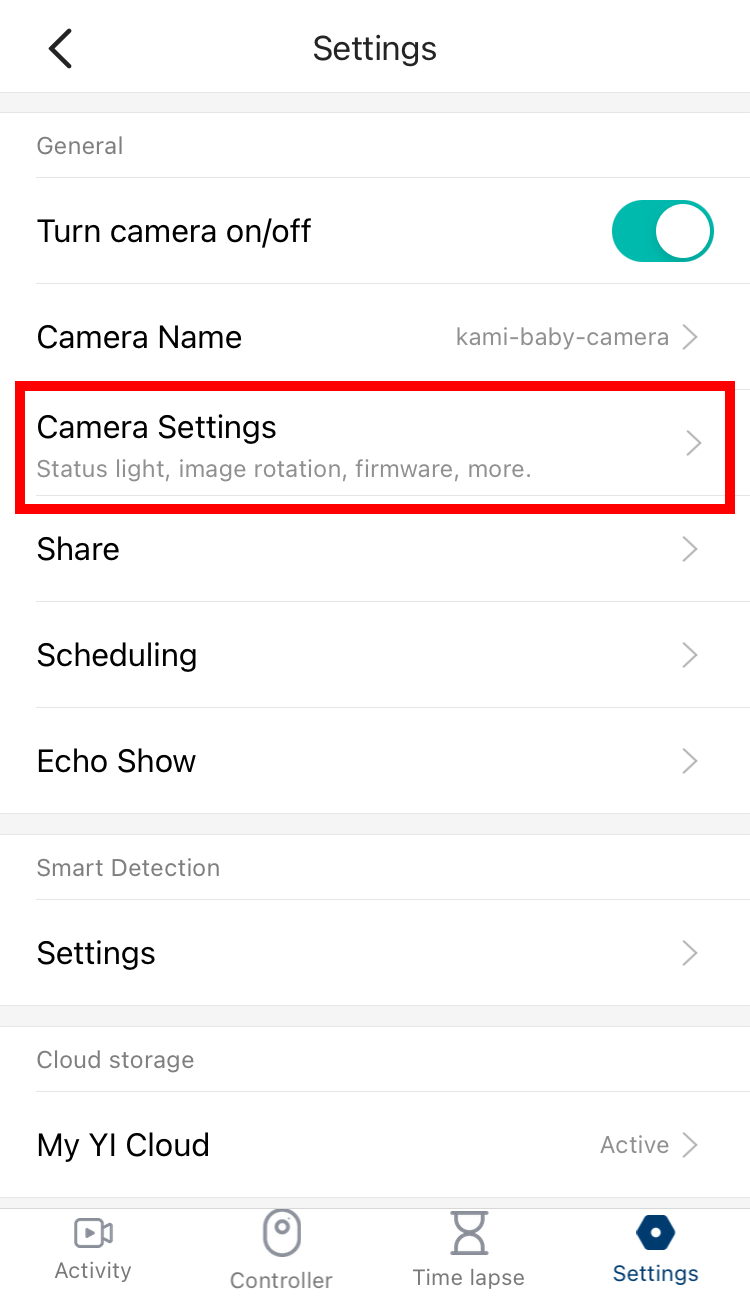
4. Click on Camera Settings.
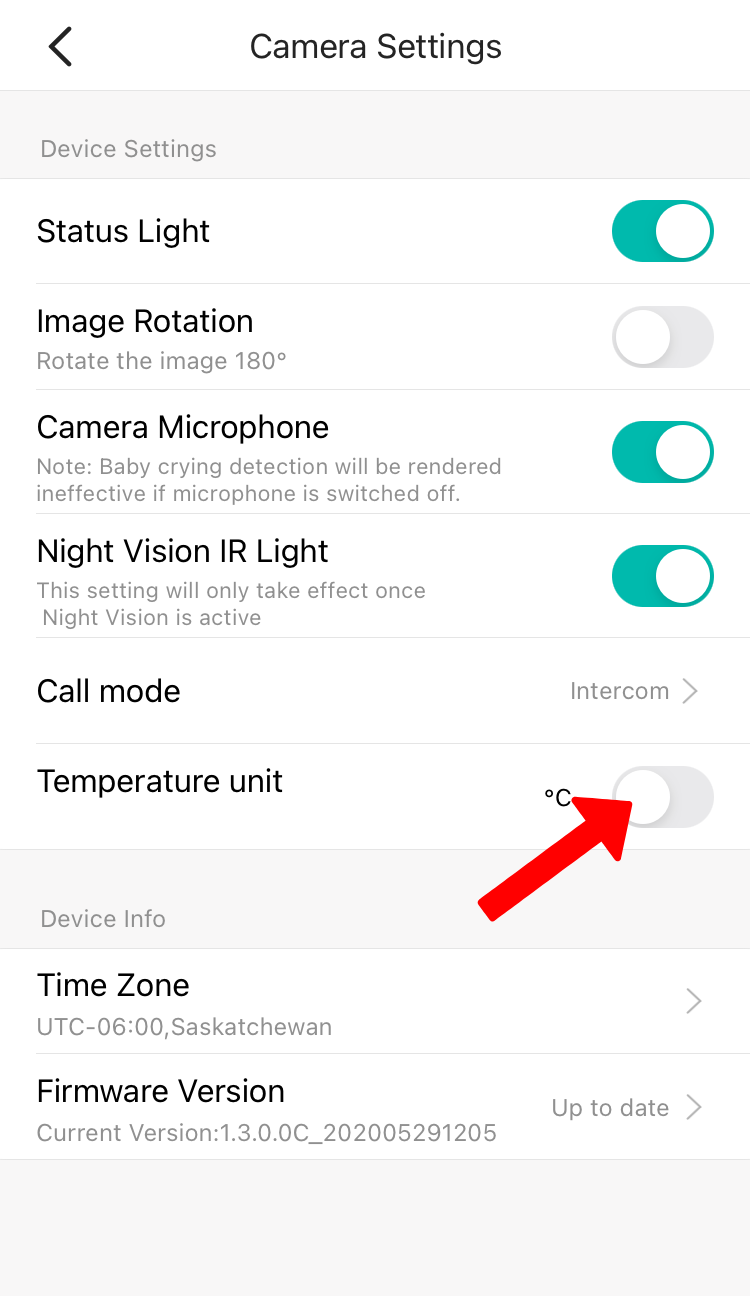
5. Under the Temperature unit, by default it was set to Celcius click the toggle button to change to Fahrenheit.