How to add IP camera device?
20 Aug 2026
336 views
Add Device via IP address
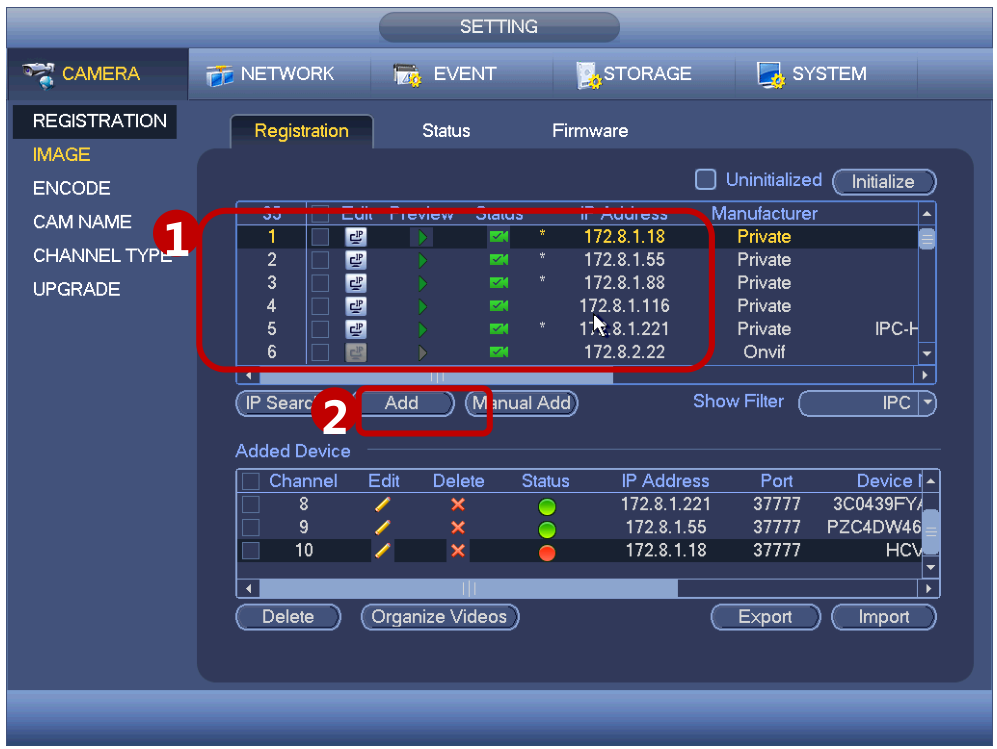
Here you can only see the registration interface ,all the NVR support ONVIF standard protocol.
① The devices connected by network is here.
② Click “Add” to add the remote device.
Add Device via PoE Port
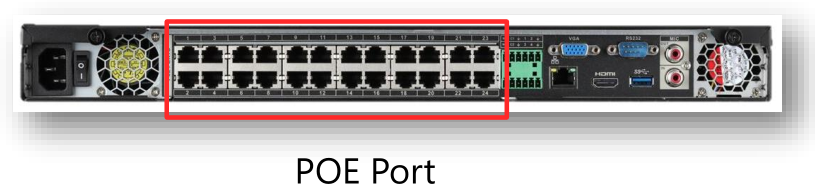
• If IPC supports POE(power on Ethernet), it can connect NVR with the POE ports in the back
panel of NVR. IPC doesn’t need to use additional power supply.
• Just connect the IPC to POE ports of NVR via network cable, the IP address will be changed
by NVR automatically.
Was this article helpful?
Bu bilgiler sorununuzu çözmeye yardımcı oldu mu?
Thanks for your feedback!
Still need help?
Uzman ekibimiz size yardımcı olmak için burada.