To check the Camera DID (Serial Number), please follow the steps below:
1. Open your YI Home/Kami App.
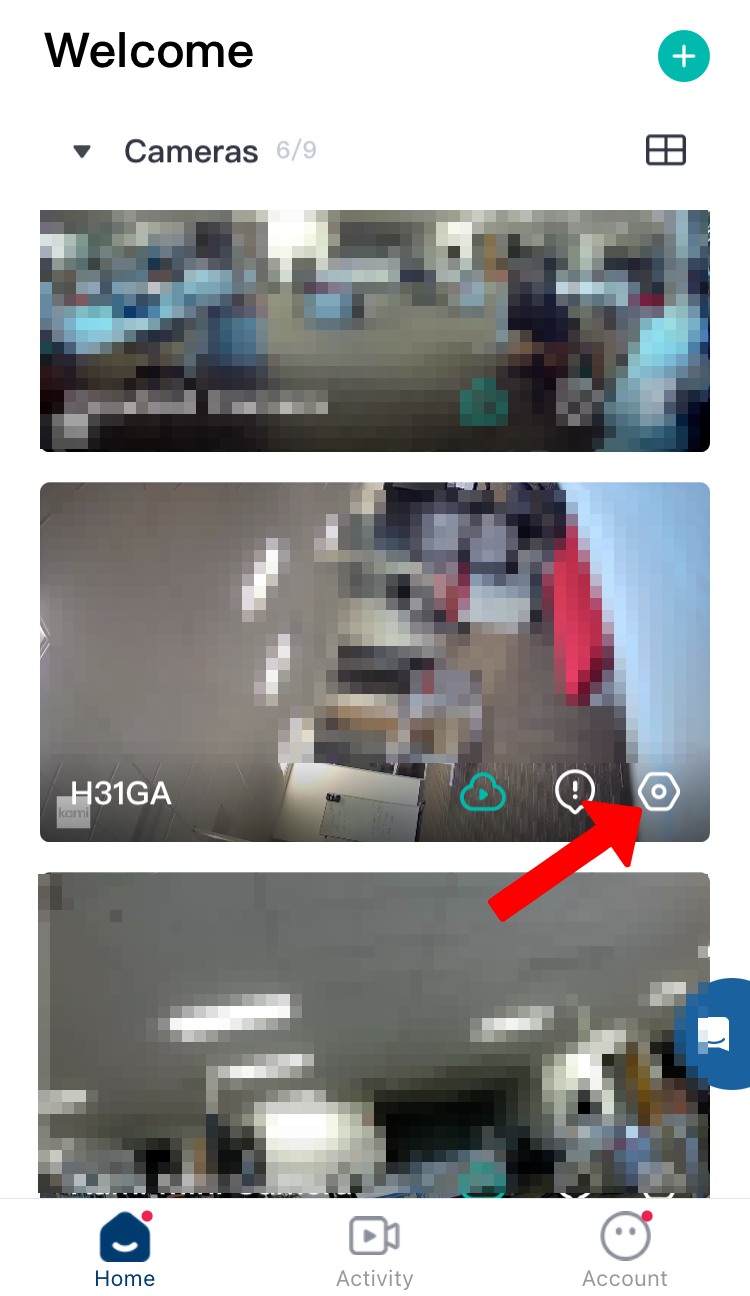
2. Click on the gear icon to access the camera settings.
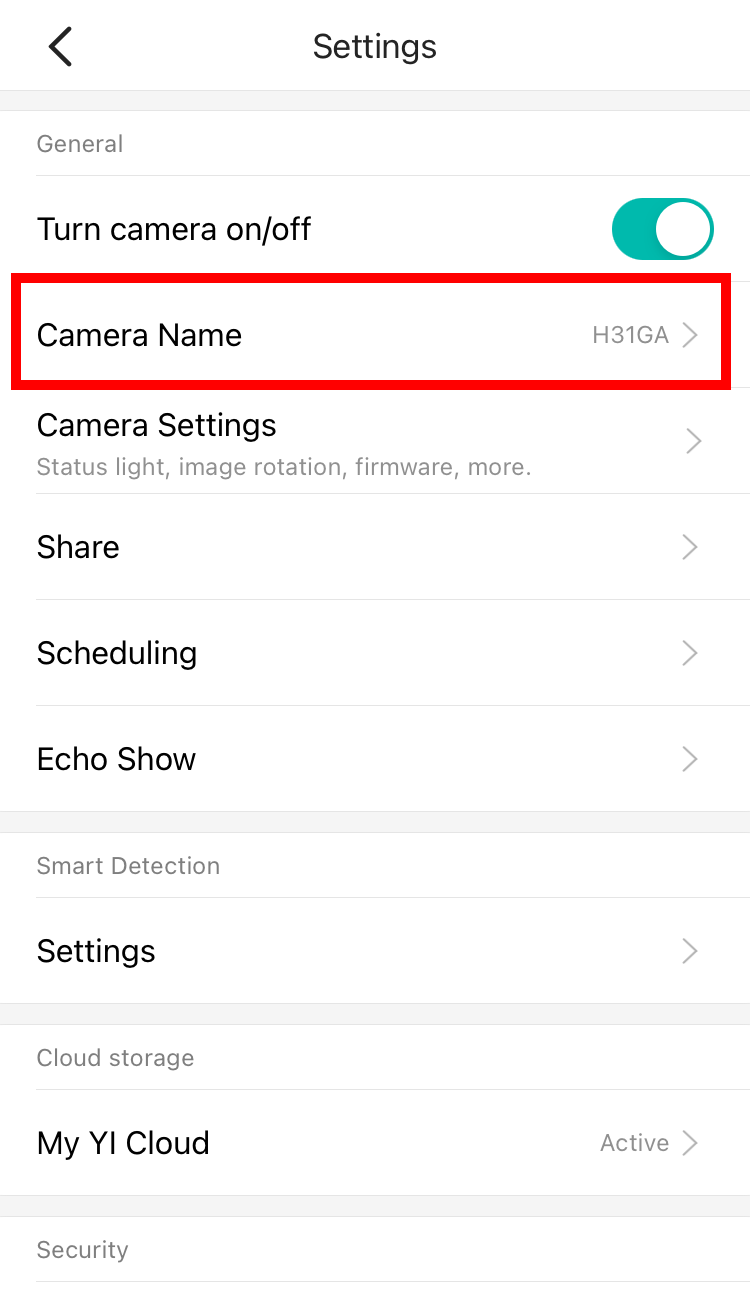
3. Click on Camera Name.
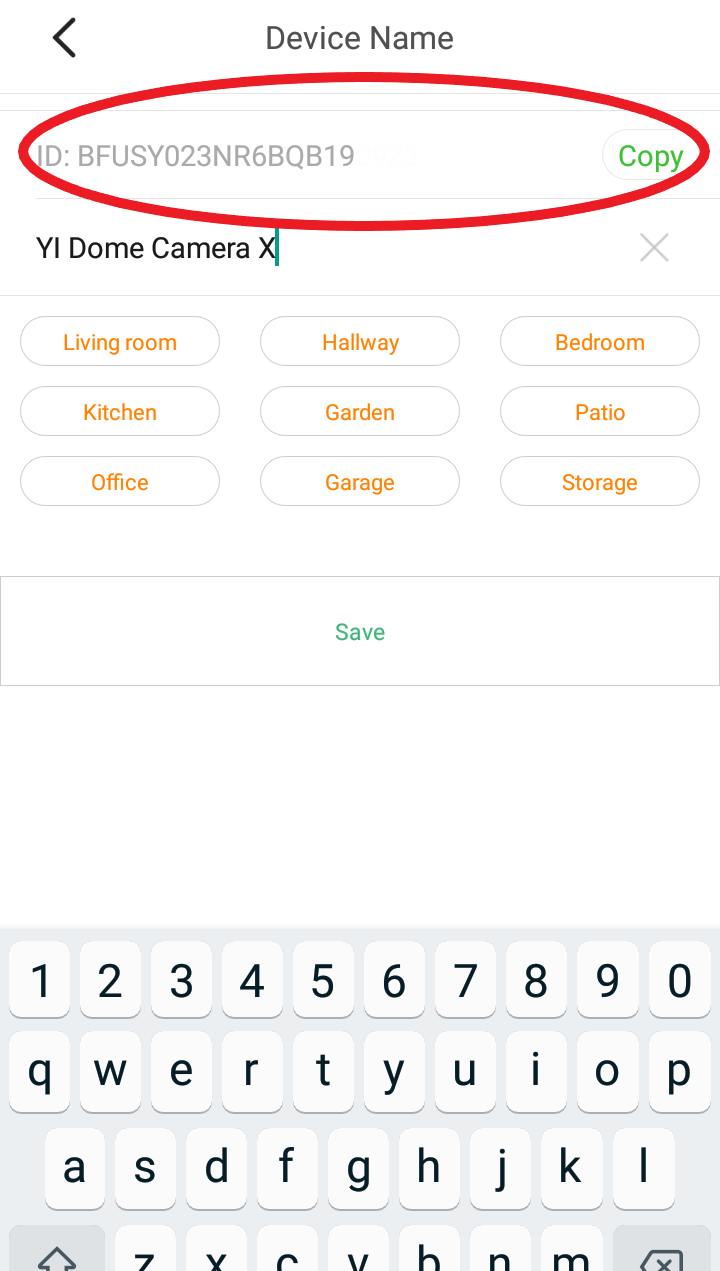
4. The DID number is shown at the top as ID:
To check the Camera DID (Serial Number), please follow the steps below:
1. Open your YI Home/Kami App.
2. Click on the gear icon to access the camera settings.
3. Click on Camera Name.
4. The DID number is shown at the top as ID:
Bu bilgiler sorununuzu çözmeye yardımcı oldu mu?
Uzman ekibimiz size yardımcı olmak için burada.
KBCCTV Assistant
How can I help you?