Firmware upgrade of Xtralis equipment
There are two ways to update Xtralis devices, either with the Xchange2 or with the AdProclient software and downloading the firmware
With Xchange2
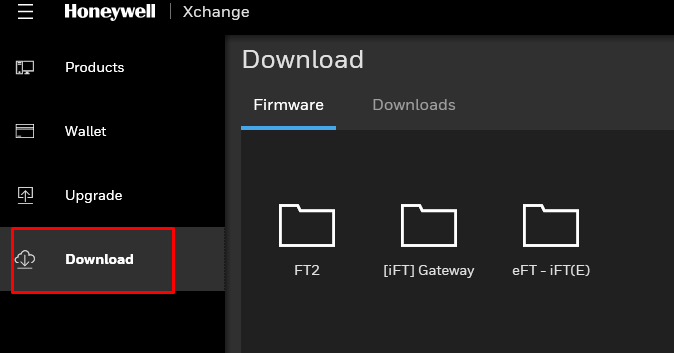
With the Xchange2 software we can update the Xtralis devices, to do this we first download the firmware we want from the software, either from the iFTGateway, iFT or eFT:
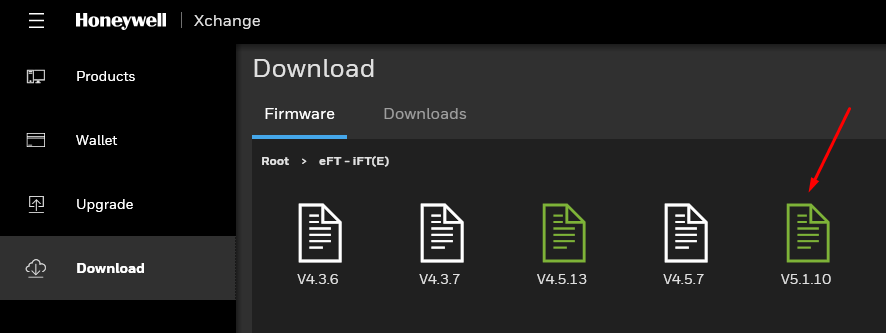
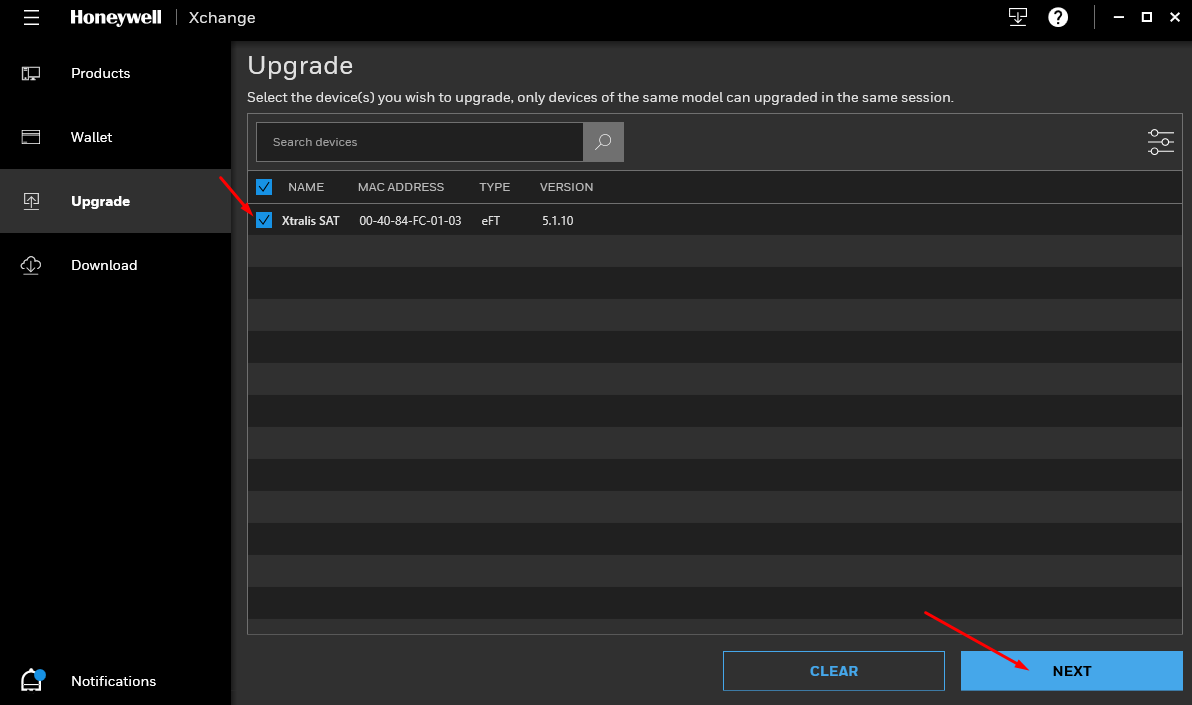
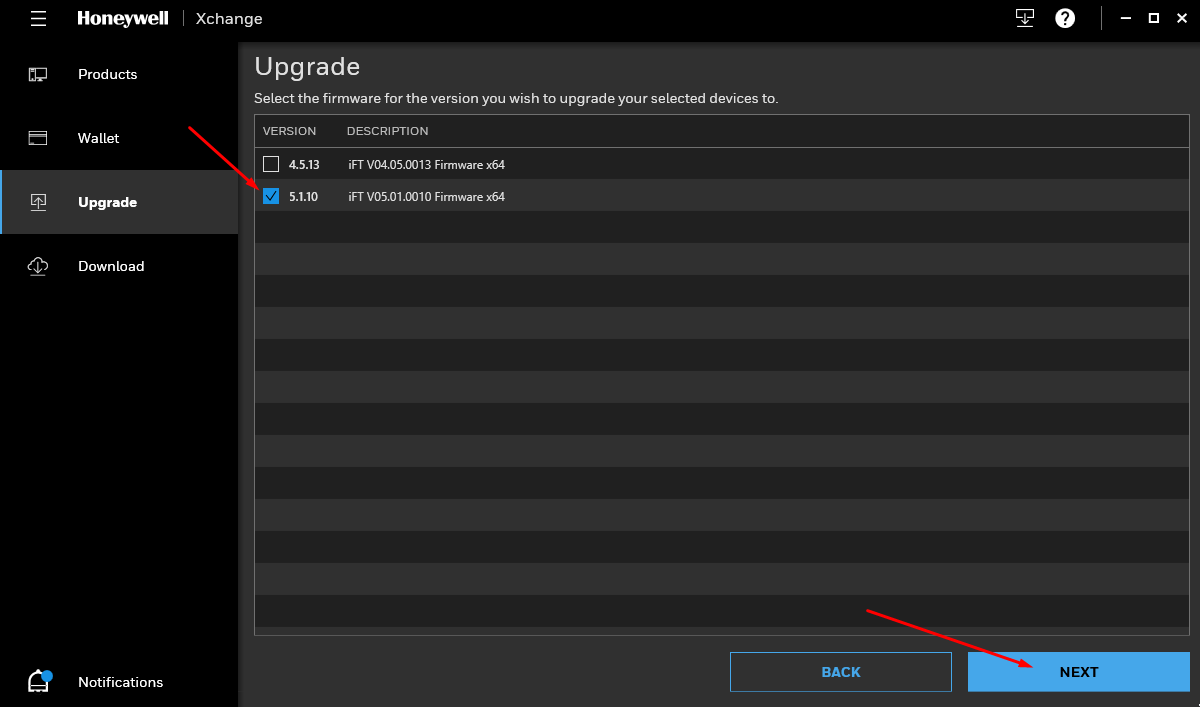
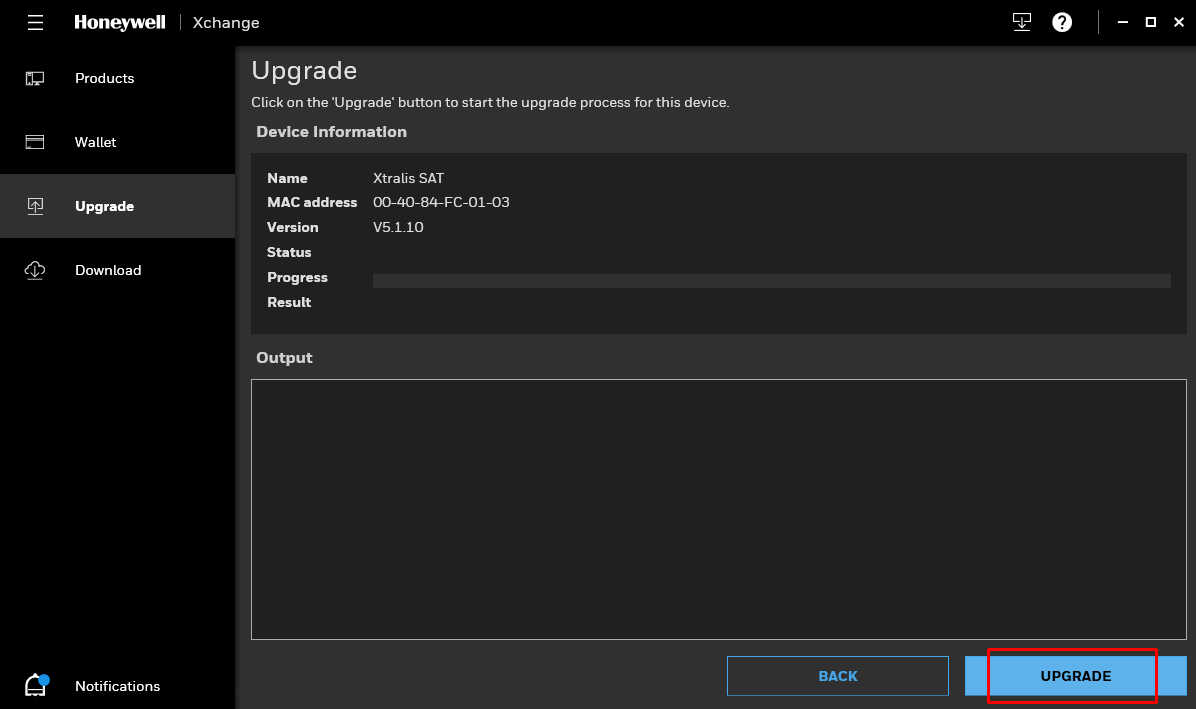
Once downloaded in the Upgrade section we select our equipment, the version we want to load and start the upgrade:
With AdProClient
The first thing to do is to download the appropriate firmware for each terminal from the https://www.visiotechsecurity.com/ website in the product downloads tab.
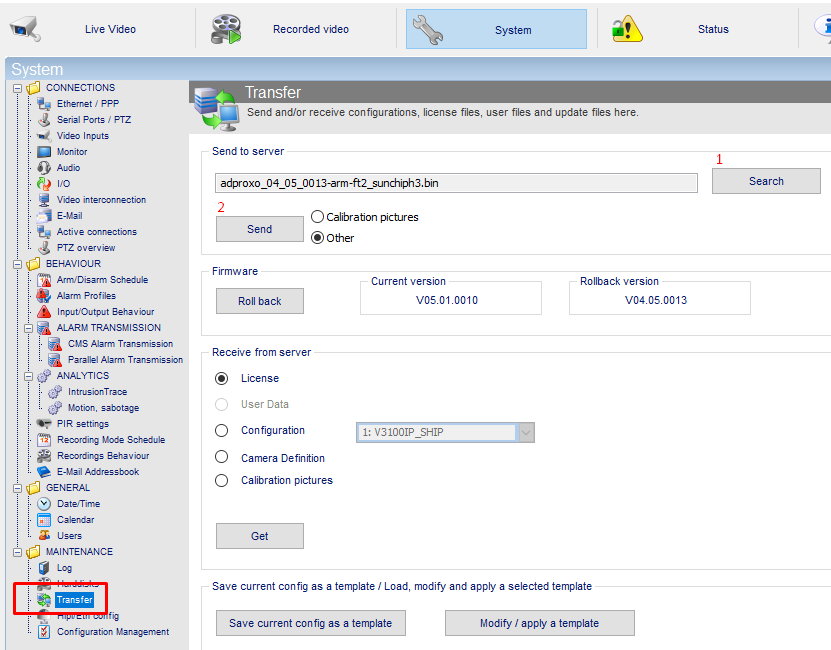
Once downloaded and from the AdPro we will select our firmware file and start the update:
Either of the two methods can be used to update the devices, but in certain cases it will be essential to use the second one, through the AdPro, as for example if our device has a very old version (the Xchange2 will give us an error) or because we have no connection to the Xtralis server through Xchange2 and, therefore, we cannot download the firmware.
Was this article helpful?
Bu bilgiler sorununuzu çözmeye yardımcı oldu mu?
Still need help?
Uzman ekibimiz size yardımcı olmak için burada.