Danale - How to Set and Enable the Cloud Storage Function?
20 Aug 2026
315 views
Applies to:
I41HD/I41EH
After registering an app account and login in, you need to bind the device to enable the cloud storage function.
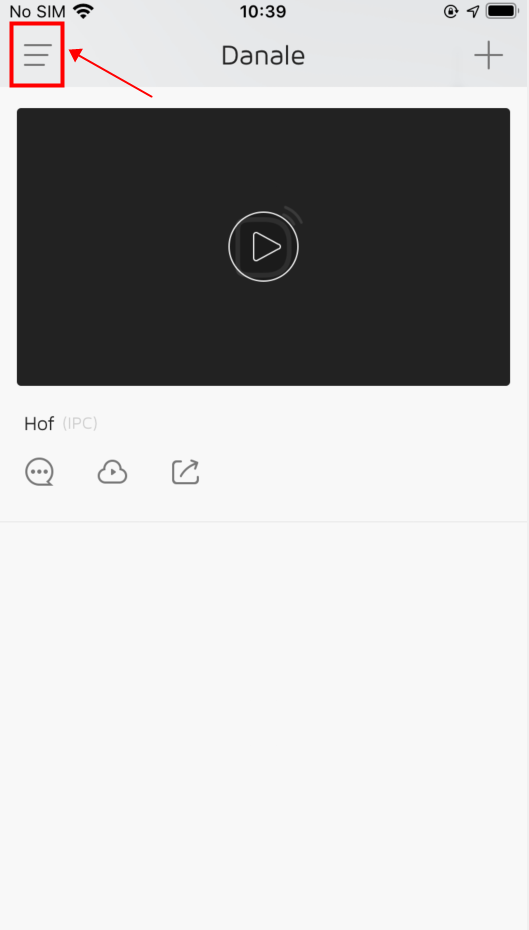
Click the setting icon in the upper left corner.

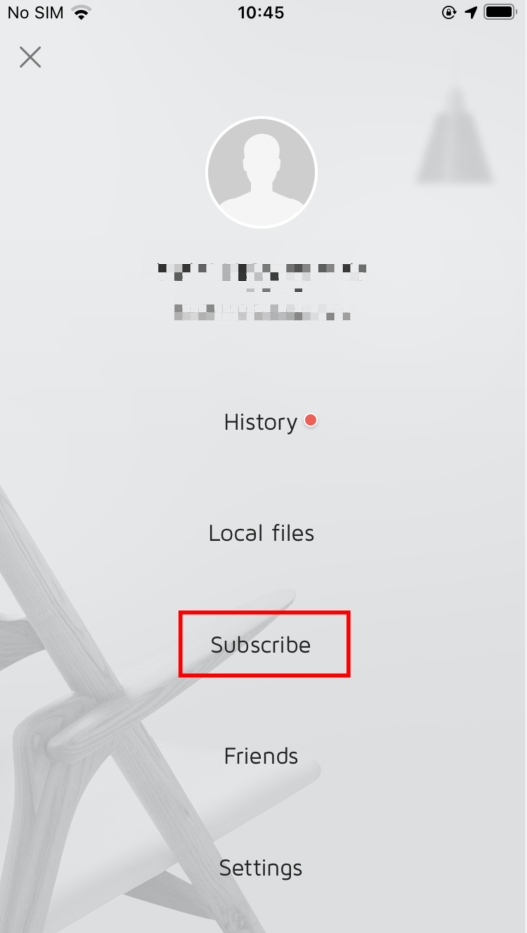
Click “Subscribe”

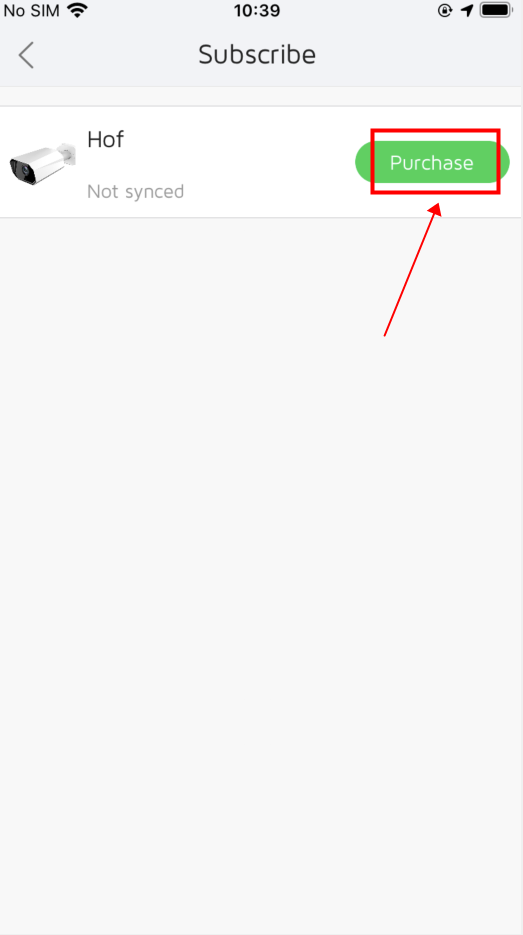
Click“Purchase”

Notes:
1. The Cloud storage offers a 7-day and 24-hour automatic overlay cloud recording service by default.
2. The recording time and the period cannot be set on cloud storage. Recordings longer than 7 days cannot be played back. If you need to save the long-time recordings, please select SD card recording.
3. Cloud recording cannot be downloaded. It can only be viewed through cloud playback.
Was this article helpful?
Bu bilgiler sorununuzu çözmeye yardımcı oldu mu?
Thanks for your feedback!
Still need help?
Uzman ekibimiz size yardımcı olmak için burada.