Danale - How to Play Back the Recordings?
Applies to:
I41HD/I41EH
1. Playback the recordings in the SD card
Click the playback icon
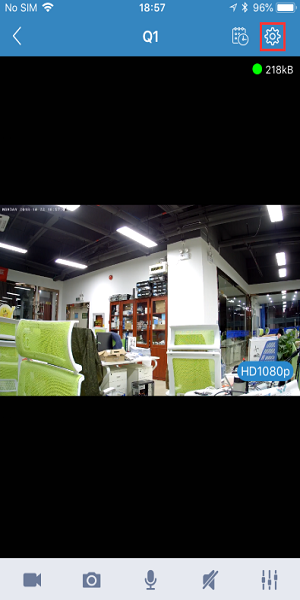
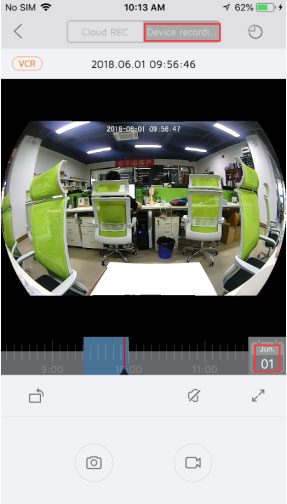
Select “Device recording” to play back the recordings. You can choose the date and drag the recording progress bar below for your selective playback.
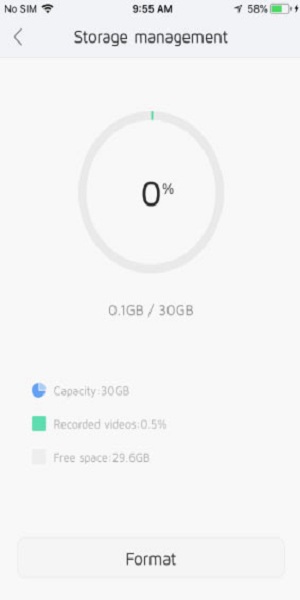
Click the icon in the upper right corner to check the SD card’s usage status.
2. Playback the recordings in the cloud storage
Click the playback icon
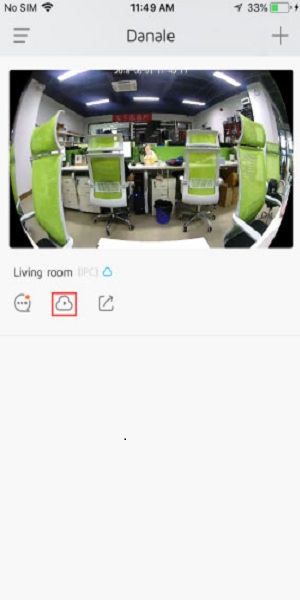
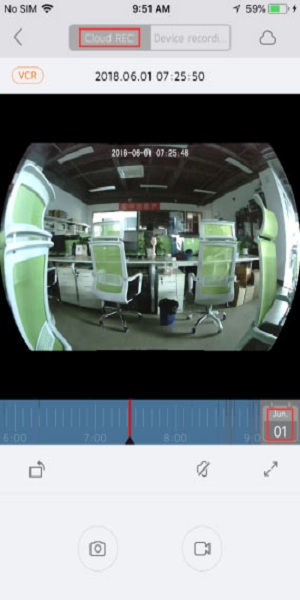
Select “Cloud REC” to play back the recordings. You can choose the date and drag the recording progress bar below for your selective playback.
3. Check the motion detection recordings
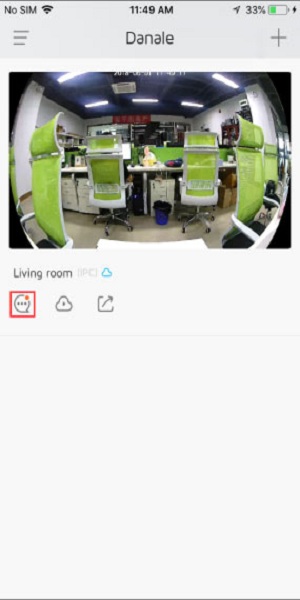
Click the information icon
Click the corresponding motion detection information to watch the video
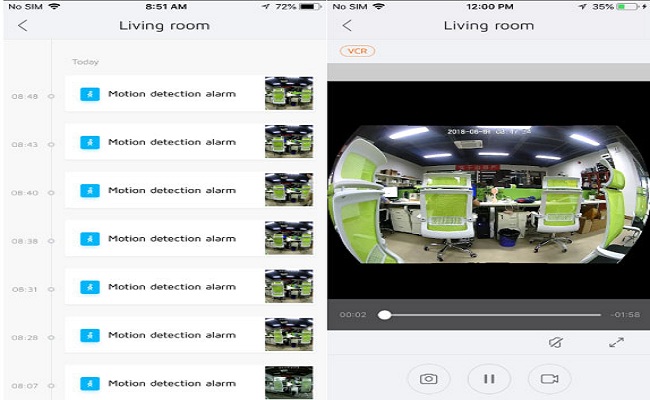
Note: You are not able to watch the motion detection recordings if the cloud storage service is not activated or the service has expired.
Was this article helpful?
Bu bilgiler sorununuzu çözmeye yardımcı oldu mu?
Still need help?
Uzman ekibimiz size yardımcı olmak için burada.