Create a device group in Safire Control Center
20 Aug 2026
281 views
Note:
In this tutorial, we use SCC (Safire Control Center) Version V3.20.57 build20210726 and a floor plan of an existing shopping mall for this demo
Tip:
"Right click and open the image or gif in a new tab if it is a large image or gif."
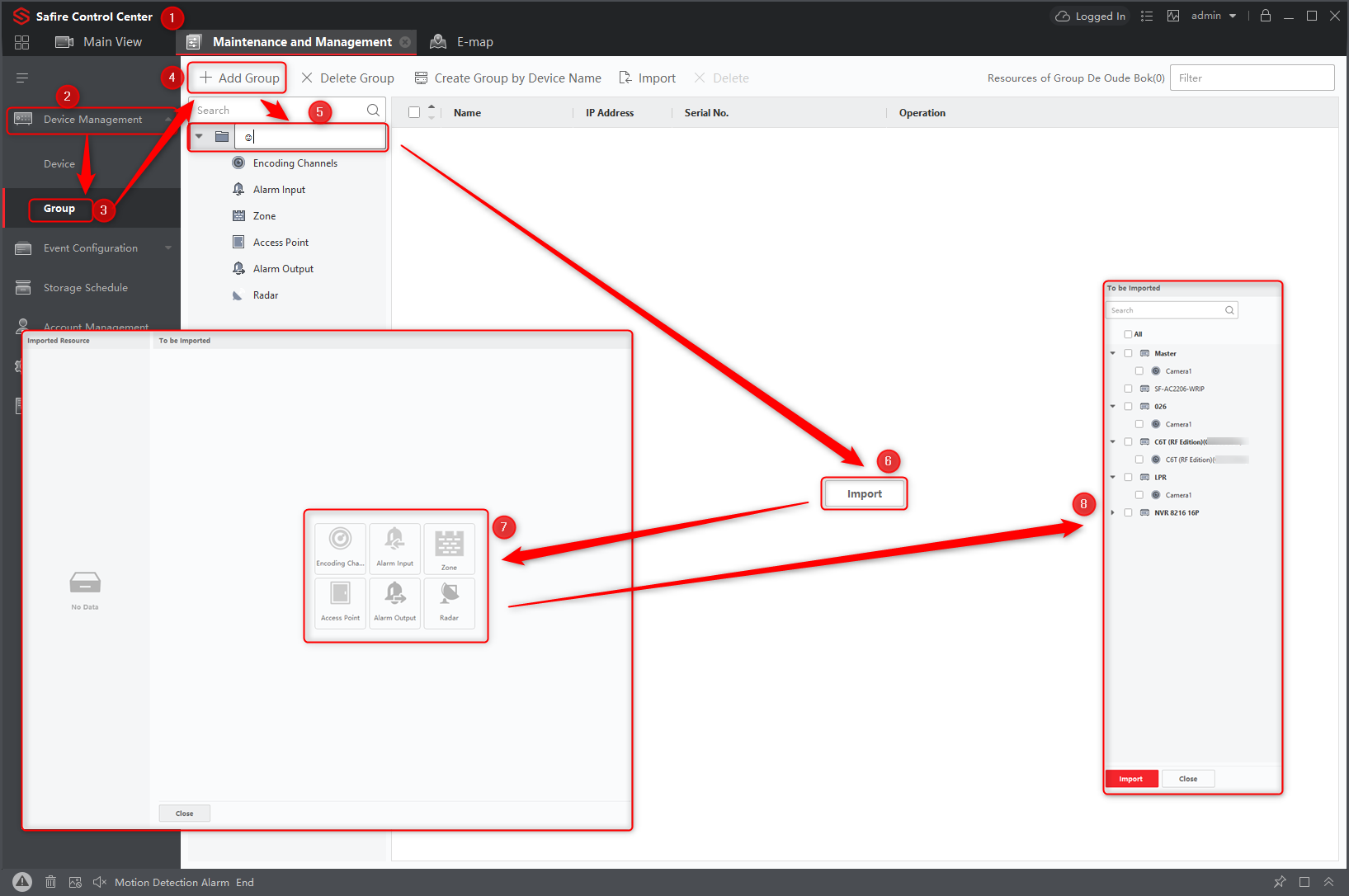
Create a device group in SCC:
- Open SCC (Safire Control Center)
- Manage Open Devices
- In the Device Management section, click Group
- Then create a new group and click + Add Group
- Give the Group a name
- Click op import
- Select an option
- In the new window select the devices
Was this article helpful?
Bu bilgiler sorununuzu çözmeye yardımcı oldu mu?
Thanks for your feedback!
Still need help?
Uzman ekibimiz size yardımcı olmak için burada.