Connect reader SF-AC3011 to Safire controller
This method only serves to connect the device to the controller and read only the card's credential, since with the fingerprint it will not work and neither with the password.
Steps to follow:
1- Connect the terminal by wiegand to the controller
2- Configure the terminal as follows:
"Direction: Send"
"Mode: Wiegand26"
(The picture shown is an invalid example and must be left configured as specified above)
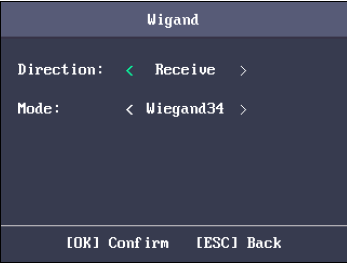
(Menu - Communication - Wiegand)
3- It is important that the users are also created on this computer so you will also need to have the computer connected by network as well as the controller
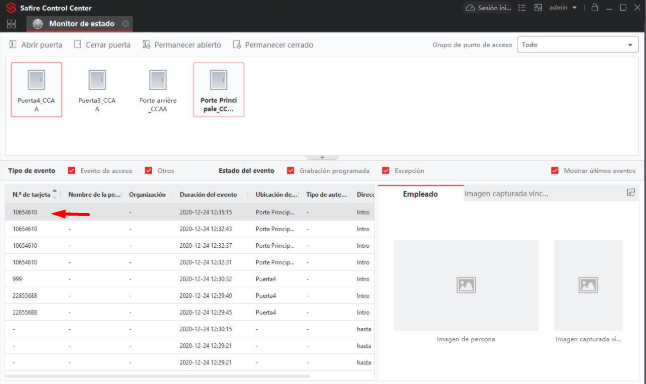
4- Finally we will see how the device sends us the credentials of the card to the controller.
Was this article helpful?
Bu bilgiler sorununuzu çözmeye yardımcı oldu mu?
Still need help?
Uzman ekibimiz size yardımcı olmak için burada.