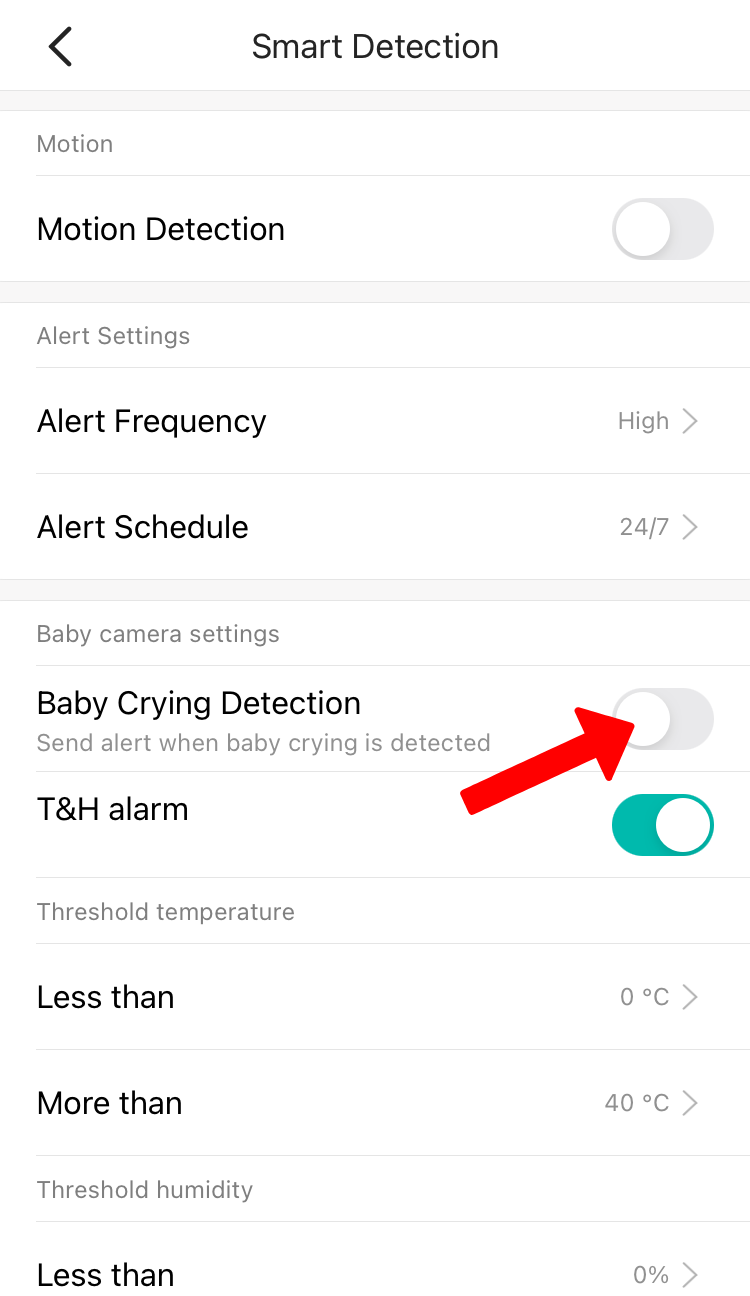
Detects if your baby is crying and sends a notification in seconds
To enable Baby Cry Detection:
1. Launch the YI/Kami Home App.
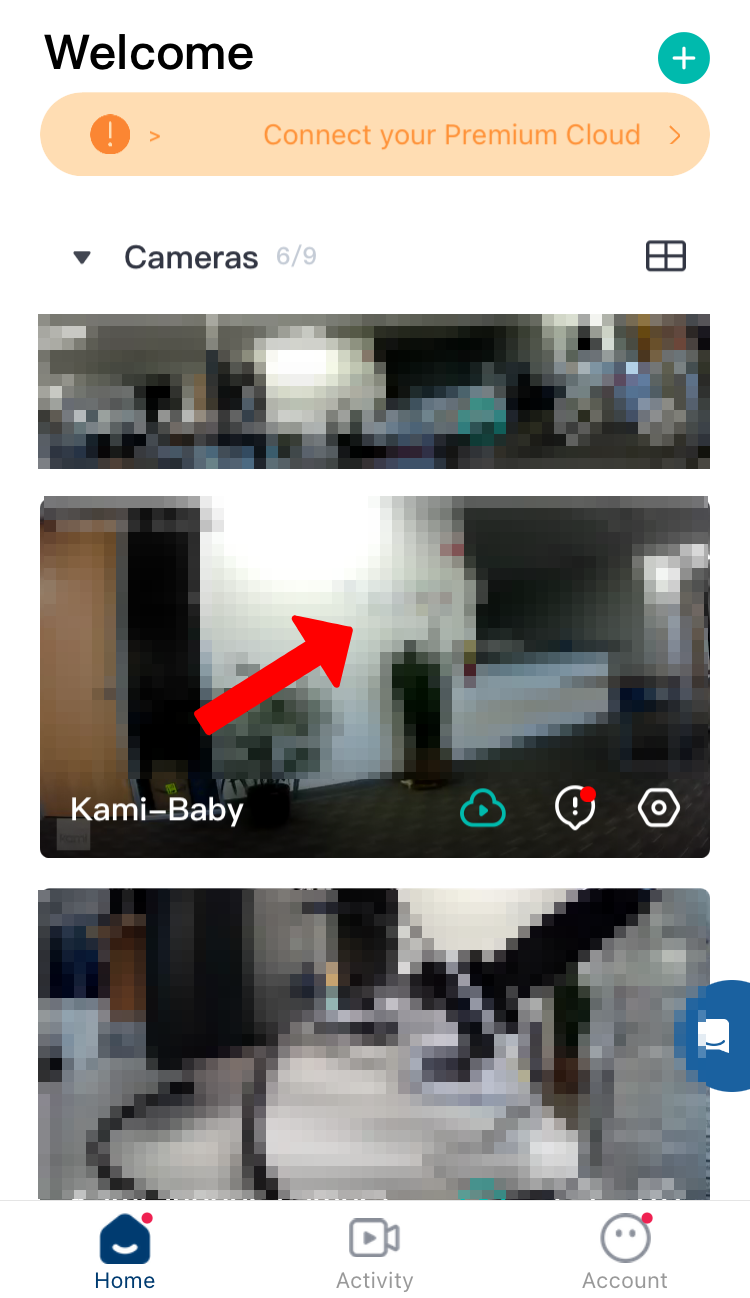
2. Tap on the Camera Thumbnail.
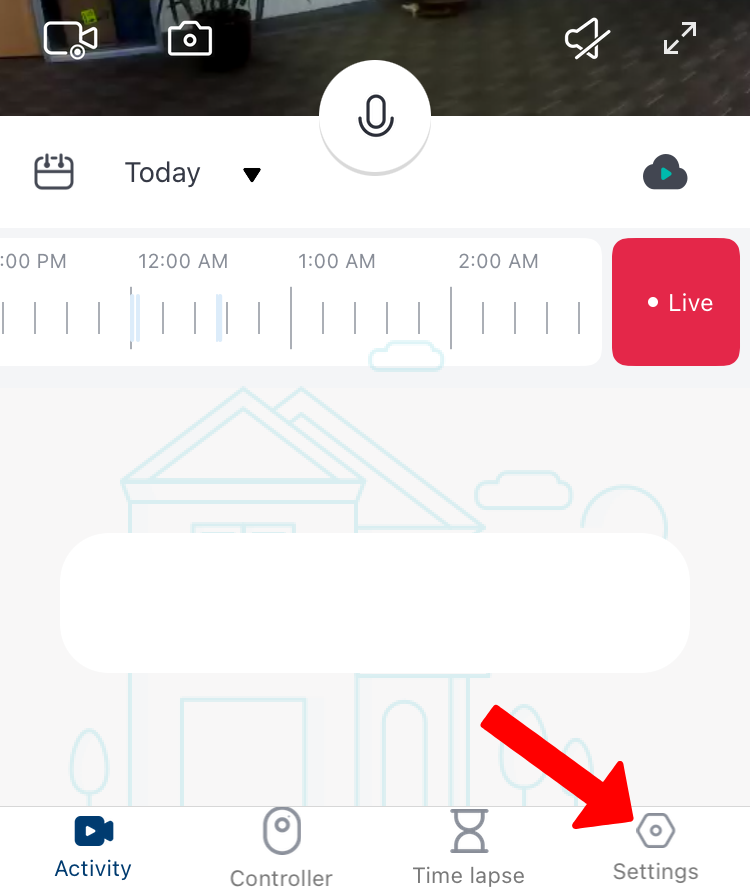
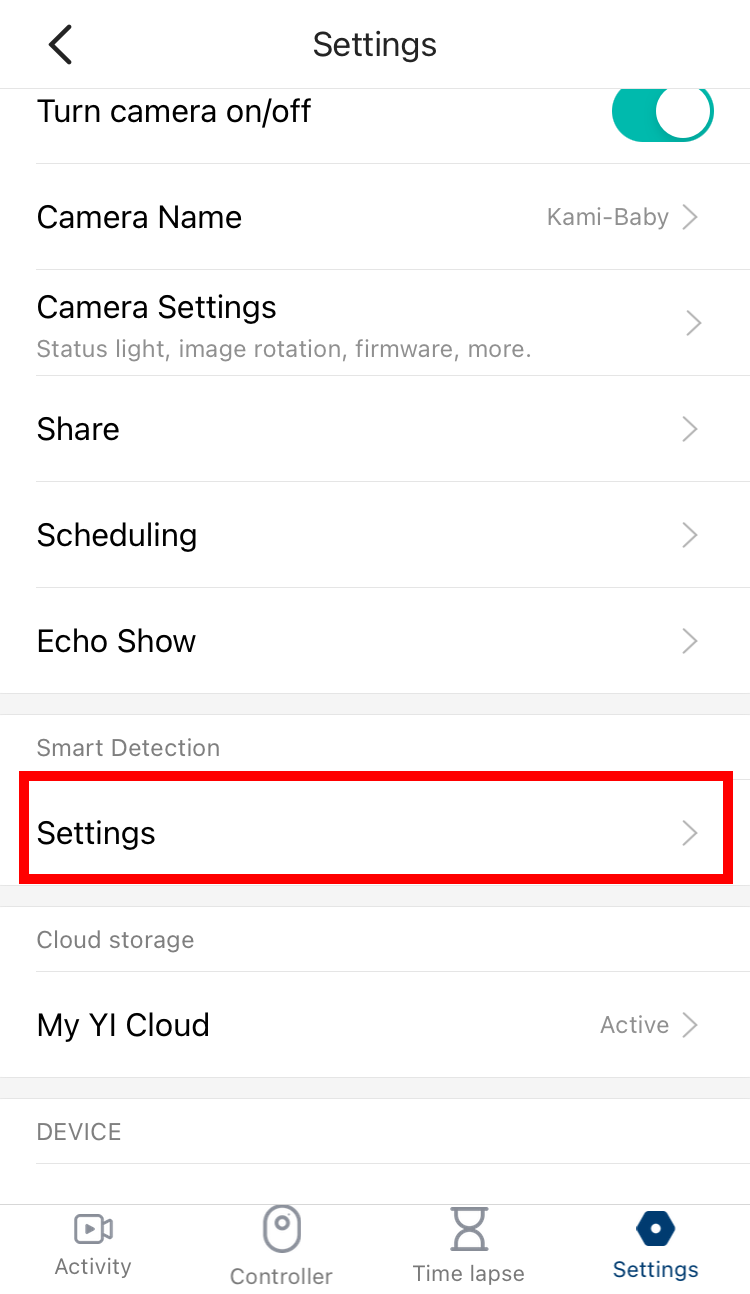
3. Tap on Settings. Tap to the settings (under Smart Detection).
4. By default the Baby Crying Detection is disabled. Toggle the Baby Crying Detection to enable.