XMeye - What to do if Monitor Shows No Image and No Config?
20 Aug 2026
449 views
Applies to: DH81NK/DH41NK/DM21O/DM31O/DL81A/DH81S/DH81NG/DN81NB/DM41G/DN41CJ/DN81BJ/DN61EC/DG81W/DG61X/DG41T/DT81DQ/DT41DC/DT61ER
If you find your DVR cannot show any camera‘s image on monitor or TV and in the middle of the screen it shows No config or offline, please try the method below to fix it.
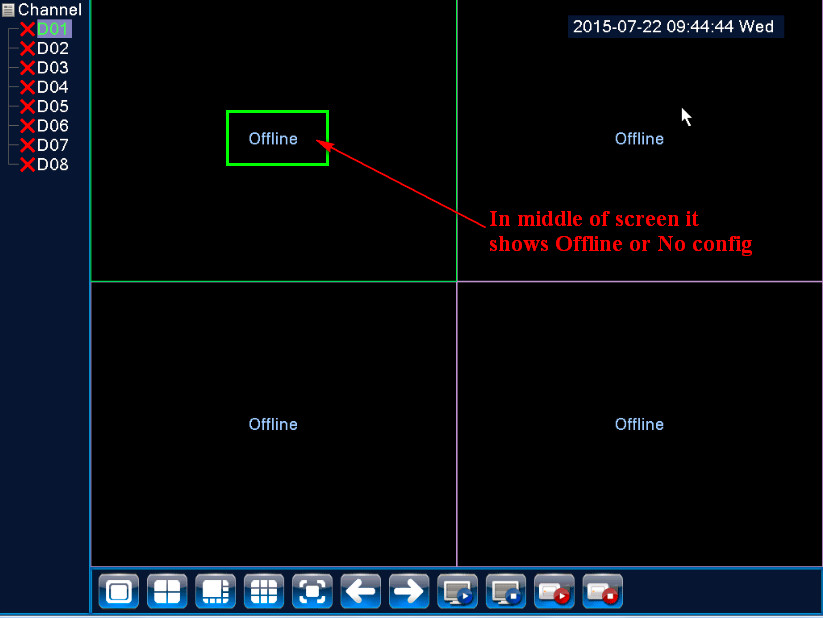
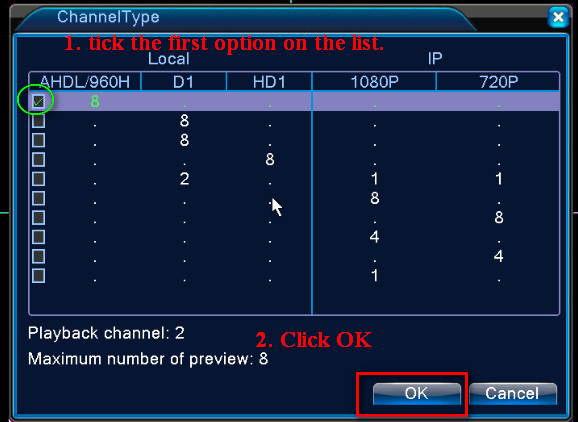
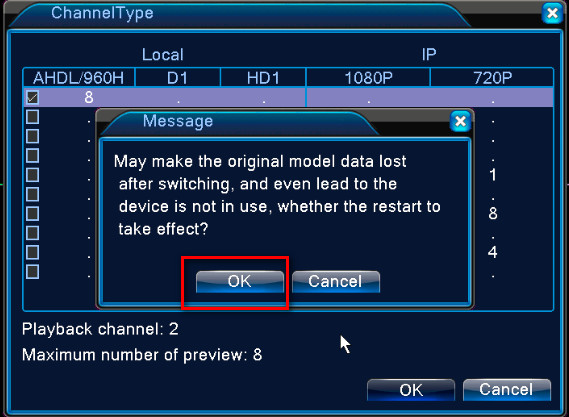
Please login system and go to the main menu---system---digital---channel type and select the first option on the list. Finally, click OK to save your setting. The system will reboot. After rebooting, you can see the camera‘s image.
Please remember don‘t go to main--system--digital--channel type to change any setting if the problem is solved.
Was this article helpful?
Bu bilgiler sorununuzu çözmeye yardımcı oldu mu?
Thanks for your feedback!
Still need help?
Uzman ekibimiz size yardımcı olmak için burada.