XMEye - How to Set Up Motion Detection App Push Function?
Applies to: DN41CJ/DN61EC/DN81BJ/DG81CQ/DG81CP/DH41NK/DG41BJ/DT41DC/DT61ER/DT81DQ/DE41N/DE81N/DG41BE/DG81BE/N44PBD/N44PBJ
1. Please make sure your system‘s firmware build date is after 2016. If not, please contact support@annke.com to upgrade.
In your email, please log in system and go to the Main menu-->Info-->Version and tell us your system‘s version like V4.02.R11.85100115.10001.130900 and build date like 2015-05-25
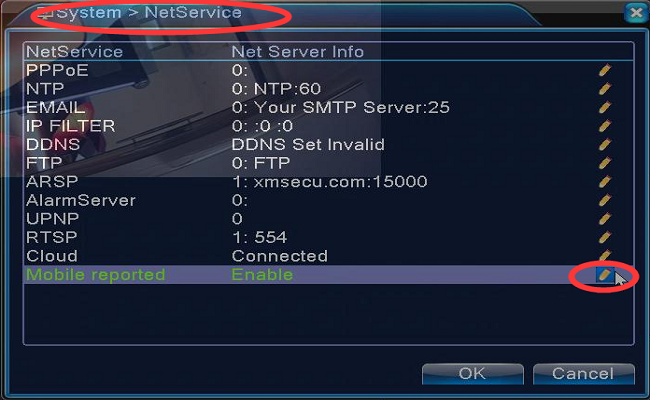
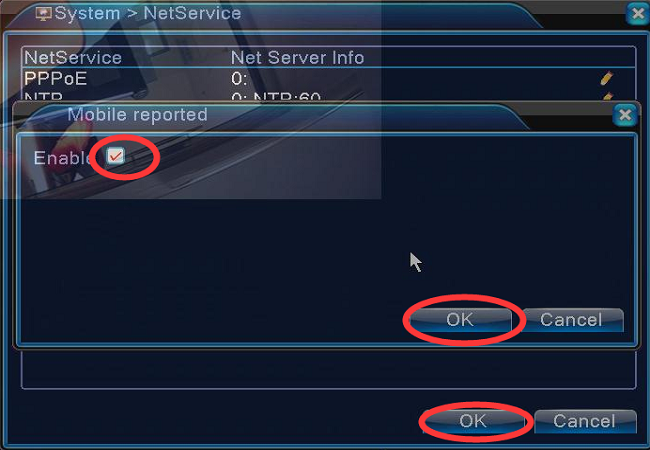
2. Please enable the mobile reported function in the Main menu-->System-->Netservice
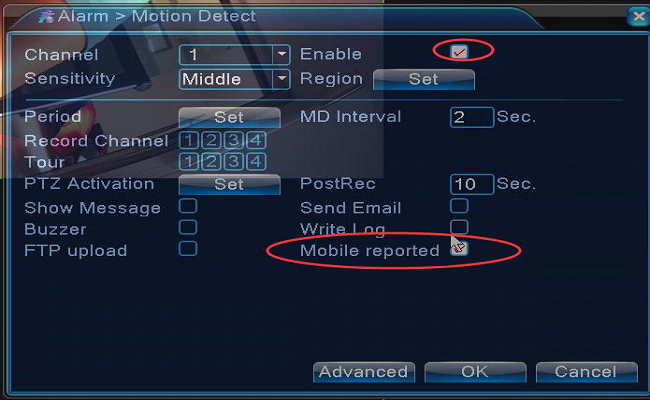
3. Go to the Main Menu-->Alarm-->Motion detection to enable mobile reported.
4. Add a system to app XMeye. Here is a method.
https://help.annke.com/hc/en-us/articles/360000250041-How-to-connect-DVR-NVR-on-phone-app-xmeye-
5. Enable Alarm Push in APP.
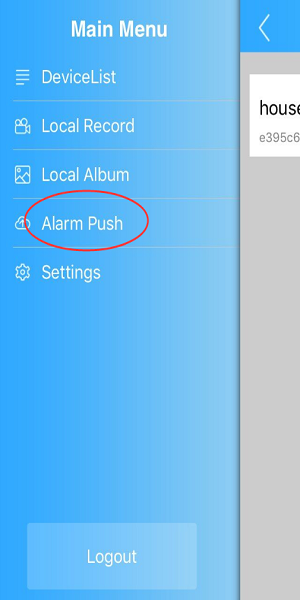
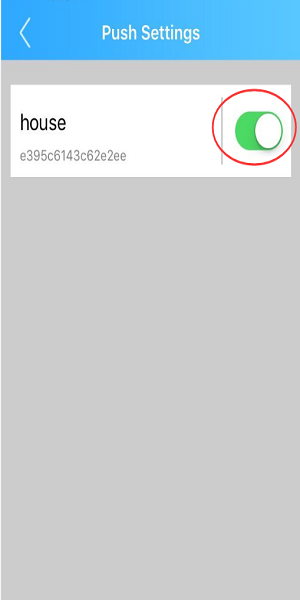
When there is motion detected, your phone will receive a push.
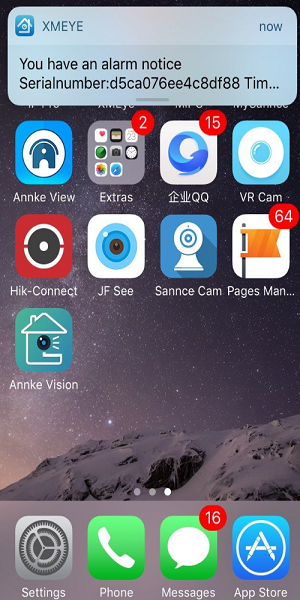
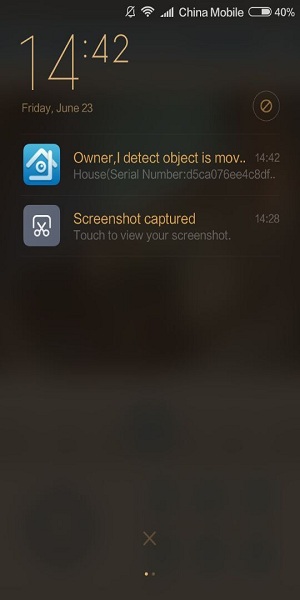
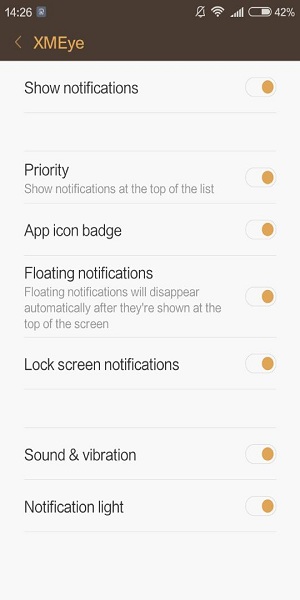
If everything is set correctly, but there is no push, please double check to make sure your phone enabled notification for app XMeye.
Was this article helpful?
Bu bilgiler sorununuzu çözmeye yardımcı oldu mu?
Still need help?
Uzman ekibimiz size yardımcı olmak için burada.