What to Do if the Email Alert is Unsuccessful?
Purpose: If you can not successfully set up the email alert or receive the email alert, please follow the troubleshooting tips listed below to solve the problem.
Cause 1. The Type of Mailbox is not Gmail and didn't turn on the Access for less secure apps
Solutions:
(1) Please use Gmail, not yahoo nor Hotmail.
(2) Log in to your Gmail account on the computer and open the website below and make a sure less secure app is turned on.
https://myaccount.google.com/security?pli=1#connectedapps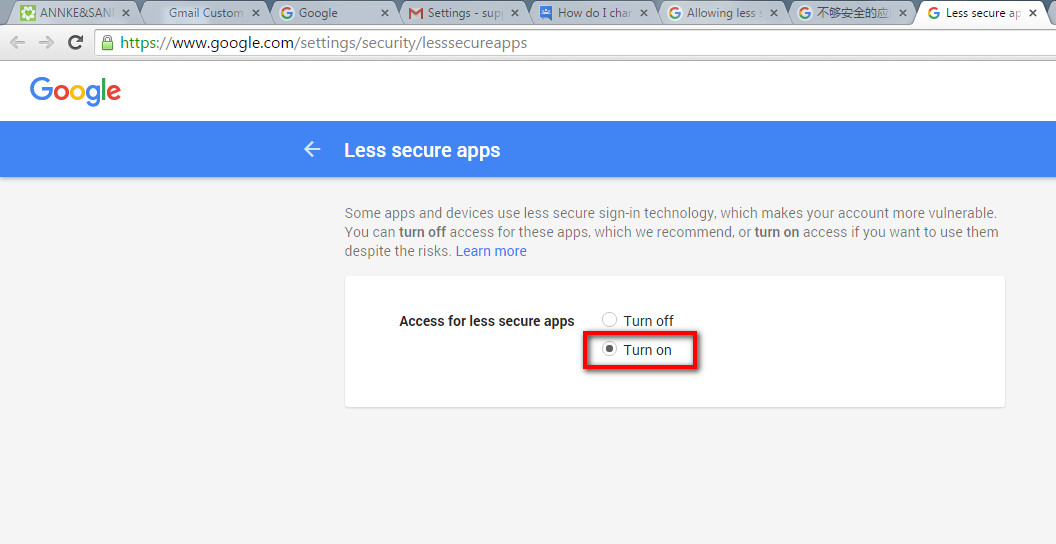
Cause 2. The P2P status is not online
Solution: Different Models have different ways to solve the problem.
Please go to this link to have a view: What to do if the P2P status shows offline/nat status is not connected?
Cause 3. The Fill-in information is wrong
Solution: Go to the system to check the fill-in information about the email.
Please go to this link to have a view: How to configure the email settings and send email test on your DVR/NVR?
Cause 4. Incomplete Settings or Settings are not saved/apply
Solution: Different Models have different settings interfaces, you can check the corresponding settings.
Applies to: DT41Y/DT61Y/DT81Y/DN41R/DN61R/DN81R/DT41GB/DT81GB/DT61GB/DW41JD/DW81KD/DW61LD/DT81DP/N48PI/N44PI/N46PI/N44PAM/N48PAW/N46PCK/N88PCH/S500/S300/FC200/NCK800/H800/H500/FC800/E800
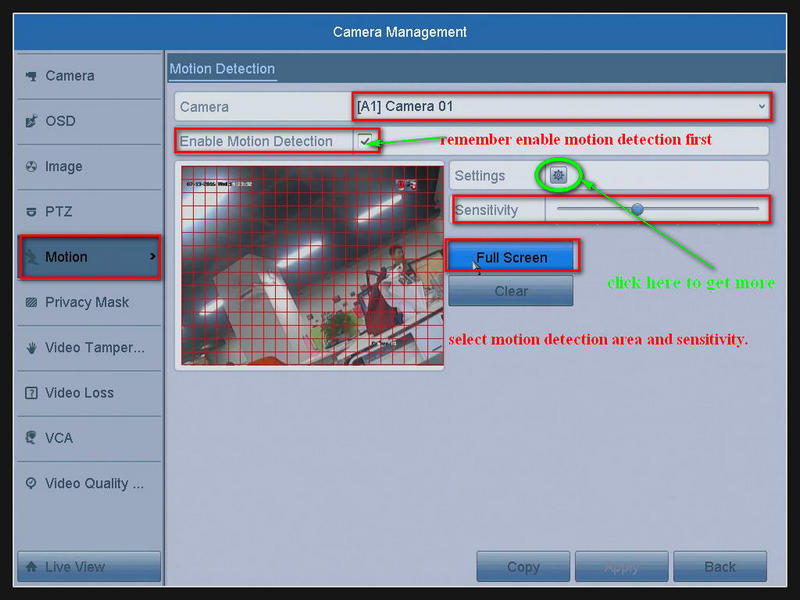
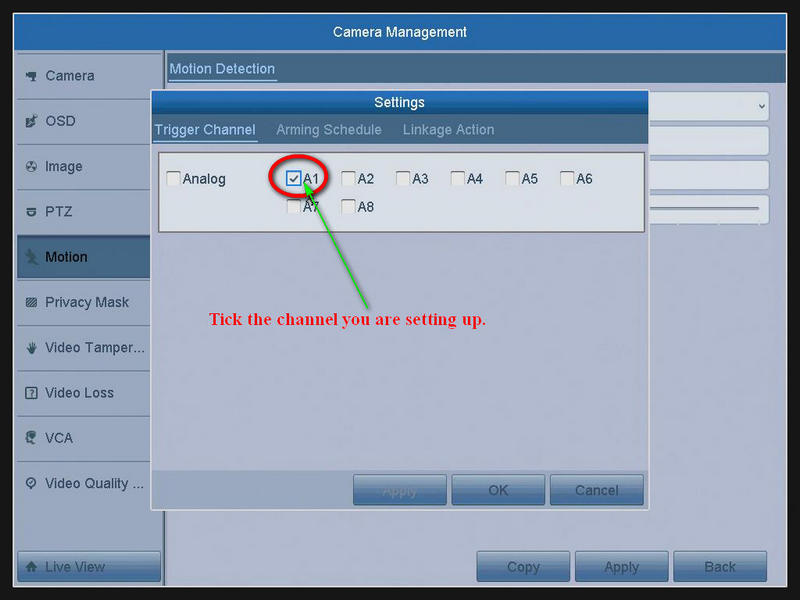
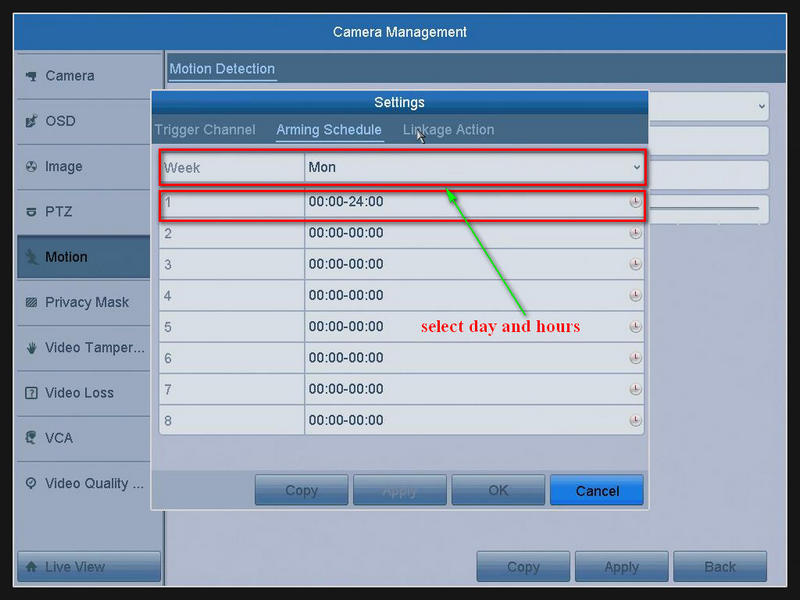
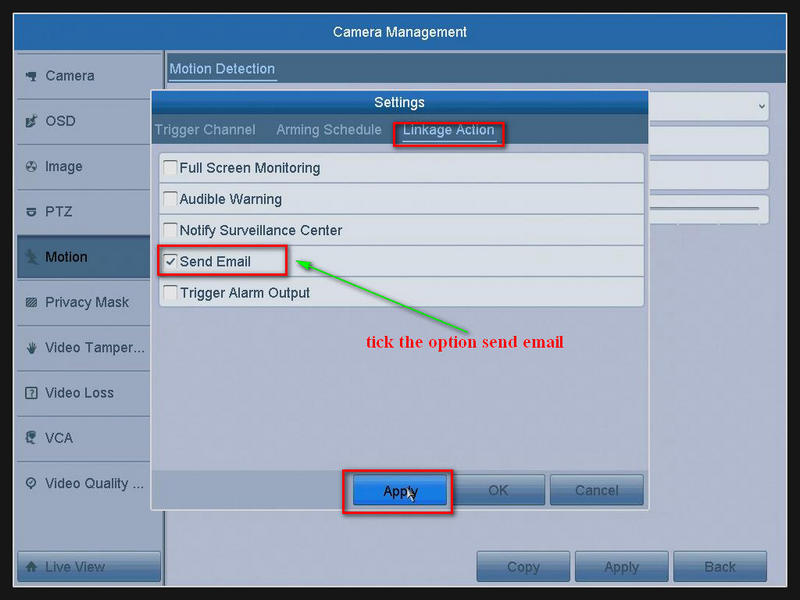
Applies to: DH81NK/DH41NK/DM21O/DM31O/DL81A/DH81S/DH81NG/DN81NB/DM41G/DN41CJ/DN81BJ/DN61EC/DG81W/DG61X/DG41T/DT81DQ/DT41DC/DT61ER/DG41BE/DG81BE
Please enable the alarm and email alerts function.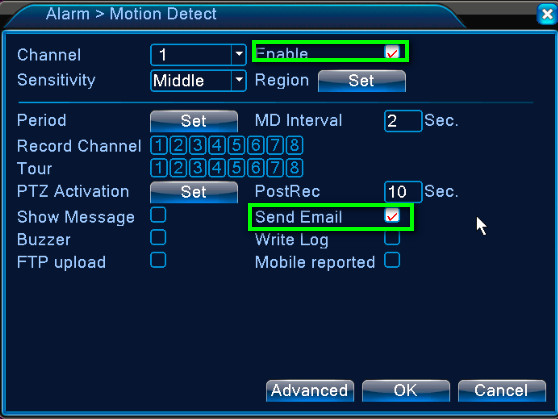
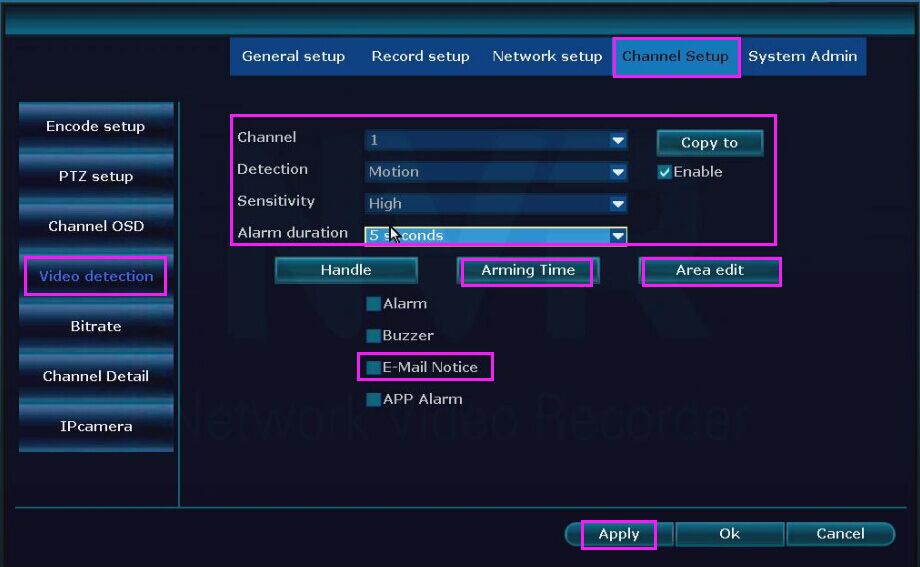
Applies to: NW41V/N441H/N441K/N28WEB/N441B/N441D/N441L/N44PAN/N44PAJ/N34WDB/N34WDD/N44WEB/N44WED/N44WEC/NW41V/N44WBD/N48WHP/N48WHE
Go to System setup-Channel setup-Video detection. Enable it and tick the Email Notice option.
Cause 5. The DVR/NVR Firmware version is too old
Solution: Update the version according to your device model.
Cause 6. The DVR/NVR Reason
If you have tried the above five methods and they didn't work, maybe your DVR/NVR is faulty.
Solution: After setting up the email alert, try to restore DVR/NVR to factory settings.
Please go to this link: How to restore your Annke DVR/NVR?
Was this article helpful?
Bu bilgiler sorununuzu çözmeye yardımcı oldu mu?
Still need help?
Uzman ekibimiz size yardımcı olmak için burada.