Type 1-How to export log of APP Sannce Vision
20 Aug 2026
362 views
Applies to:
DL41B/DL81B/DL41A/DL81A/DL41D/DL81D/DH81S/DH81X/DH81NG/DM41D/DM41A/DM81A/DN41D/DN81D/DN41S/DN41NA/DM41H/DM81H/DM21O/DM31O/DE41N/DE81N/DN81NB/DM81Z/DM61W/DG81CP/DG81CQ/DH81NK/DG81CR/DH41NK/DM41G/DN41CJ/DN81BJ/DN61EC/DG81W/DG61X/DG41T/DT81DQ/DT41DC/DT61ER/DG41BE/DG81BE
1. Please login system on the app.
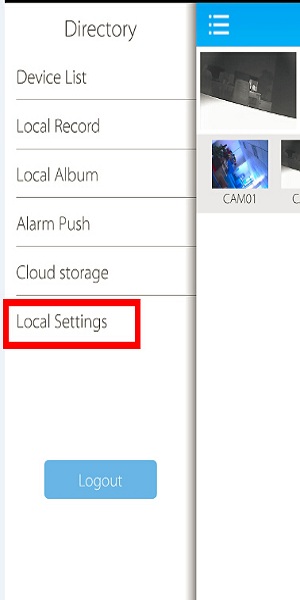
2. Go to local settings.
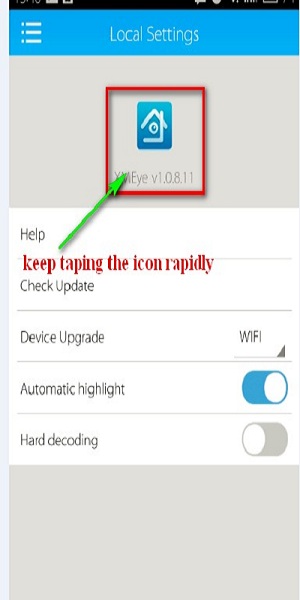
3. Tap the app icon quickly until you see many sentences.
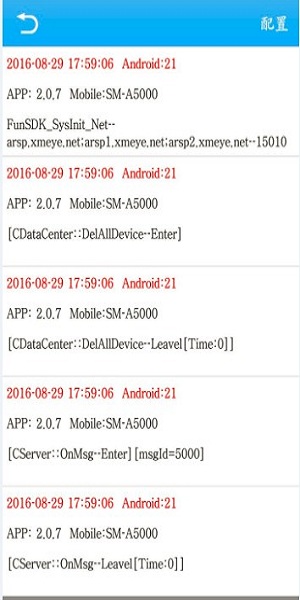
4. Click the icon on the top right. (It is in Chinese which means config)
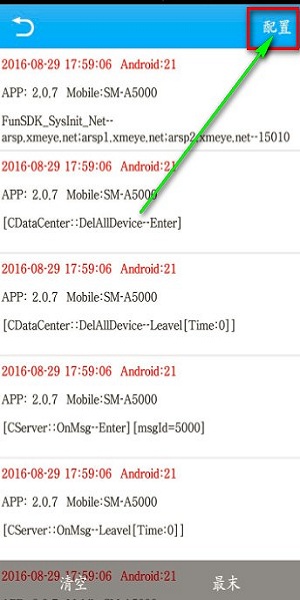
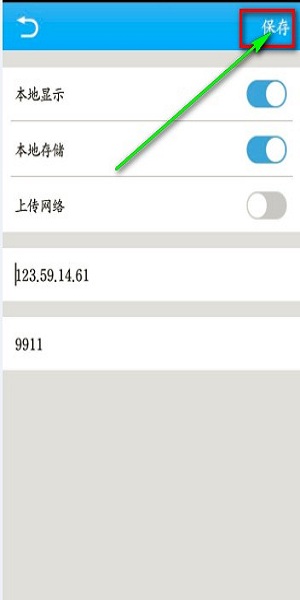
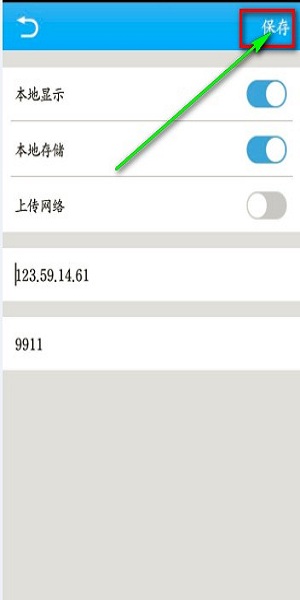
5. Click the icon on the top right again (it is in Chinese which means save)
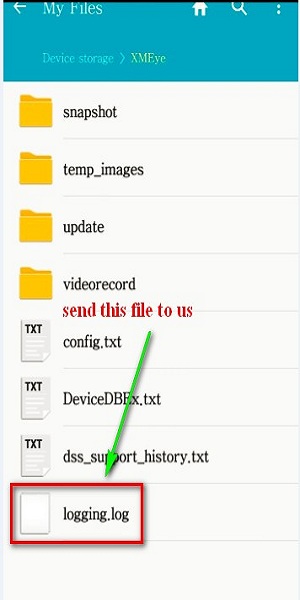
6. Go to your phone's file manager to find the log file and send it to us.
Was this article helpful?
Bu bilgiler sorununuzu çözmeye yardımcı oldu mu?
Thanks for your feedback!
Still need help?
Uzman ekibimiz size yardımcı olmak için burada.