Troubleshooting--Fail to Receive Push Notification on Mobile Phone
If you fail to receive a push notification on Android Phone or iOS device (iPhone/iPad), you may follow the troubleshooting tips listed below to solve the problem. There're several possible causes for the problem:
Cause 1. Incorrect settings
Solution: Please find the correct setting method according to the table prompts.
| Model | Setting Method |
|
DT41Y/DT61Y/DT81Y/DN41R/DN61R/DN81R/DT41GB/DT81GB/DT61GB DW41JD/DW81KD/DW61LD/DT81DP/N48PI/N44PI/N46PI/N44PAM/ N48PAW/N46PCK/N88PCH |
How to set up motion detection app push function? |
|
NW41V/N441H/N441K/N28WEB/N441B/N441D/N441L/N44PAN/N44PAJ N34WDB/N34WDD/N44WEB/N44WED/N44WEC/NW41V/N44WBD N48WHP/N48WHE |
How to set up push function ? |
Cause 2. The P2P status is not online
Solution: Different Models have different ways to solve the problem.
| Model | Setting Method |
|
DT41Y/DT61Y/DT81Y/DN41R/DN61R/DN81R/DT41GB/DT81GB/DT61GB DW41JD/DW81KD/DW61LD/DT81DP/N48PI/N44PI/N46PI/N44PAM/ N48PAW/N46PCK/N88PCH |
What to do if P2P status shows offline? |
|
NW41V/N441H/N441K/N28WEB/N441B/N441D/N441L/N44PAN/N44PAJ N34WDB/N34WDD/N44WEB/N44WED/N44WEC/NW41V/N44WBD N48WHP/N48WHE |
What to do if P2P shows offline? |
Cause 3. Phone's setting is incorrect
Solutions: Enable the app's push function in the phone's setting.
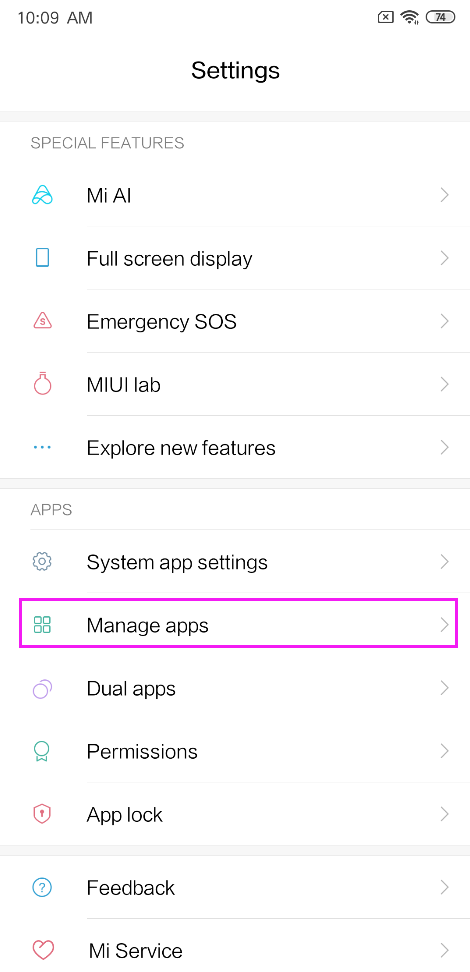
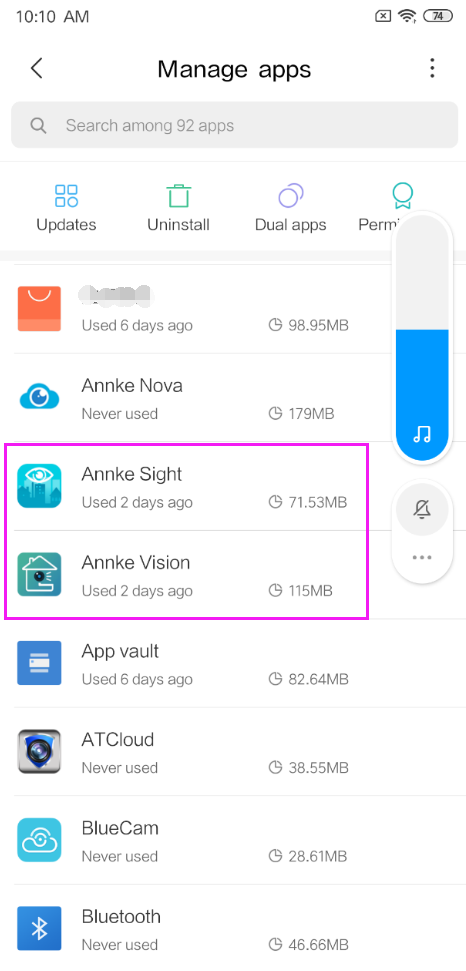
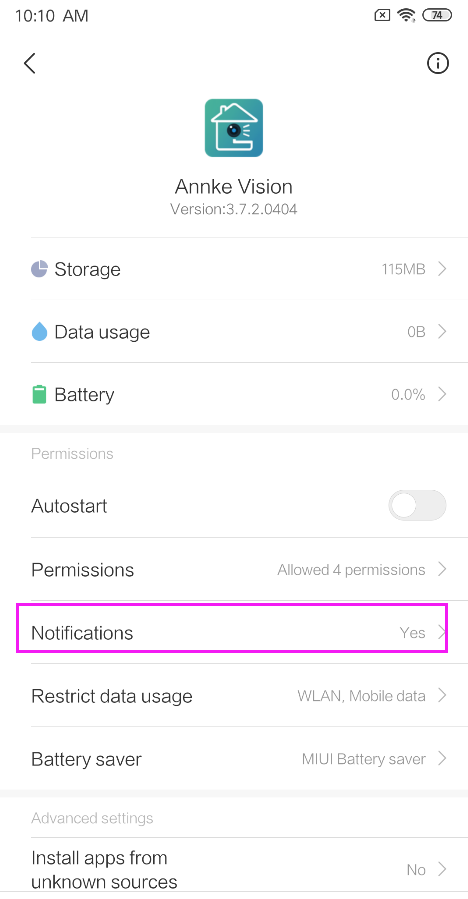
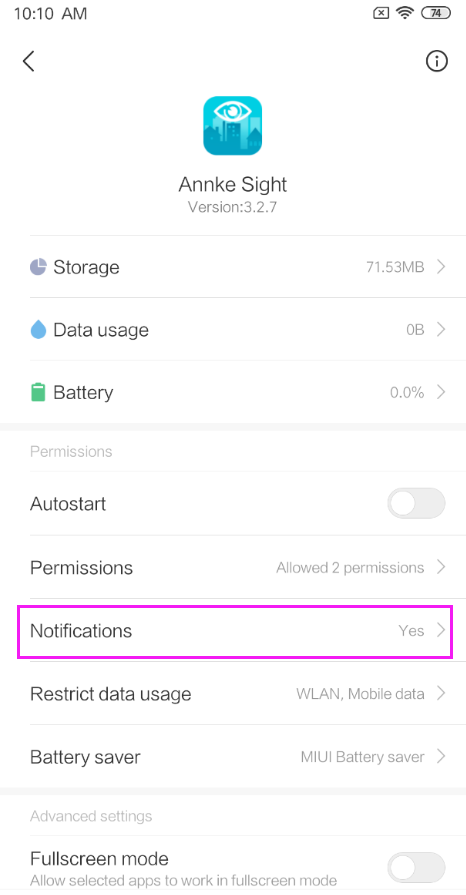
Cause 4. Bugs on Annke App
Solution: Please uninstall and reinstall the lasted version of the Annke App on your phone, then enable push notification to see if it works.
- If the problem persists after going through the steps above, please tell us the results and take some photos of the troubleshooting process as an attachment and send them to us so that we can help you solve the problem better.
- Please click Submitting a request to contact us for help.
Was this article helpful?
Bu bilgiler sorununuzu çözmeye yardımcı oldu mu?
Still need help?
Uzman ekibimiz size yardımcı olmak için burada.