Short tips for Xiaomi devices
20 Aug 2026
421 views
To ensure Alfred runs without interruption, please apply the following settings on your Xiaomi devices:
- Enable AutoStart & disable background restrictions (Android 6+)
- Disable Battery Optimization (Android 8+)
- Allow Alfred to run in the background (Android 10 only)
- Allow Alfred to display over other apps (Mi A1, A2, A3 only)
Enable Autostart & disable background restrictions (Android 6+)
- Open “Settings” on your Camera phone
- Tap “Apps”
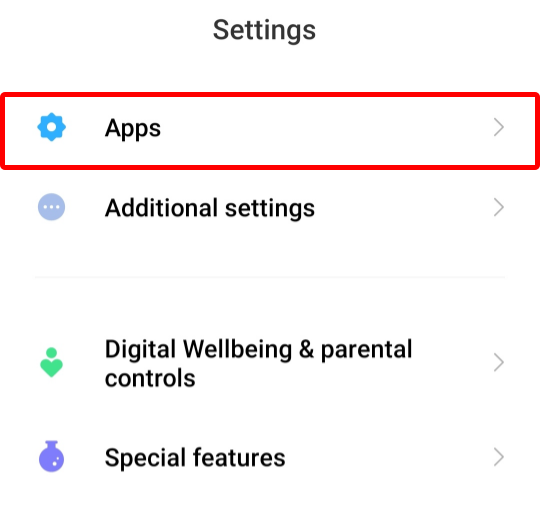
-
Tap “Manage apps”
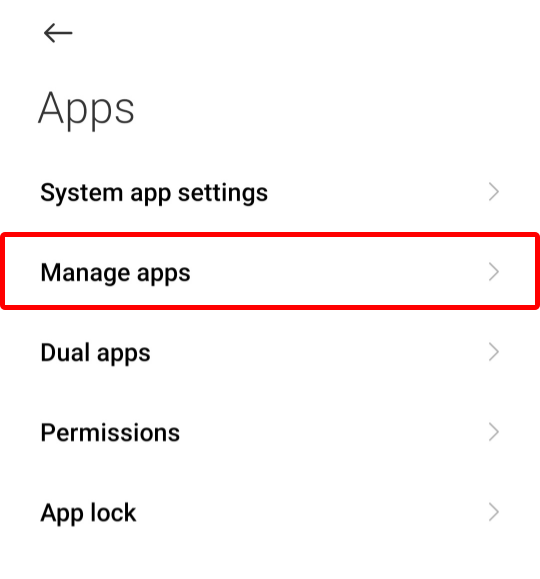
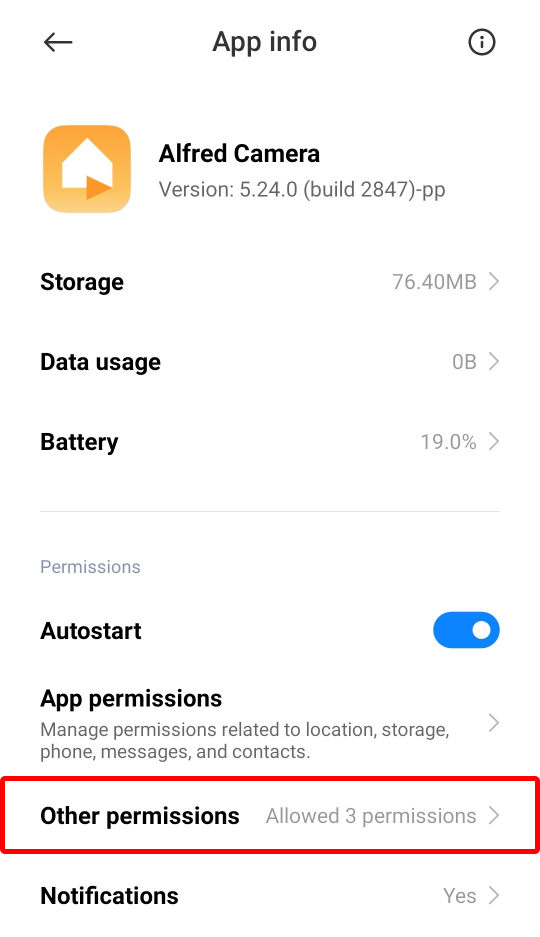
- Tap “Alfred Camera”
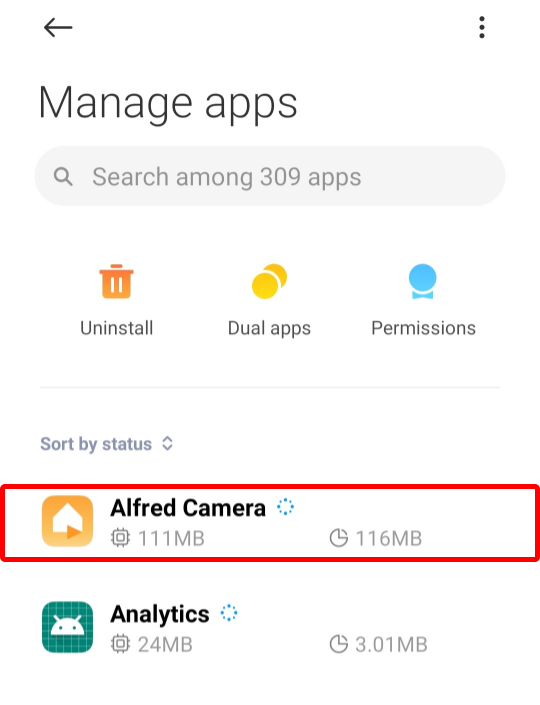
- Enable "Autostart"

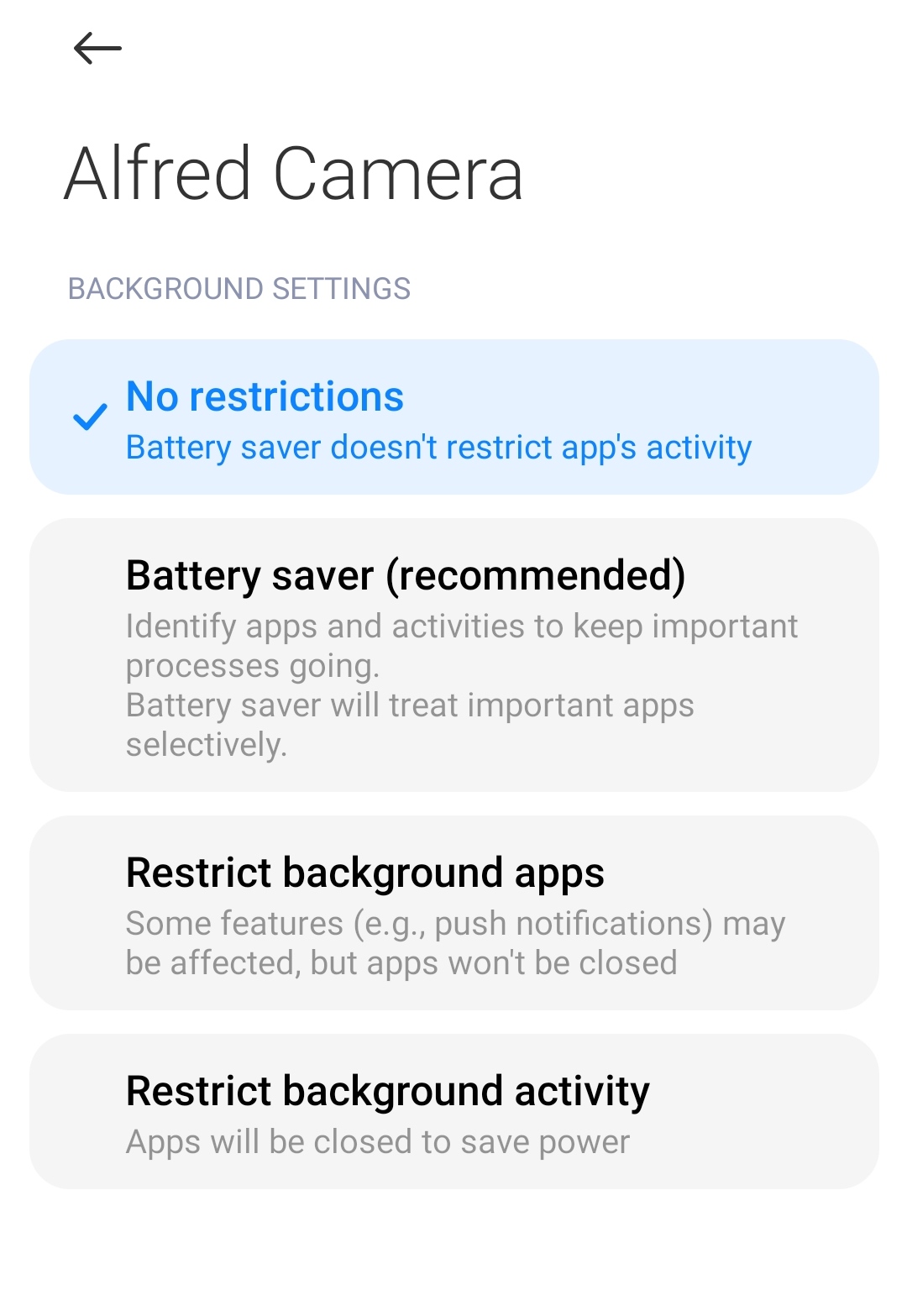
- Tap "Battery saver"
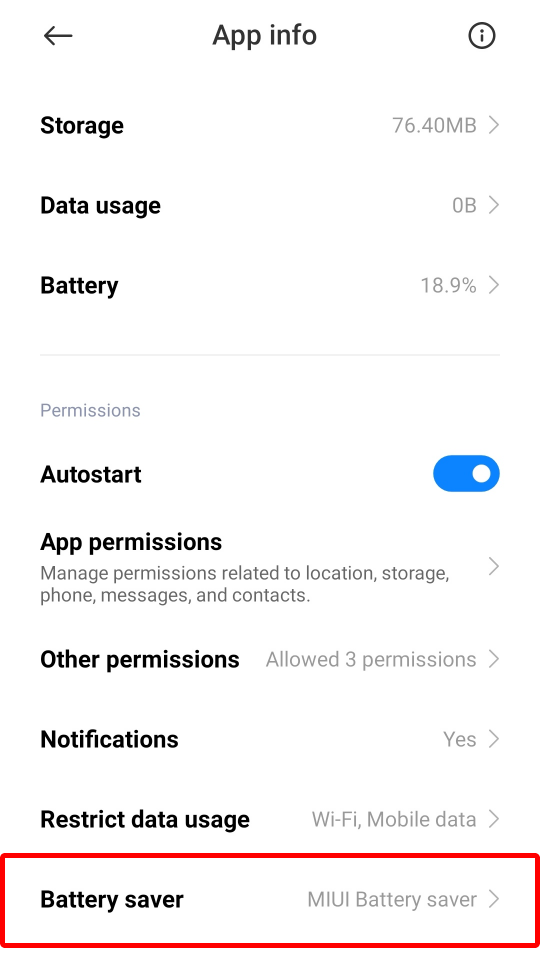
- Tap "No restrictions"
Disable Battery Optimization (Android 8+)
- Open “Settings” on your Camera phone
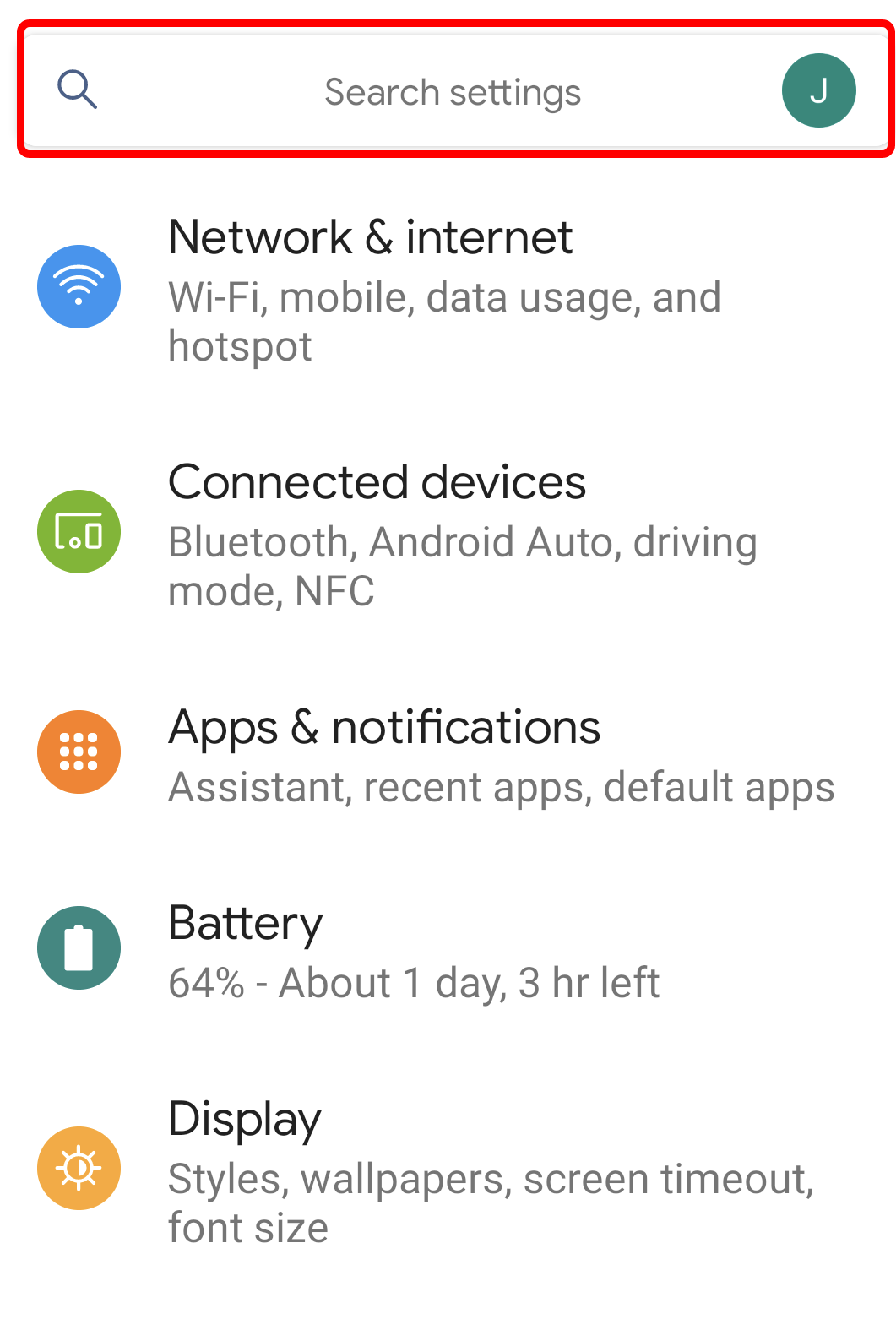
- Type "Battery" in the search box
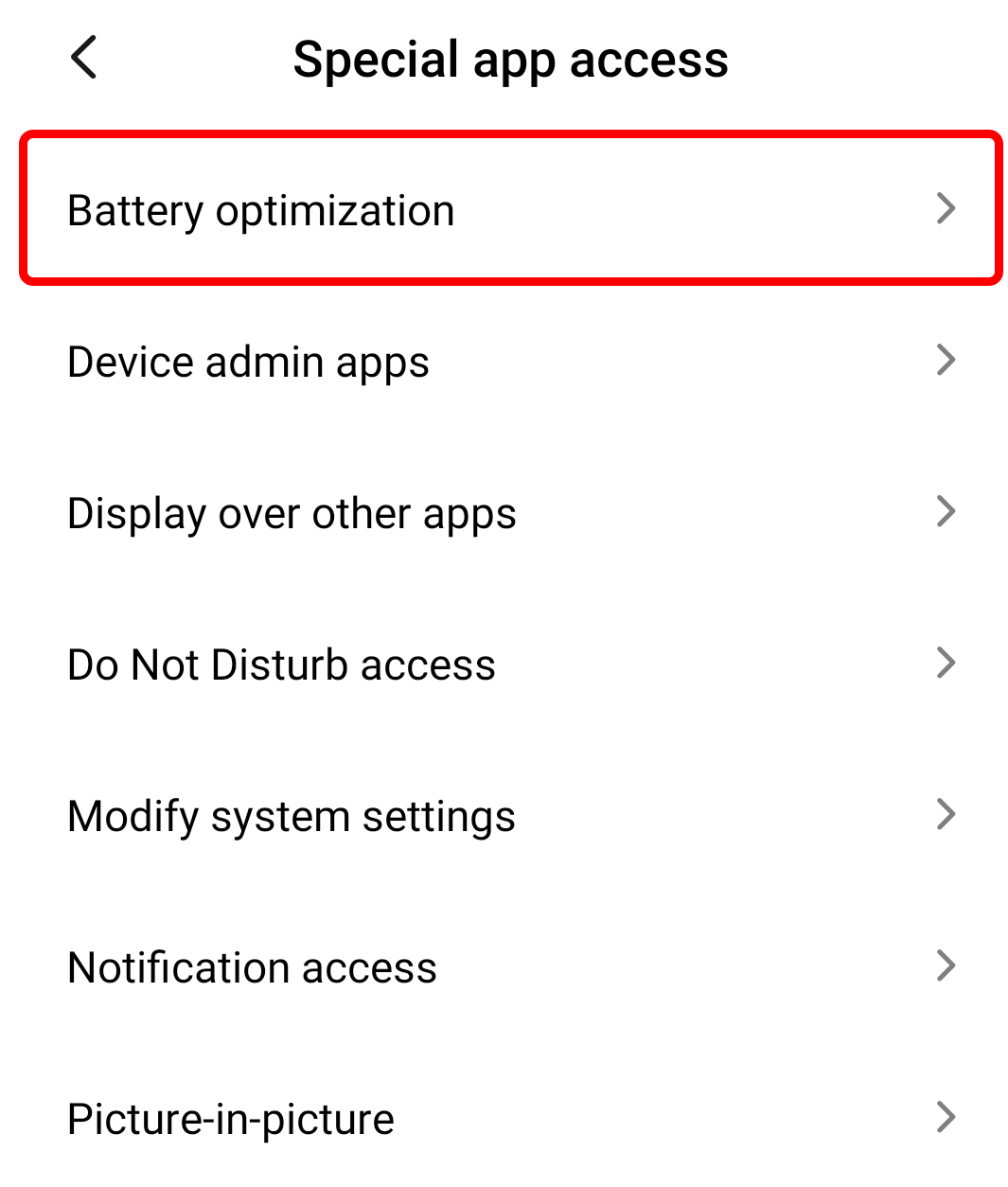
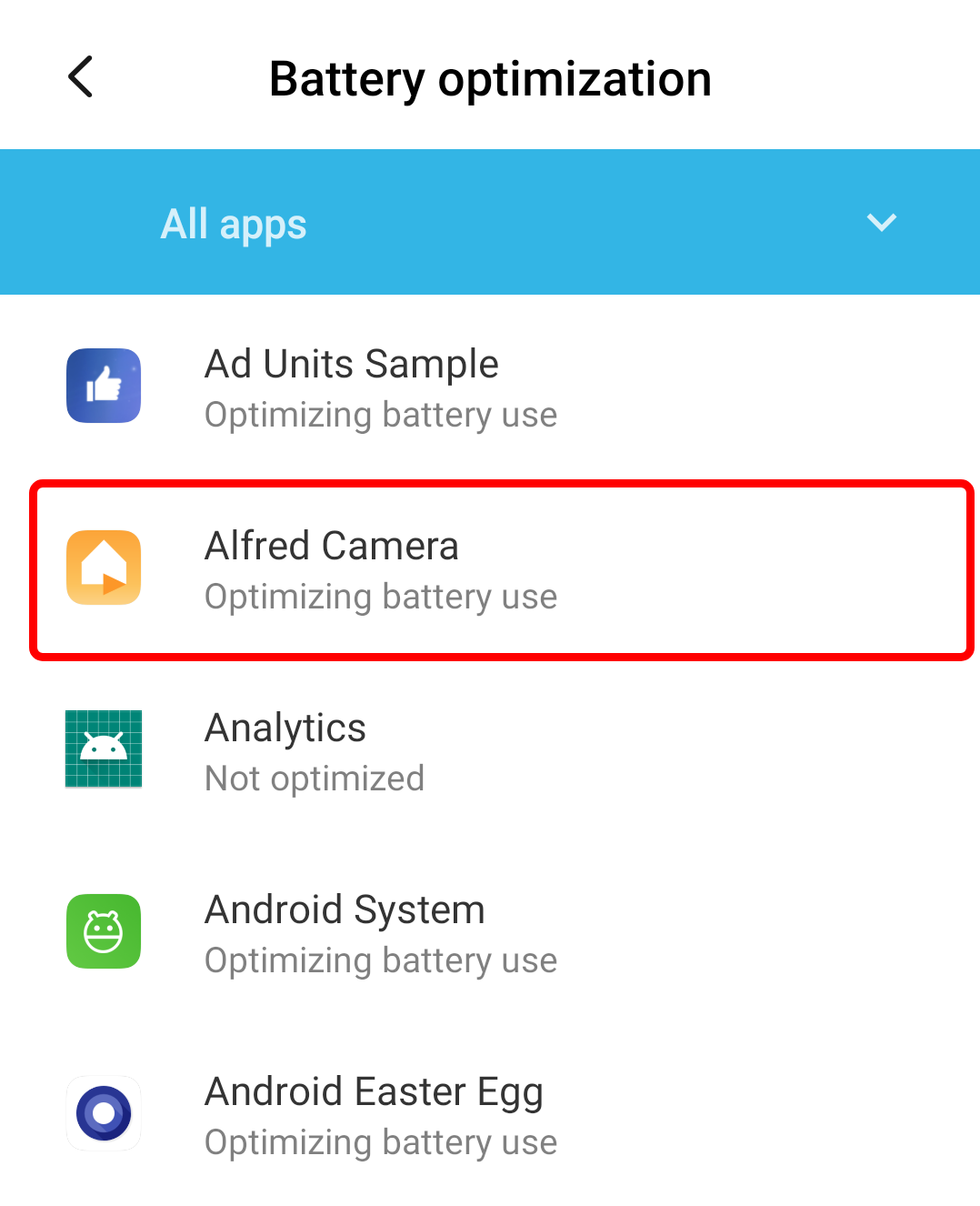
- Tap Battery optimization
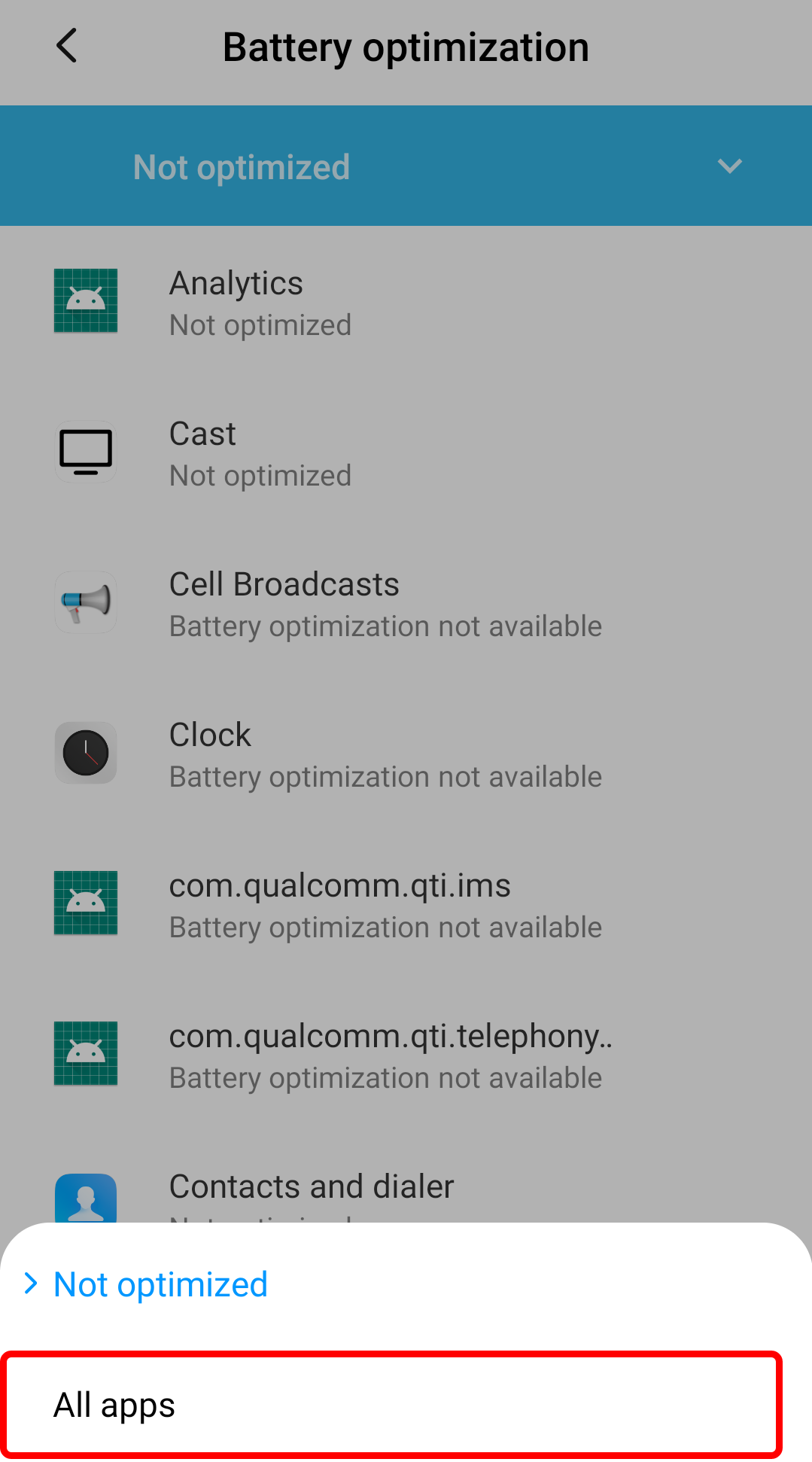
- Switch to All apps from the drop-down list
- Tap Alfred Camera
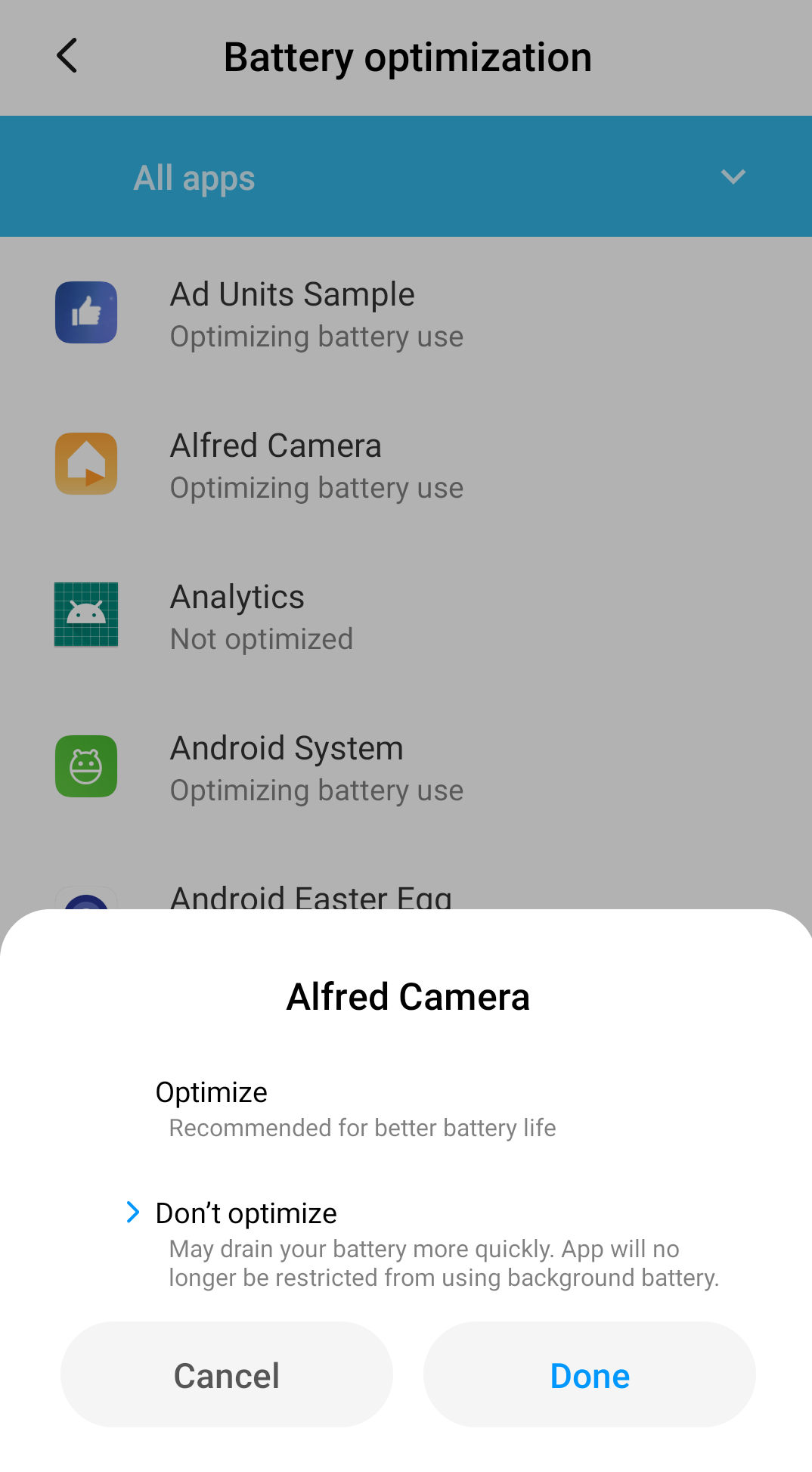
- Tap Don't optimize and save the setting
Allow Alfred to run in the background (Android 10 only)
When you have an app running, but it’s not the focus on the screen it is considered to be running in the background.
- Open “Settings” on your Camera phone
- Tap “Apps”
-
Tap “Manage apps”
- Tap “Alfred Camera”
- Tap "Other permission"
- Tap “Show on lock screen”
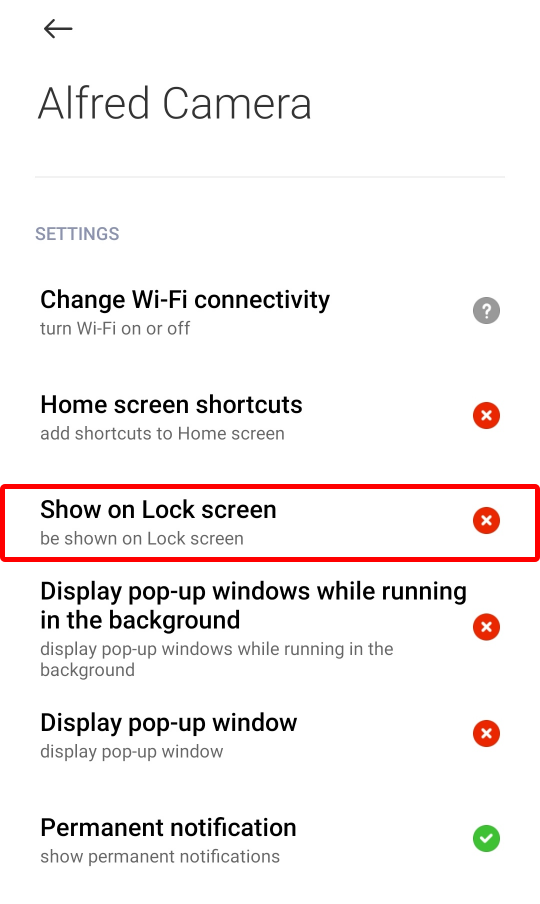
- Tap “Always allow”
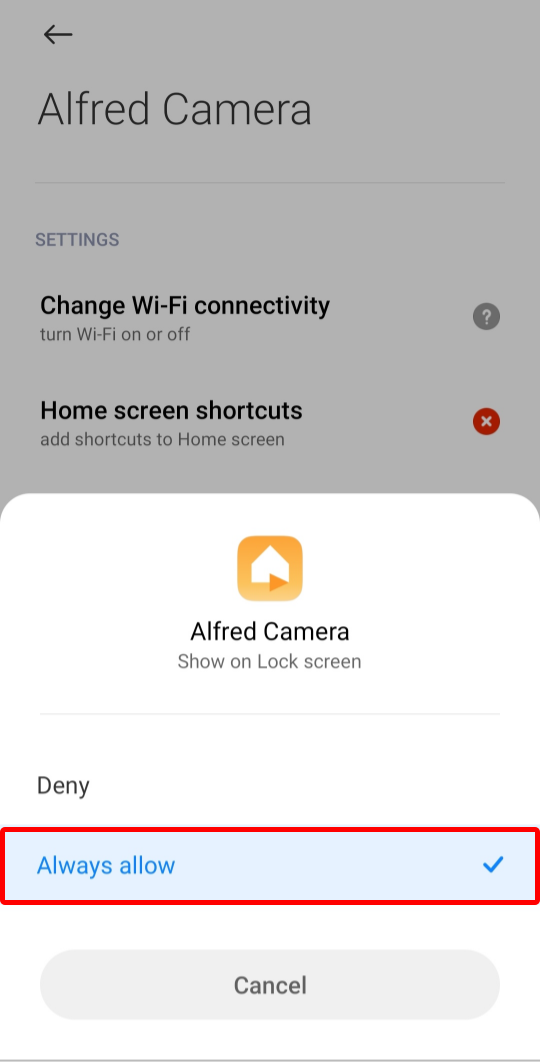
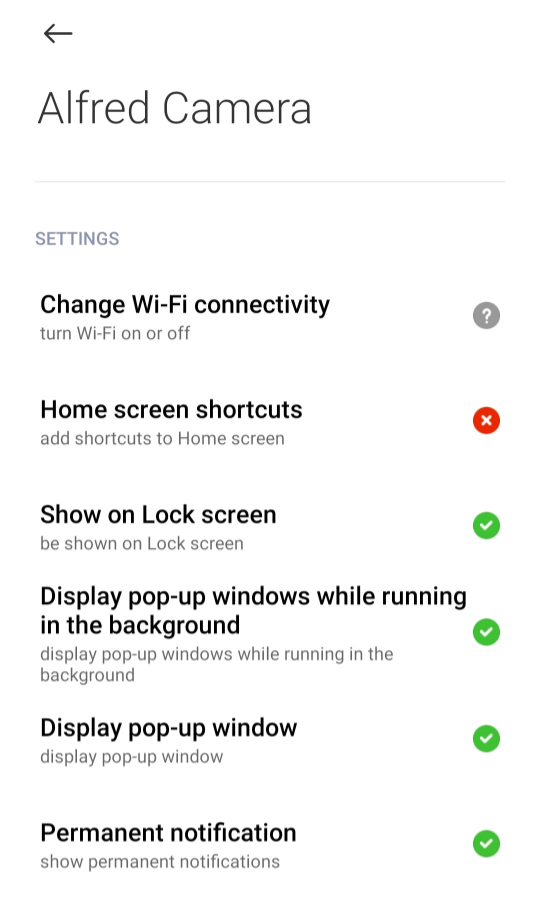
- Repeat step 5 & 6 to enable “Display pop-up window” & “Display pop-up window while running in the background”
Allow Alfred to display over other apps (Mi A1, A2, A3)
- Open “Settings” on your Camera phone
- Tap “App & notifications”

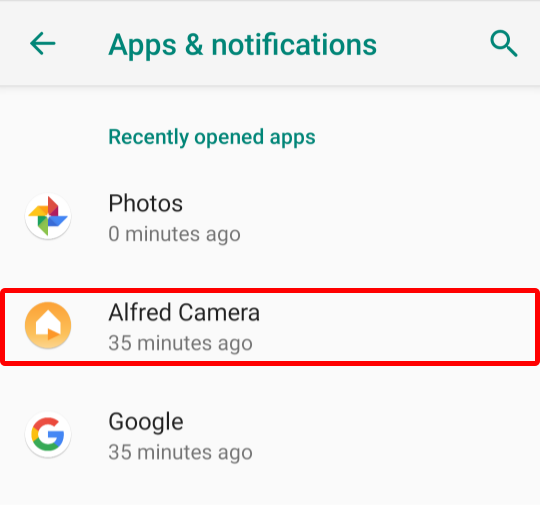
- Tap “Alfred Camera”
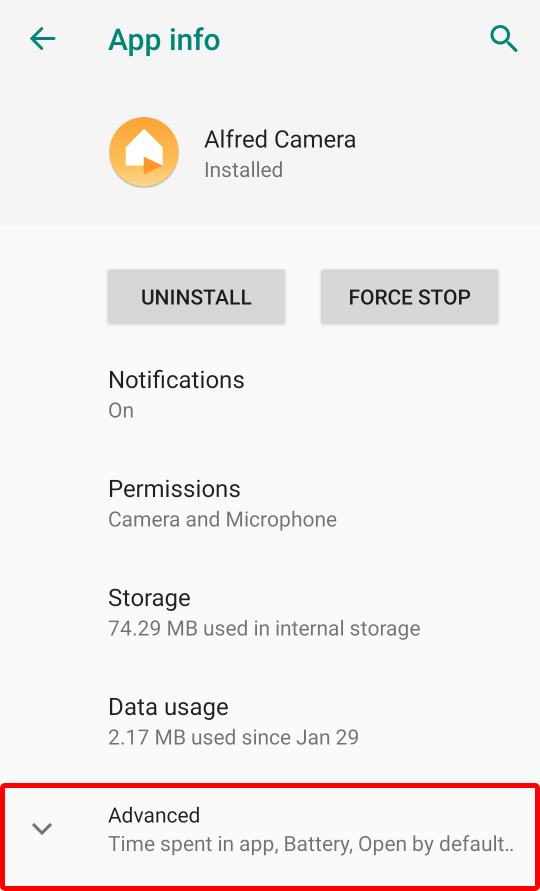
- Tap "Advanced"
- Tap “Display over other apps”
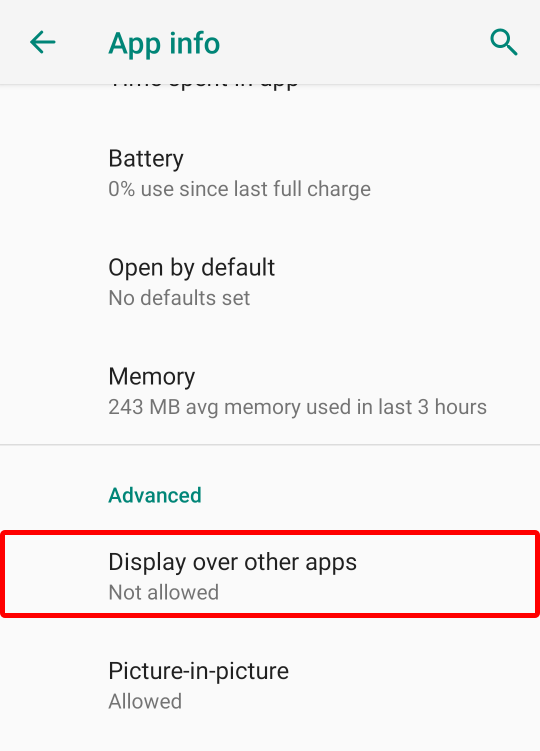
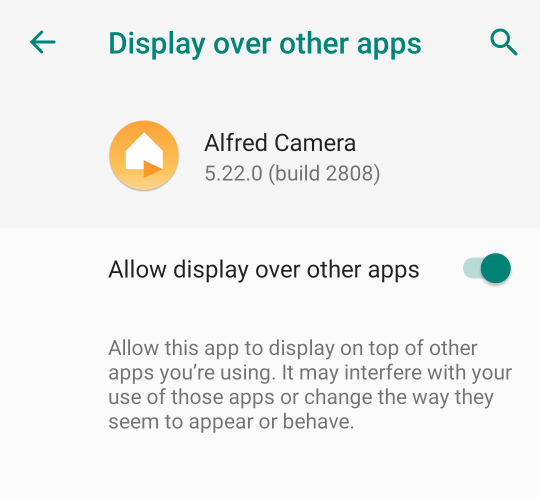
- Allow Alfred to display over other apps
🙋 Still have questions? Please contact us from the More tab in the app.
Was this article helpful?
Bu bilgiler sorununuzu çözmeye yardımcı oldu mu?
Thanks for your feedback!
Still need help?
Uzman ekibimiz size yardımcı olmak için burada.