Myannke - System Settings on My Annke
Applies to: I41EJ
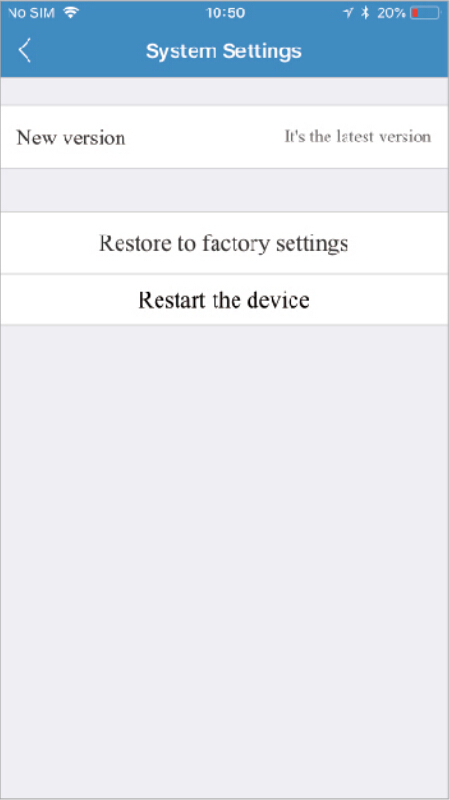
Under System, there are three sections under System, as detailed below:
-
New version:
Online upgrade displays the current version number and shows if there is a newer version. You will see a red dot next to the Setting icon identifying that there is a new upgrade available. To download and install the latest software version, click Update.
-
Restore to factory settings:
If you click Restore, it will restore the camera to the factory defaults, which can restore to factory settings be helpful in case you have made changes to the camera and want to cancel these changes.
-
Restart the device:
Clicking Restart reboots the camera. It is the same as unplugging the camera and plugging it back in again but is accomplished remotely. Note: When the camera goes office, such as when using the Restart button, the snapshots are deleted if you do not have storage.
Was this article helpful?
Bu bilgiler sorununuzu çözmeye yardımcı oldu mu?
Still need help?
Uzman ekibimiz size yardımcı olmak için burada.