(LPR) Export/Import white/black list on the LPR (CMIP7923WLPR-32R)
20 Aug 2026
353 views
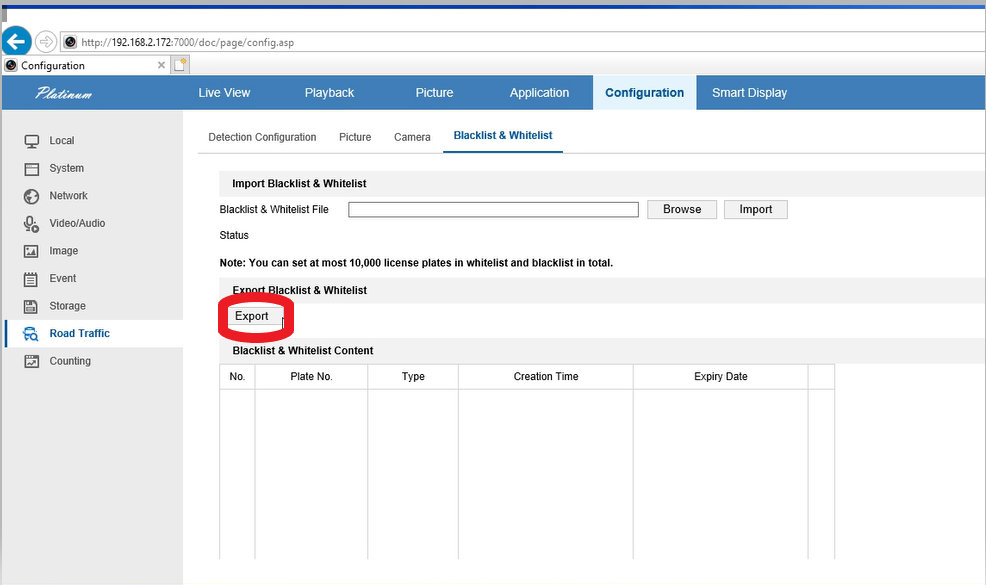
1. Click export, then save or open file
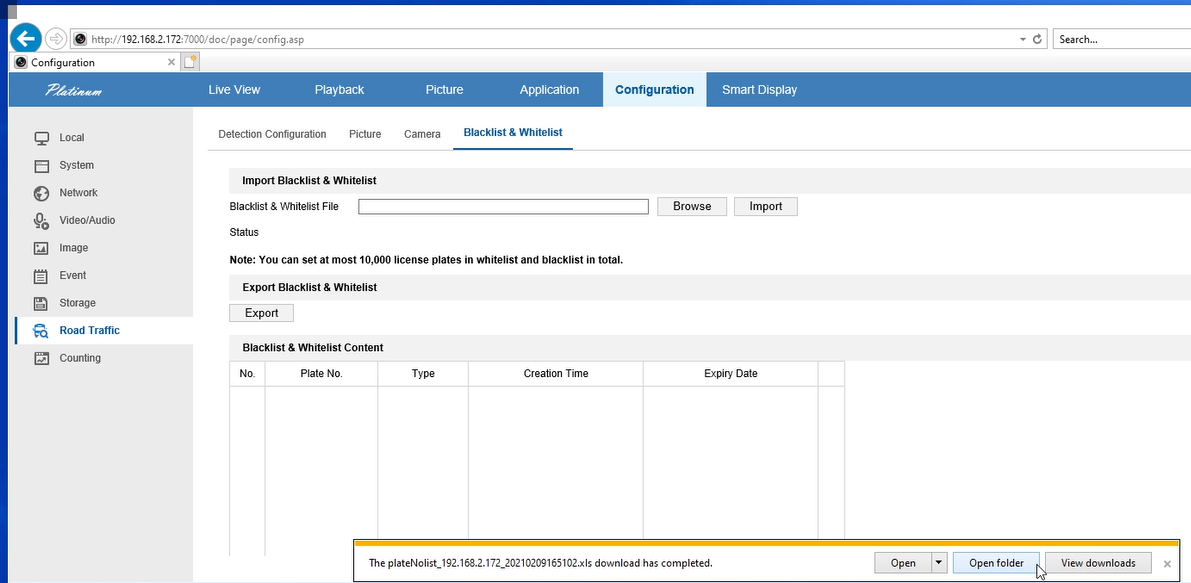
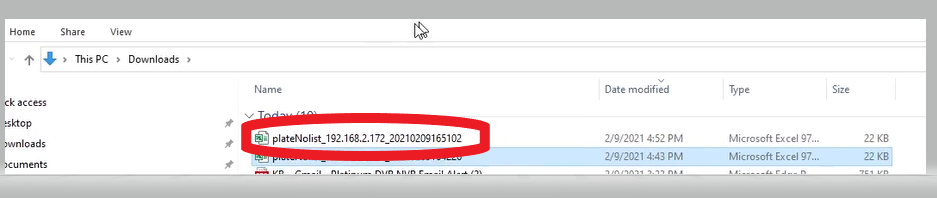
2. open the exported file:

3. add license plate info into xls file and save:

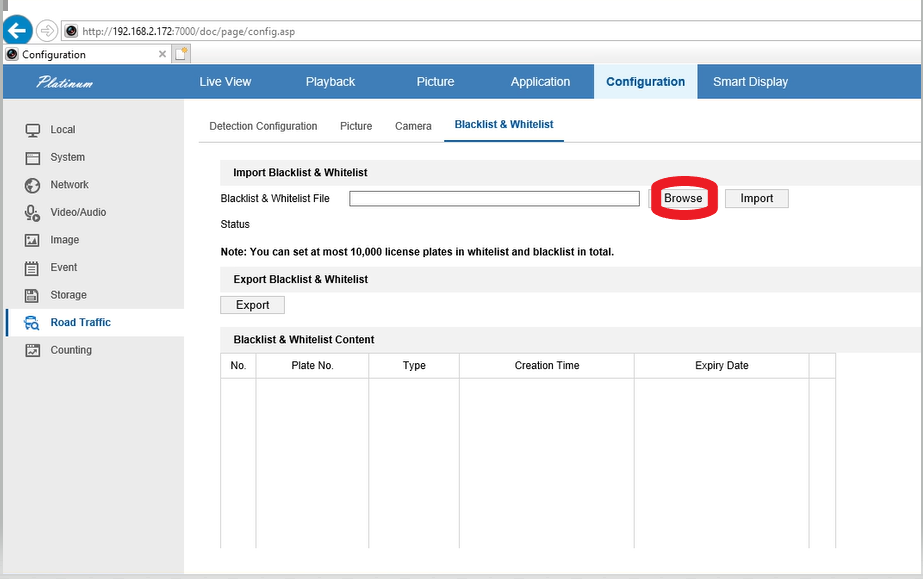
4. import xls: click browse to find the xls file, select file and click import
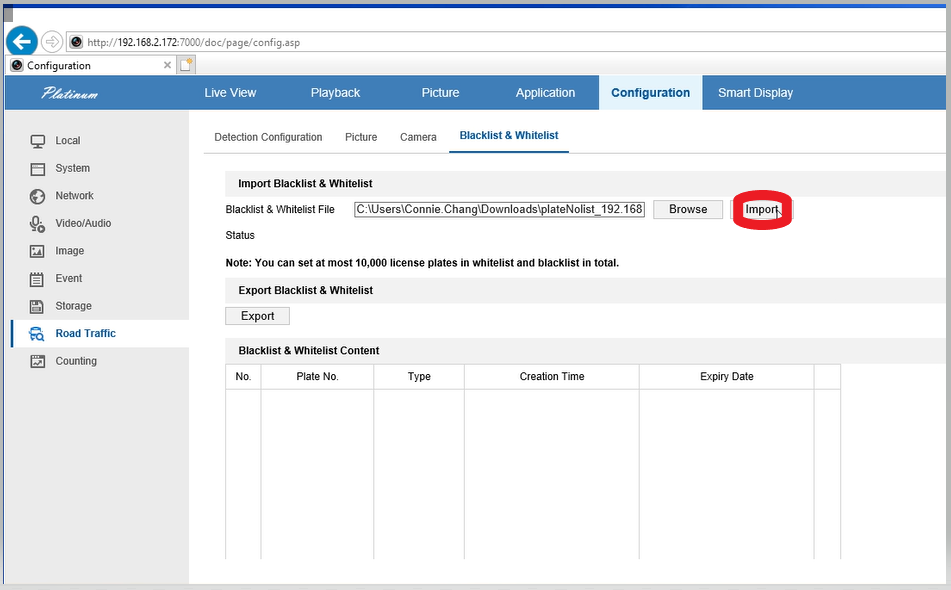
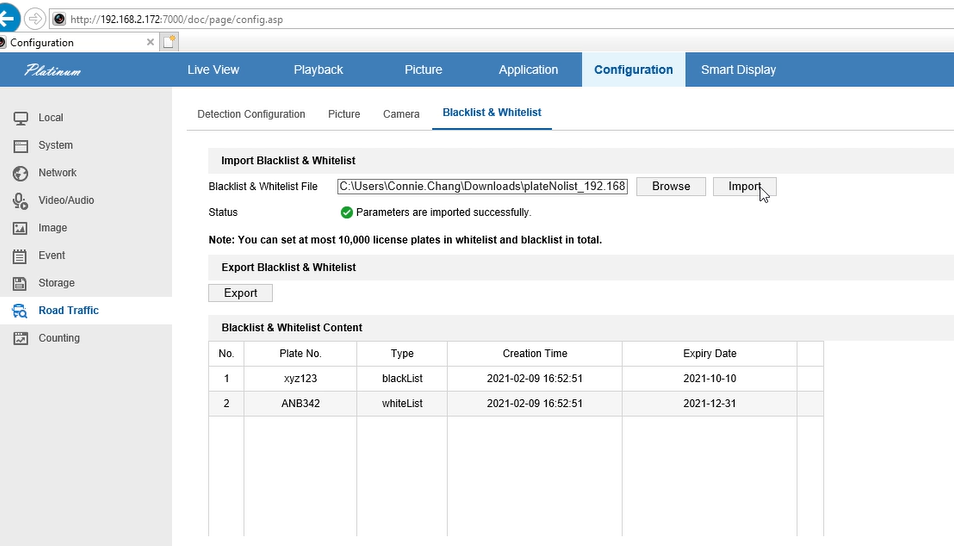
6. Once import completed, the license plate info will show under Blacklist & Whitelist Content
Was this article helpful?
Bu bilgiler sorununuzu çözmeye yardımcı oldu mu?
Thanks for your feedback!
Still need help?
Uzman ekibimiz size yardımcı olmak için burada.