Lost Your ANNKE Account Password
20 Aug 2026
366 views
Here we’ll guide you to quickly modify your ANNKE account password.
Step 1: Please click” Log in”
Step 2: Click on Forgot your password.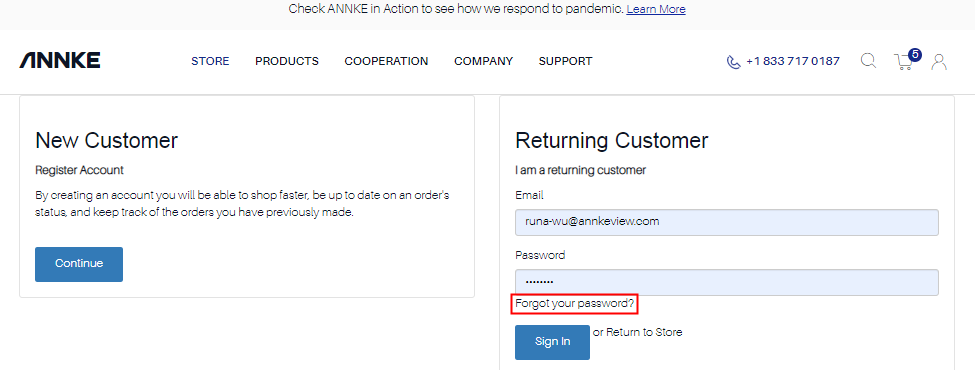
Step 3:Enter your e-mail and click Submit to reset the password, We will send you an email to reset your password.
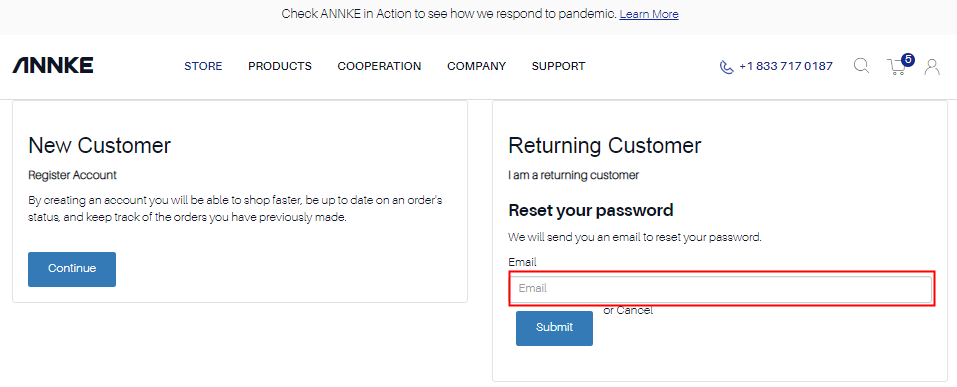
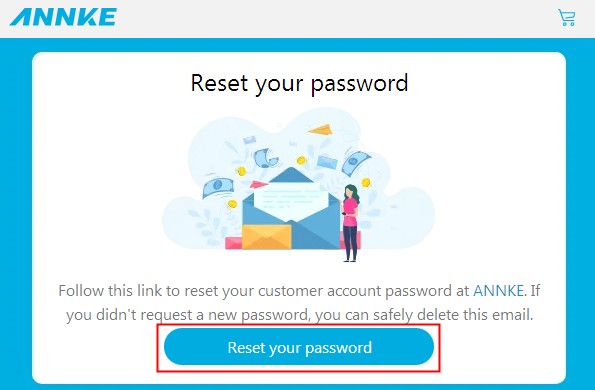
Step 4: You may see the prompt “A verification message has been sent to your current email address. Please follow the link in your email to finish the verification” in Reset Your Password page, then please visit the URL provided in the email to set a new password
Was this article helpful?
Bu bilgiler sorununuzu çözmeye yardımcı oldu mu?
Thanks for your feedback!
Still need help?
Uzman ekibimiz size yardımcı olmak için burada.