Joylite - How to Connect the Camera with Cable to the Phone App?
Applies to: I41DH
Note: This FAQ is only applicable to those devices with an Ethernet port.
Download and install the APP "Joylite".
Go to "Google Play" or "App Store" on your mobile phone, search for "Joylite", and then download and install it on your phone.
1. Reset camera
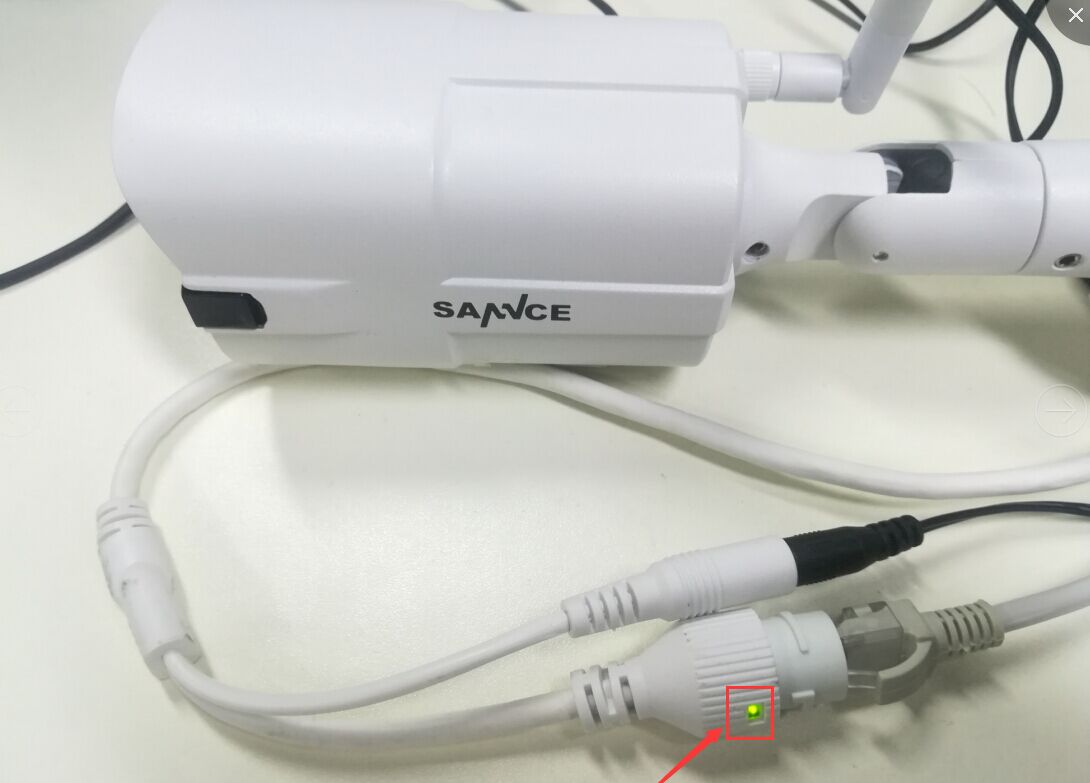
1). Please power the camera on, and connect this camera to the router by the ethernet cable. And the network port indicator light on the RJ45 port will light up.
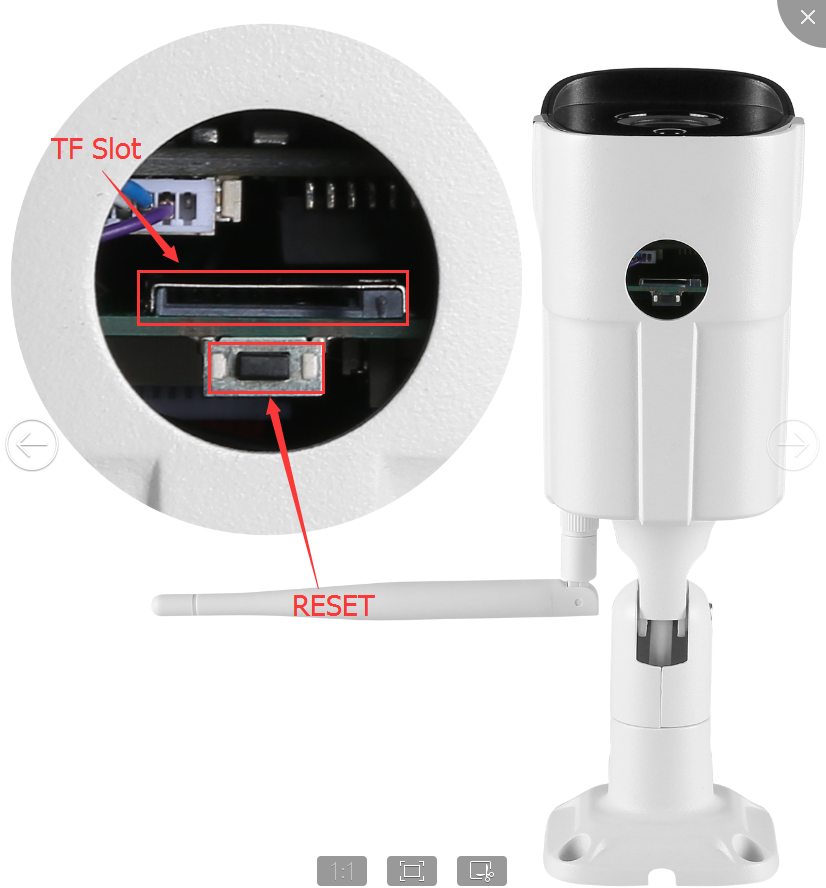
2). After you power the cameras for 15 seconds, open the waterproof cover at the button of the camera, find the reset button, hold on to the reset button for 15-20 seconds to reset this camera.
2. Add the device
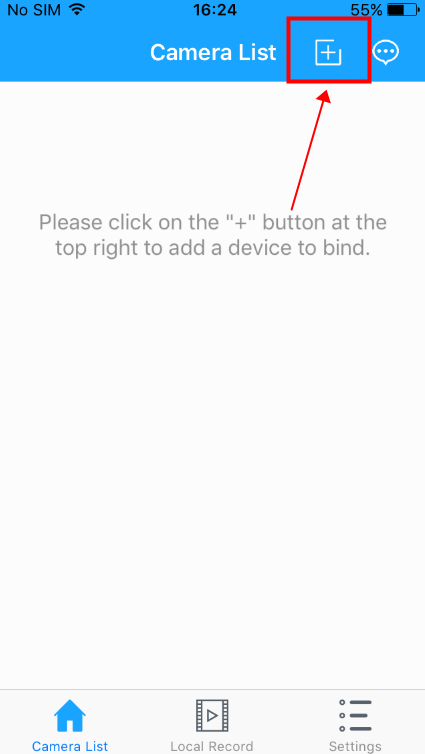
1). Open the “JoyLite” APP and click the "+" button.
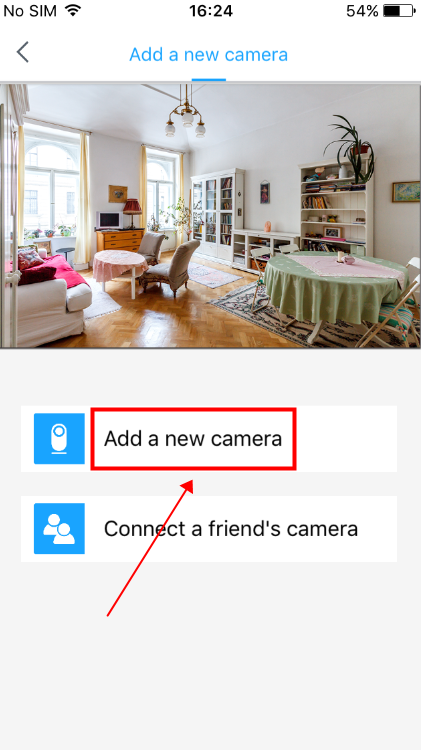
2). Click "Add a new camera".
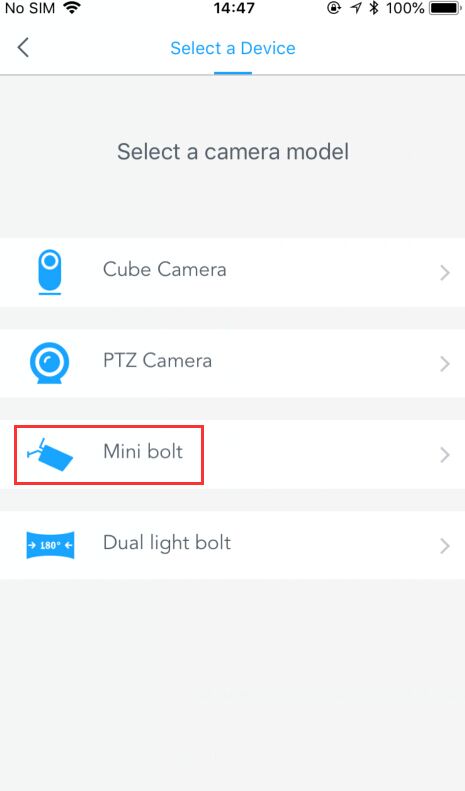
3). Select the camera model and configure the camera as required. For the I41DH, you need to choose the "Mini bolt" type.
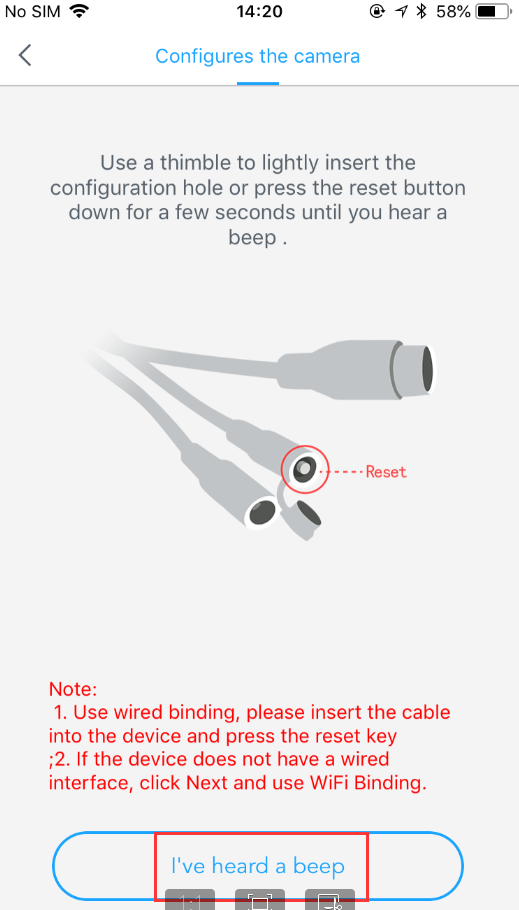
4). It will ask you to reset it again, you can reset the camera refer to Step 1. Please ignore the image on the phone for this step.
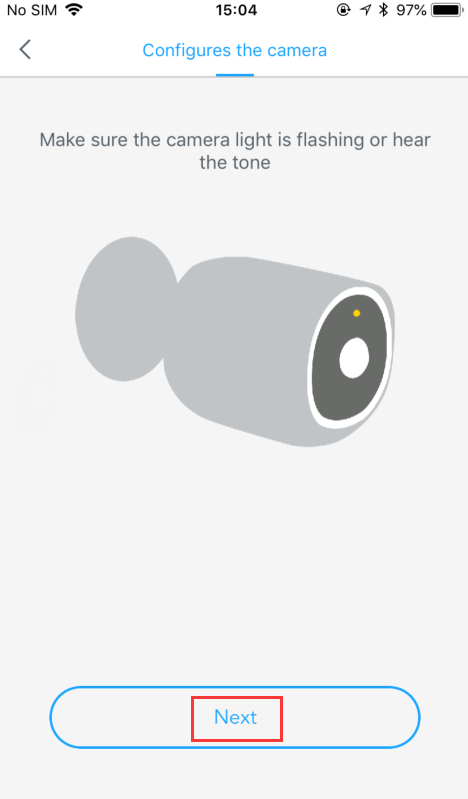
5). For this model I41DH, it has no audio and indicator light. Please ignore this step image on the phone.
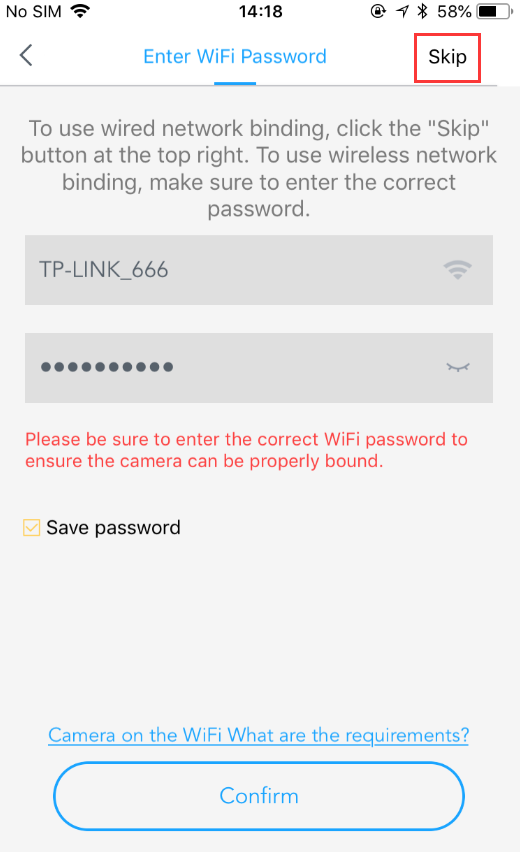
6). Then please click the "Skip" button at the right top. Please don't input the wifi information at this step.
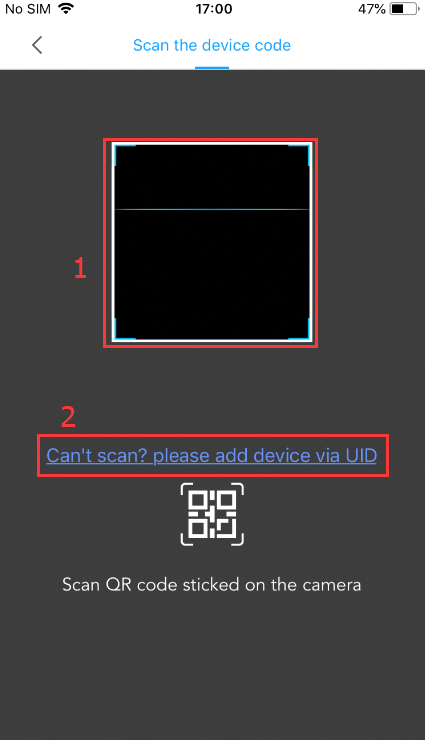
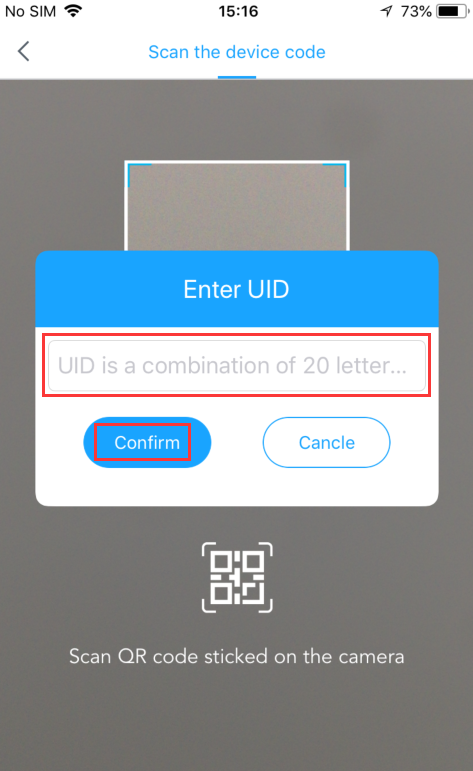
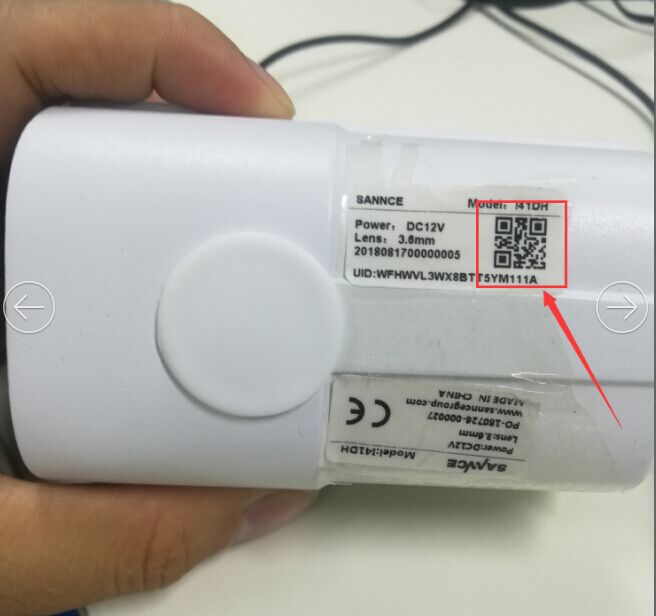
7). You can scan the QR code or input the SN manually
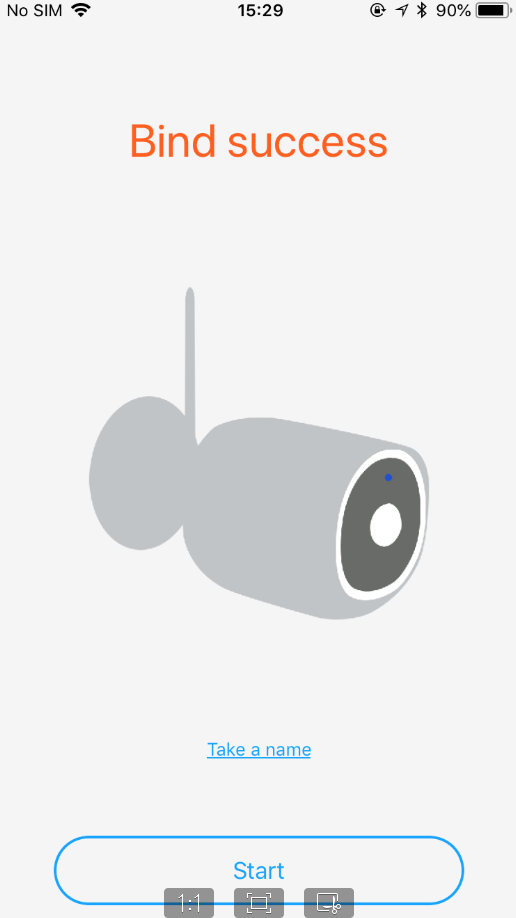
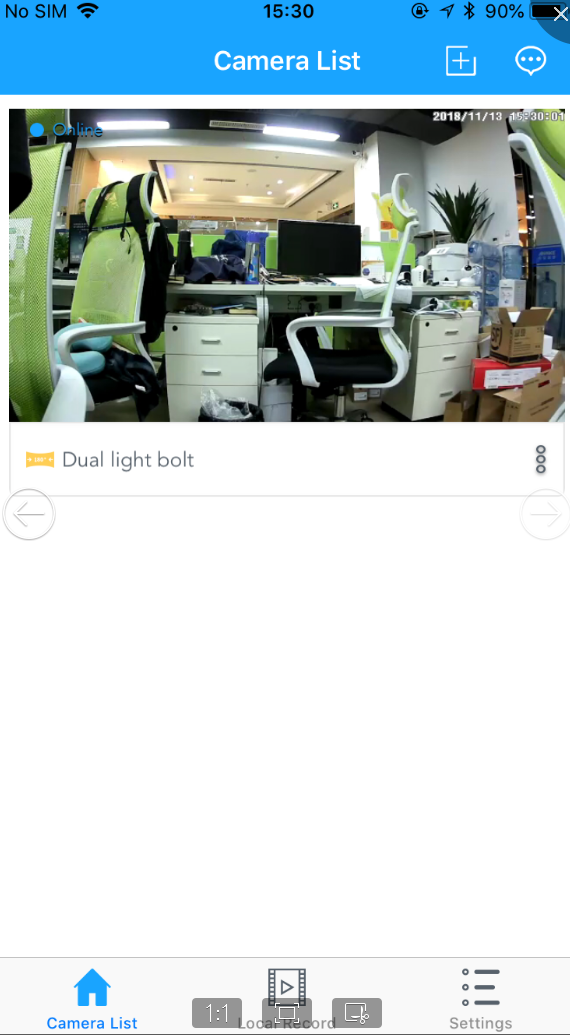
8). Then you can see it "bind success" and you can see the live view.
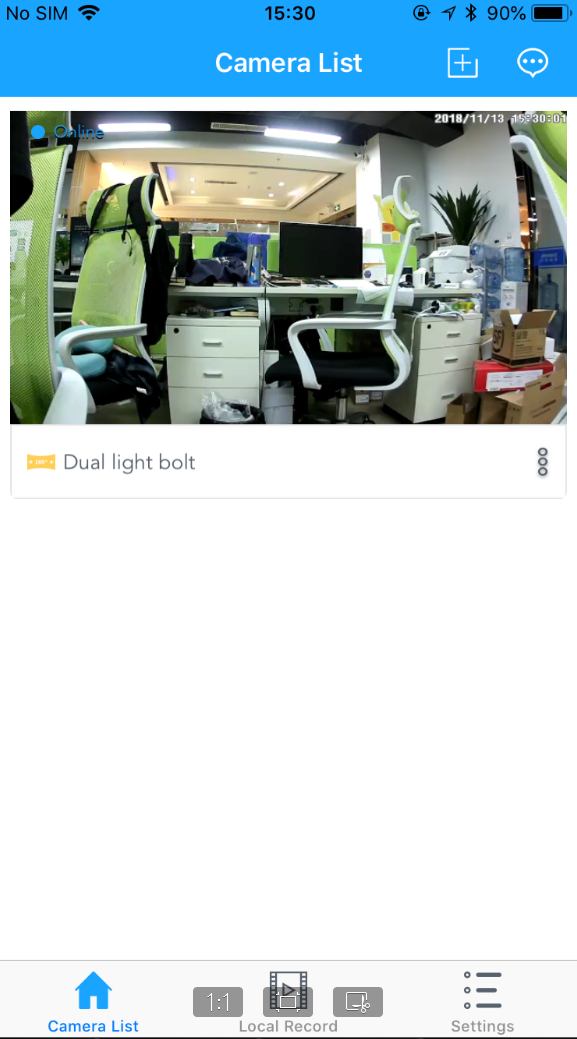
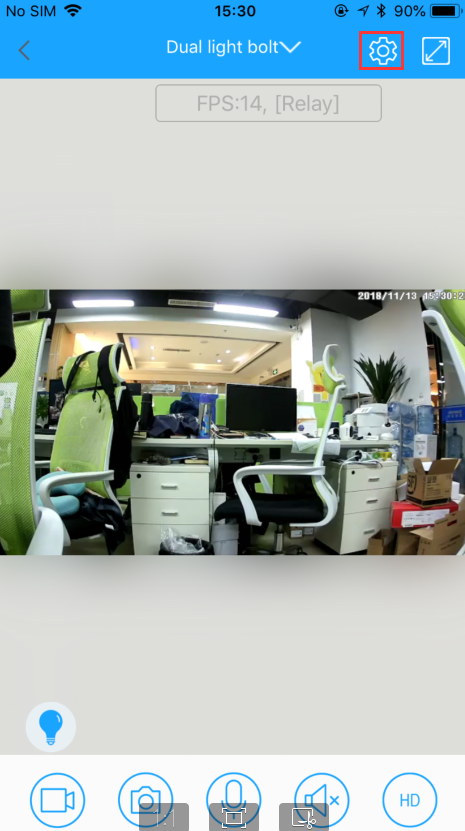
9). Click the "setting" button on the live view and find the "network".
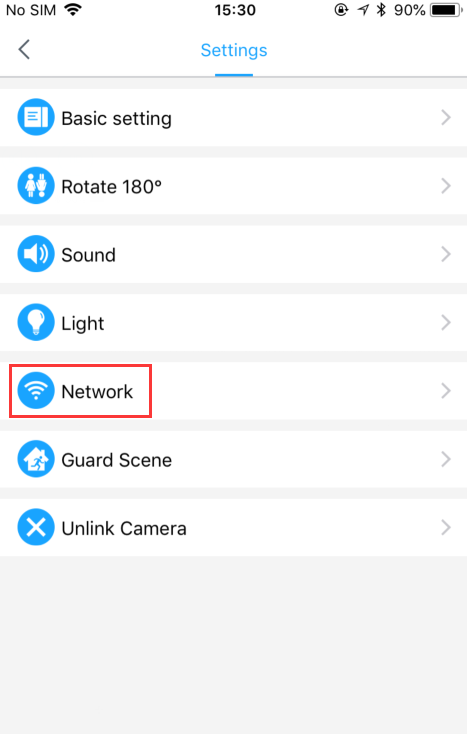
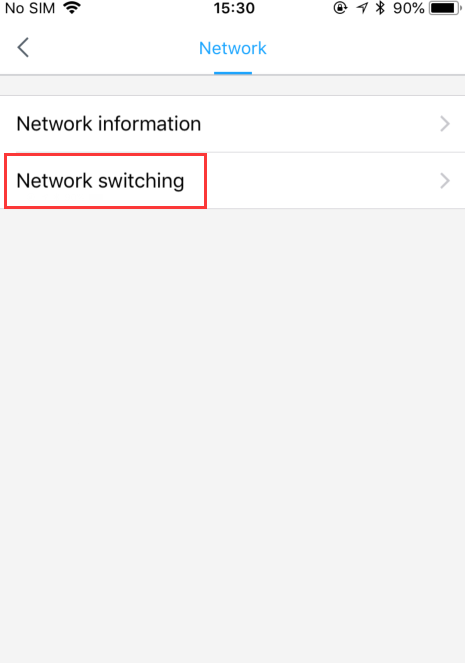
10). Choose your wifi information, input the wifi password, then click "
Switch the network".
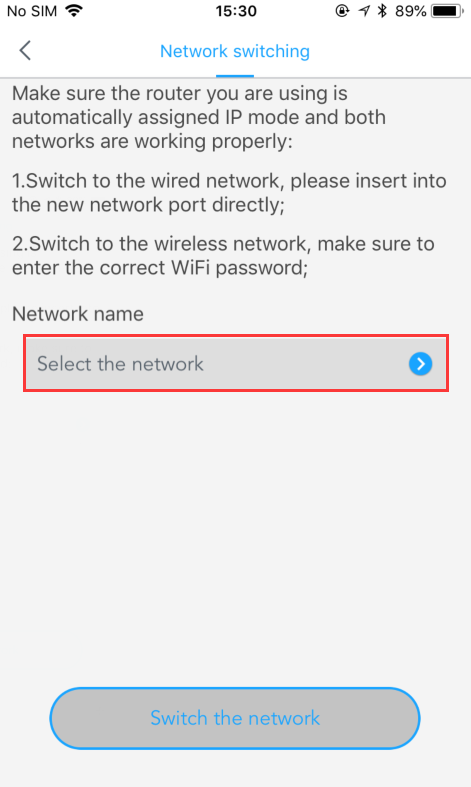
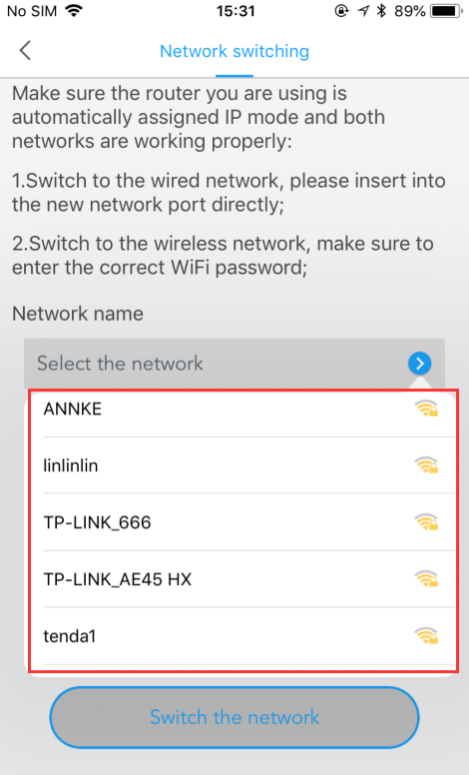
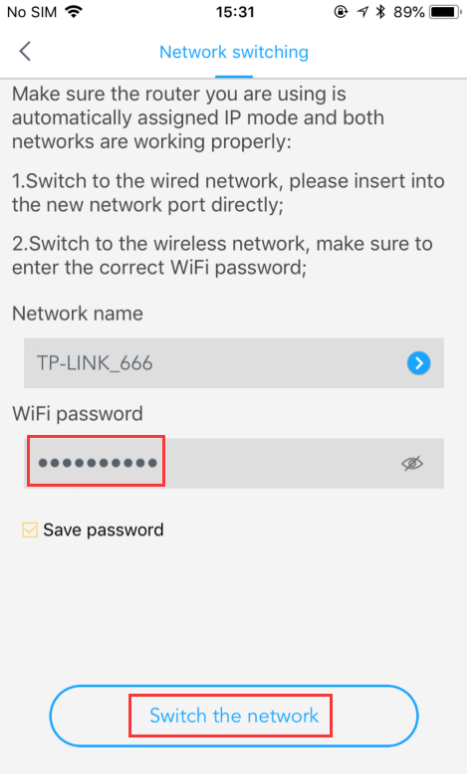
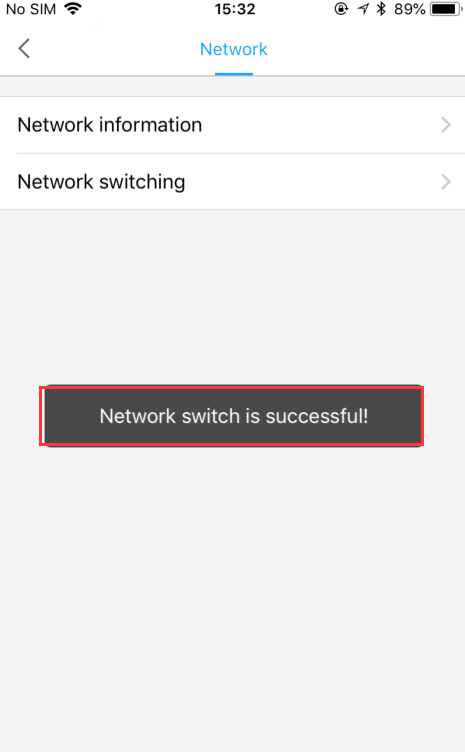
11). After you see the message: "Network switch is successful", then you can unplug the camera from the router to check can you still see the image.
Was this article helpful?
Bu bilgiler sorununuzu çözmeye yardımcı oldu mu?
Still need help?
Uzman ekibimiz size yardımcı olmak için burada.