Installing the Platinum Toolset
What is the Platinum Toolset?
The Platinum Toolset is an application with a variety of built-in features that can help users with their surveillance systems. Applications of the program range from backups, IP set up, to calculating storage requirements as well as bandwidth usage.
NOTE: The Platinum Toolset is only compatible with Windows-Based PCs at the moment.
Downloading the Platinum Toolset
Step 1. Download the program here.
Step 2. Find the file you downloaded onto your personal computer and open the folder.
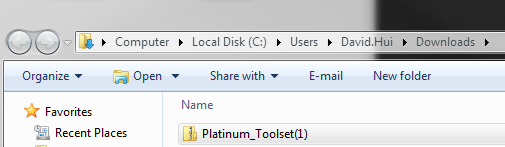
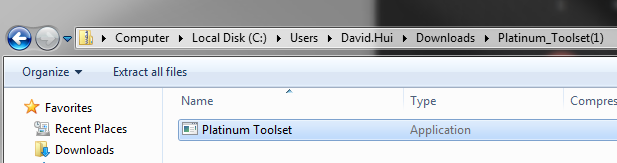
Step 3. Double click the executable file to begin the setup process.
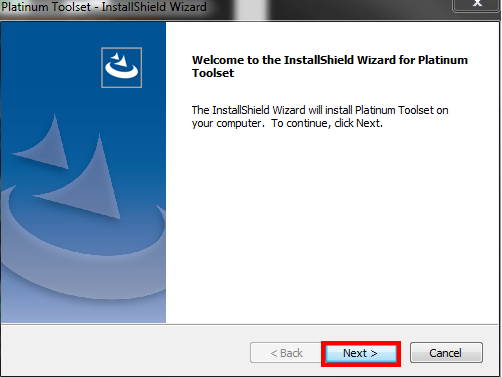
Step 4. Select  "Next" to proceed
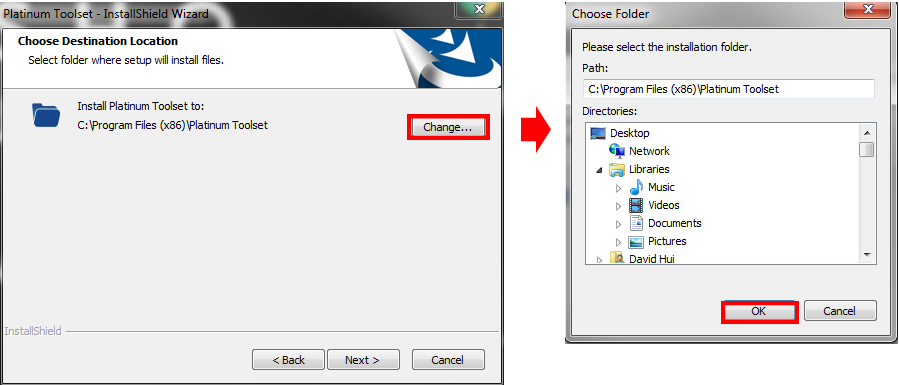
Step 5. If you would like to change the installation directory, you may do so by select  "Change". Once done, select
  "OK" to finish selecting the installation folder.
Step 6. Press "Next" and then select  "Install" to begin the installation.
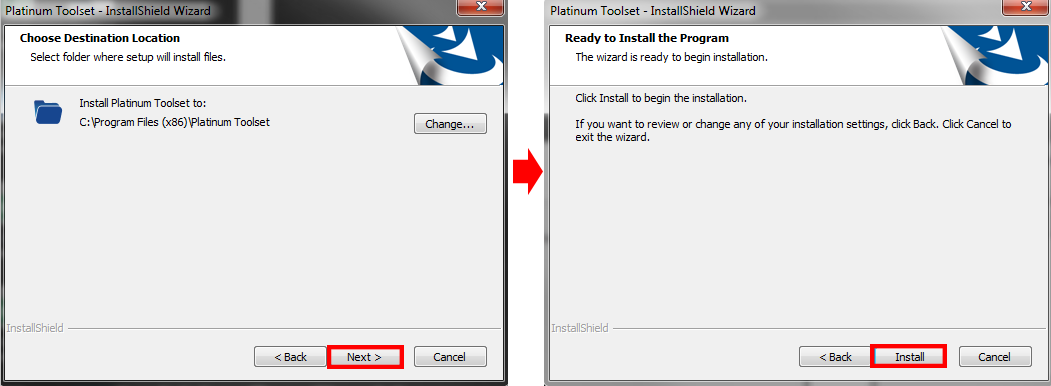
Step 7. It should now begin installing. Do not cancel the installation process to prevent problems later on. When done, you may finish the installation by selecting "Next". If you do not have a desktop shortcut to the Platinum Toolset, you may uncheck "Create Desktop."

Step 8. You may be asked to install WinPcap or told that it is already installed. If it is already installed, you may cancel out of it. If you need to install it, you may learn more here.
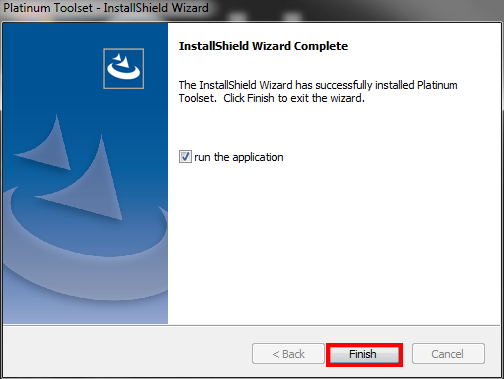
Step 9. Finish the installation by selecting  "Finish"
Was this article helpful?
Bu bilgiler sorununuzu çözmeye yardımcı oldu mu?
Still need help?
Uzman ekibimiz size yardımcı olmak için burada.