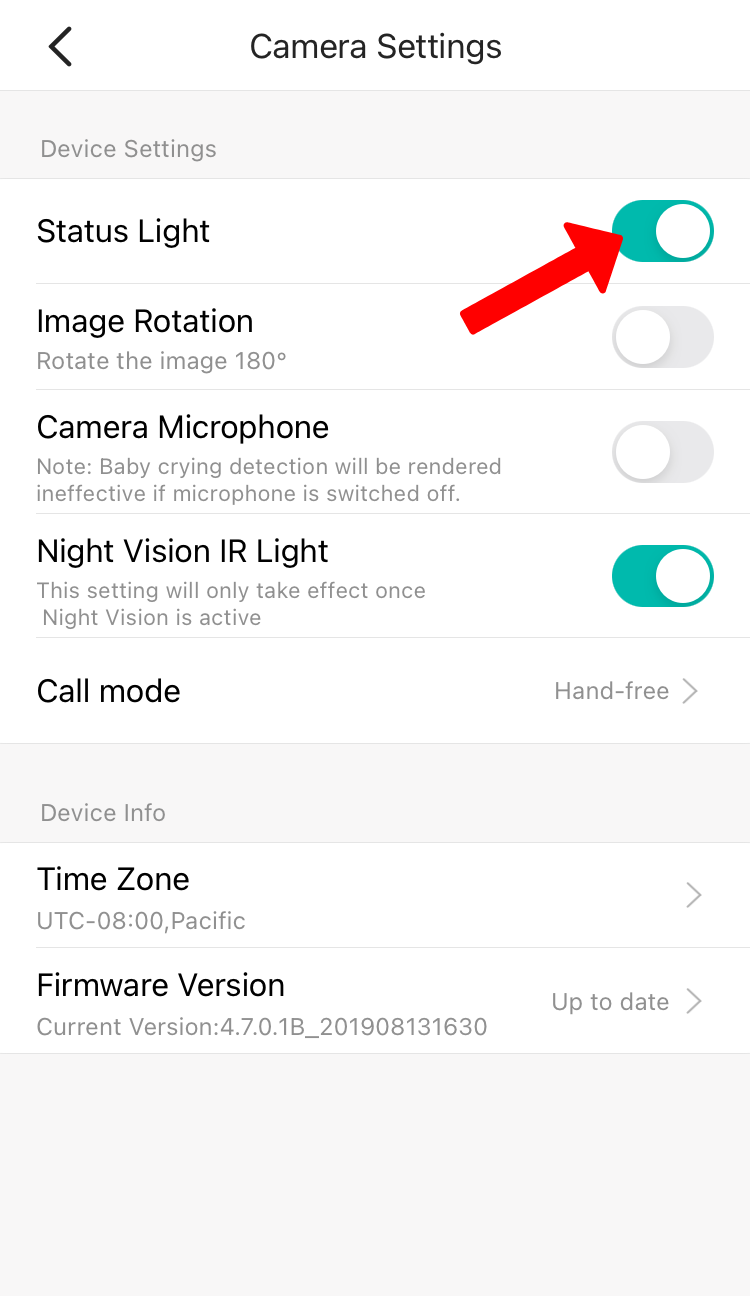
YI Home Camera status light is on by default, but can be manually switched off on the app.
1. Open the YI Home/Kami App.
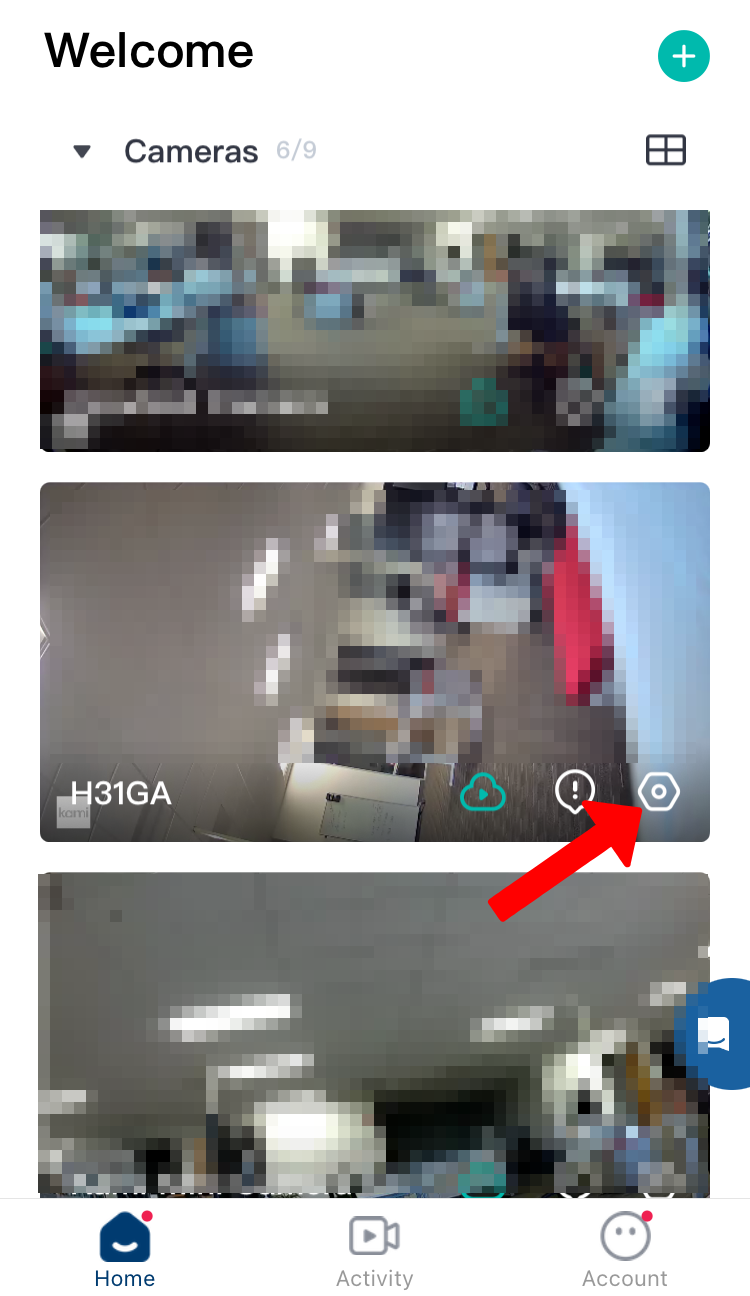
2. Click on the gear icon to access the setting.
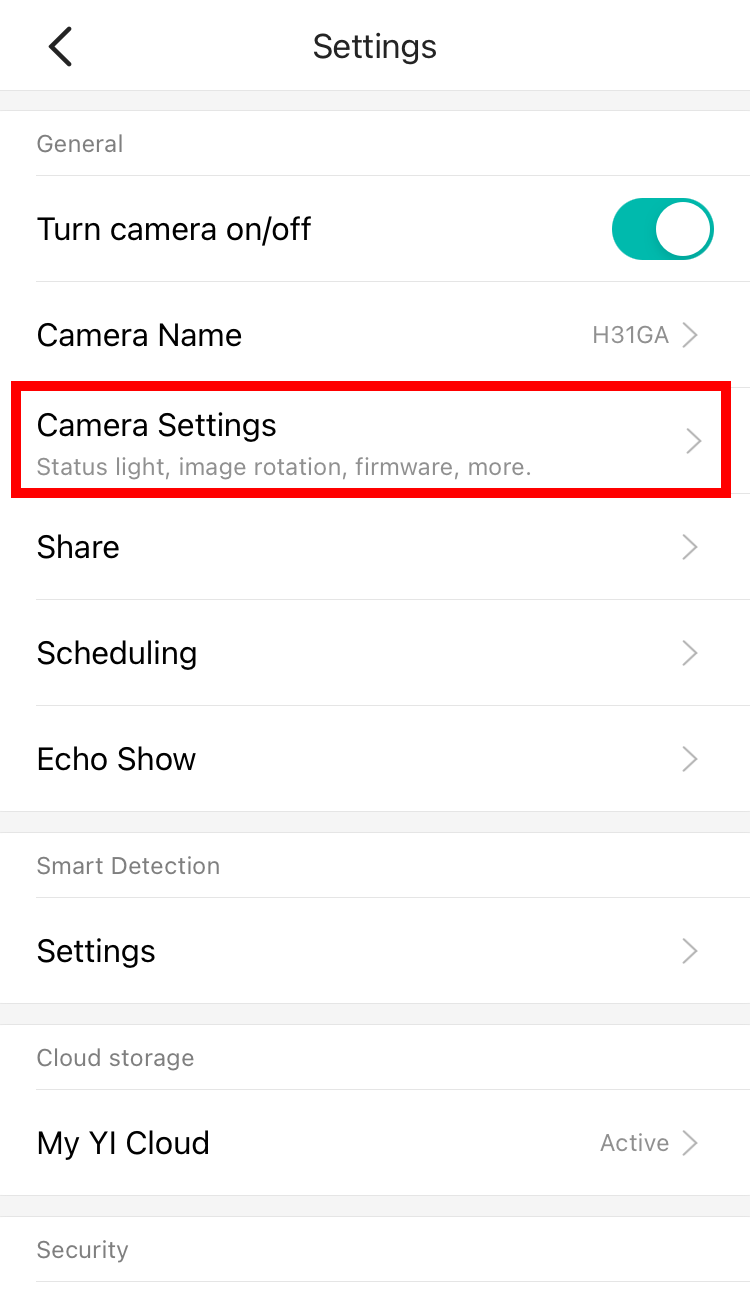
3. Tap on the Camera Settings.
4. Under Status Light, by default, Status Light is enabled, click the toggle button to turn OFF the Status Light.