gDMSS lite - How to Use Computer Software to Connect System?
20 Aug 2026
365 views
Applies to: N44PS/N48PS
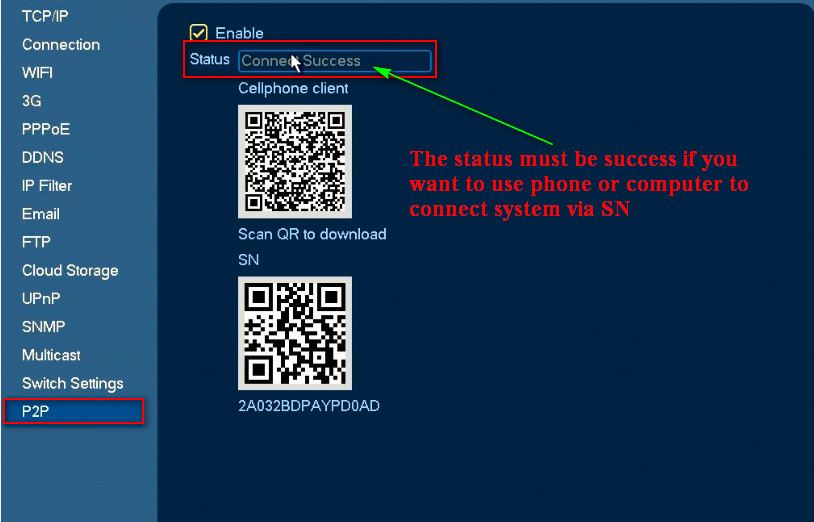
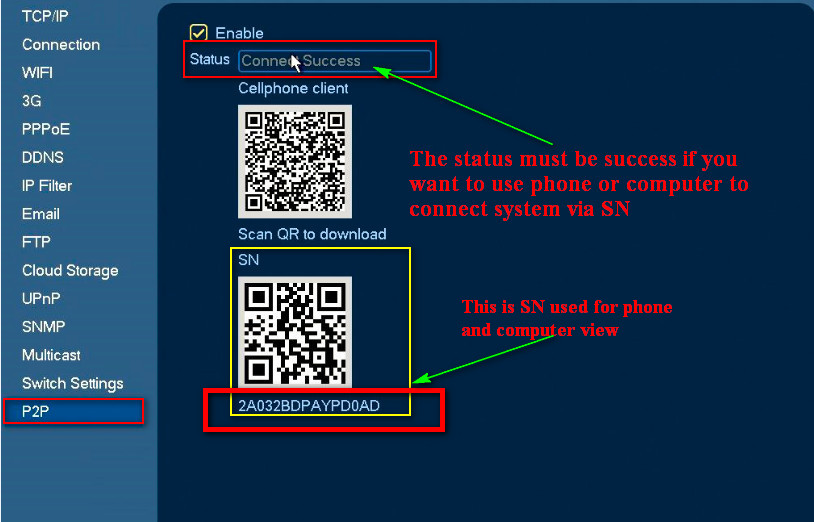
1. Please make sure P2P status is successful first. If not, the computer is not able to connect to the system.
2. Install software Smart PSS
Here is the download link. http://7viih2.com1.z0.glb.clouddn.com/193_481333_DH_SmartPSS_ChnEng_IS_V2.00.1.R.20170225.zip
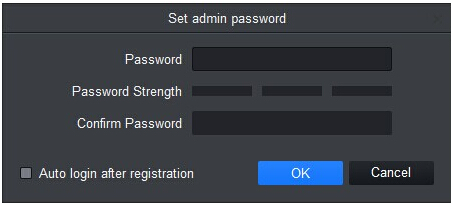
3. Run the software and it will ask you to create a user name and password.
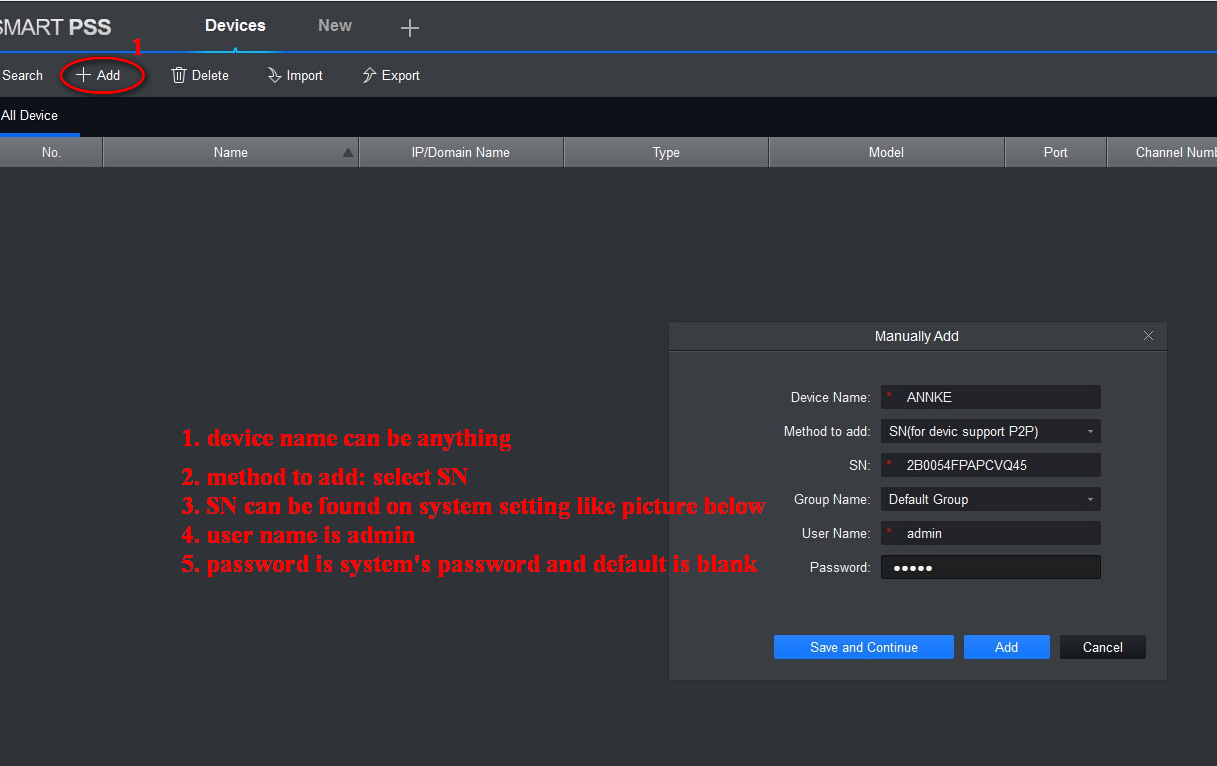
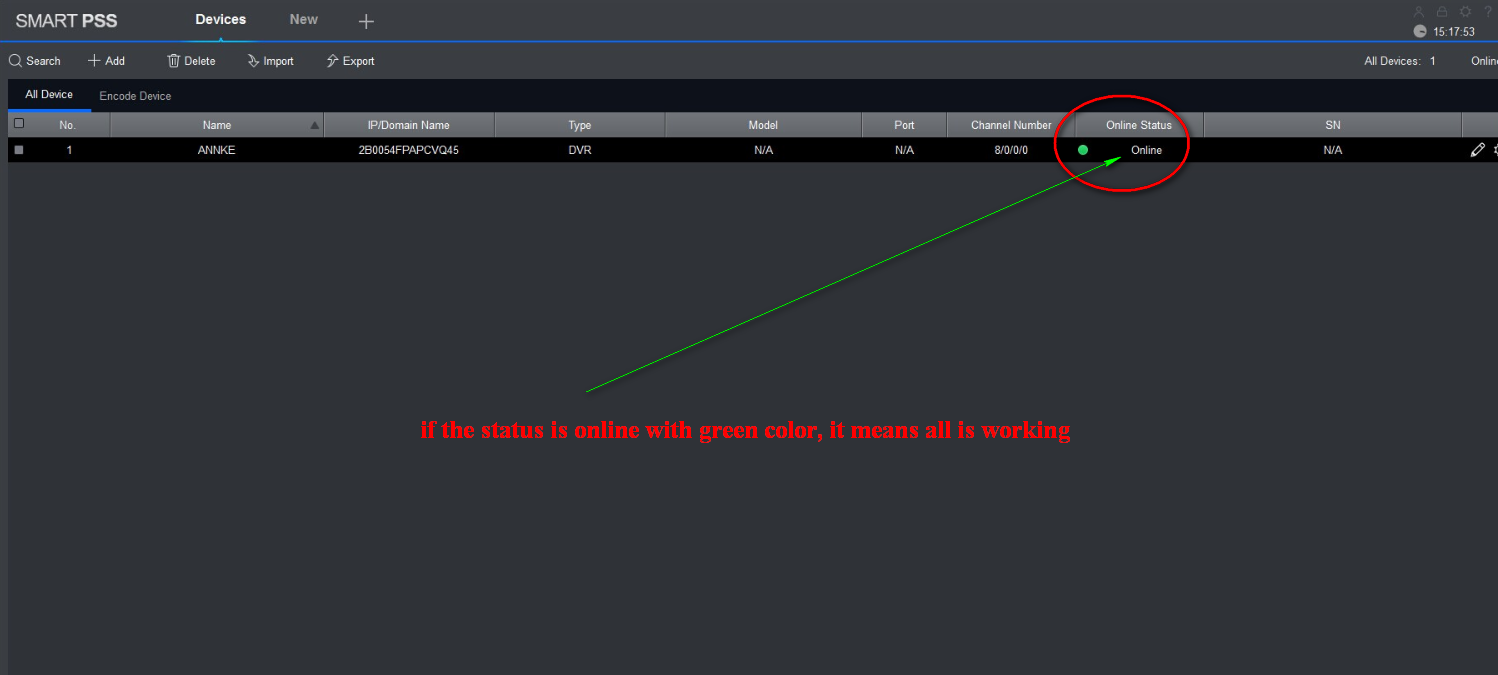
3. Go to the device to add the system by its SN, user name, and password.

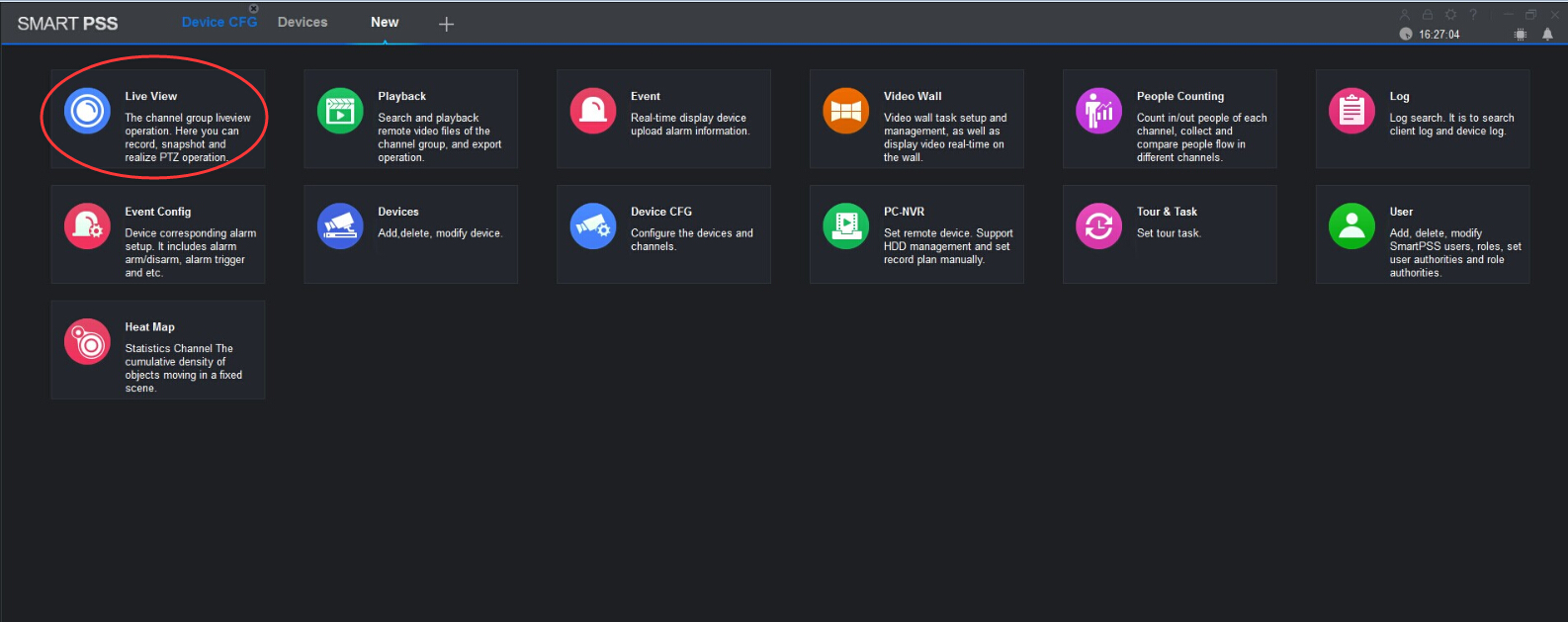
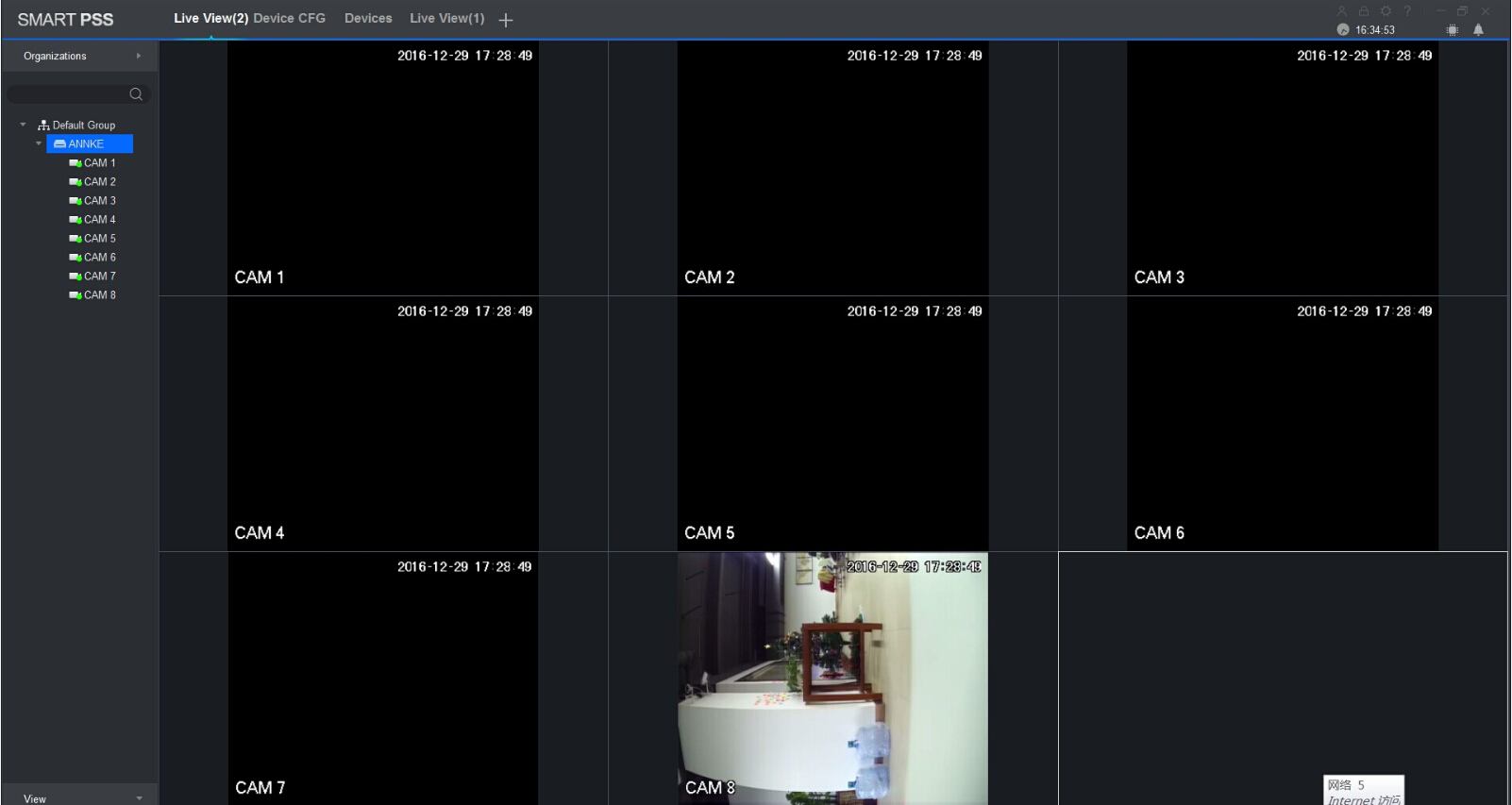
4. Go to live view and click the device to see the live video.


Was this article helpful?
Bu bilgiler sorununuzu çözmeye yardımcı oldu mu?
Thanks for your feedback!
Still need help?
Uzman ekibimiz size yardımcı olmak için burada.