Annke Vision - Viewing System Information on Annke DVR/NVR
20 Aug 2026
415 views
Applies to: DT41Y/DT61Y/DT81Y/DN41R/DN61R/DN81R/DT41GB/DT81GB/DT61GB/DT41DB/DT81DB/DT61EQ/DW41JD/DW81KD/DW61LD/DT81DP/N48PI/N44PI/N46PI/N44PAM/N48PAW/N46PCK/N88PCH/N441Y/N481Y/S500/S300/FC200/NCK800/H800/H500
Purpose: You can view the system information about Annke DVR/NVR.
Before you start:
- You should log in to your device..
- Click Menu > Maintenance > System Info
Steps:
-
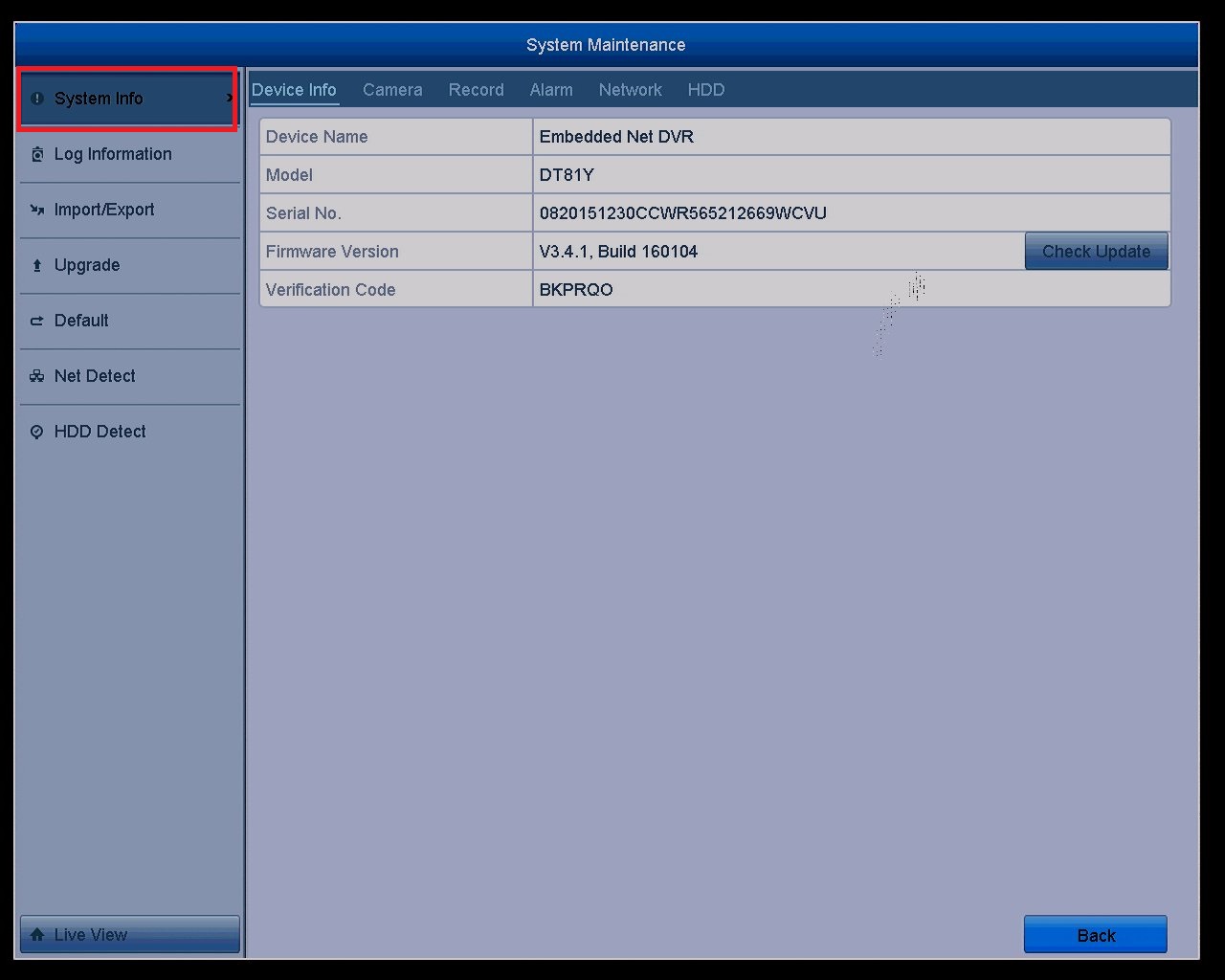
Enter into the system info interface.
-
System info such as Device Info, Camera, Record, Alarm, Network, and HDD can be viewed by click each tab.
Camera: Check the status of the cameras.
Record: Check the record status of the cameras.
Alarm: The function is currently not supported on the devices.
Network: Check the network status about the devices.
HDD: Check the Status of HDD.
-
The Device Info tab: Basic information about the device.
Device Name: Name it freely by yourself.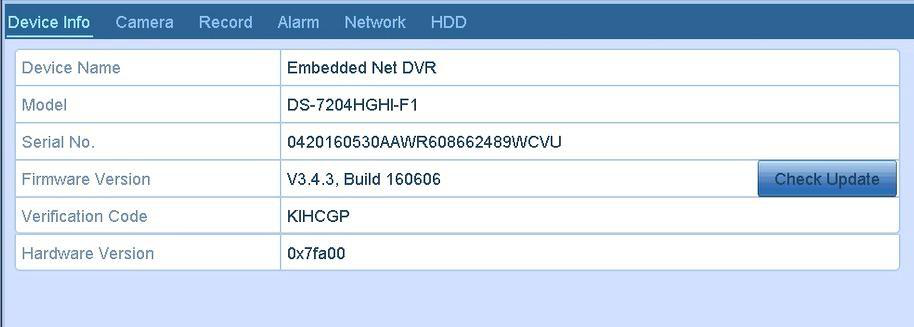
Model: The model of your device.
Serial No. : The special number of your device, when you forget your password, you can use SN number to find it back.
Firmware Version: The firmware version of your device, you can update it.
Verification Code: When you add the device to your phone app, you can use the code to add.
Hardware Version: The current version of your hardware.
Note: For some devices, you can also find the Model, Serial No, and Verification Code in the bottom of the devices.
Was this article helpful?
Bu bilgiler sorununuzu çözmeye yardımcı oldu mu?
Thanks for your feedback!
Still need help?
Uzman ekibimiz size yardımcı olmak için burada.