Annke Vision - USB Mouse Operation for Annke DVR/NVR
Applies to: DN41R/DN61R/DN81R/DW41JD/DW81JD/DW61JD/N48PI/N44PI/N46PI/N44PAM/N48PAW/N46PCK/N88PCH/N441Y/N481Y/S500/S300/FC200/NCK800/H800/H500
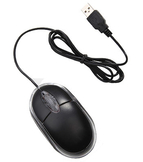
Purpose: A regular 3-button (Left/Right/Scroll-wheel) USB mouse can also be used with DVR/NVR.
Before you start:
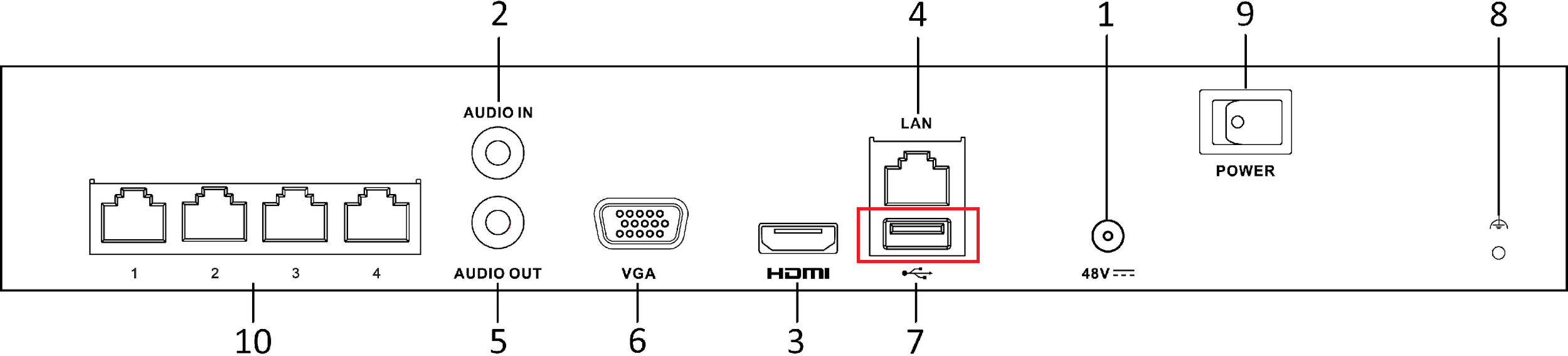
- Plug USB mouse into one of the USB interfaces on the rear panel of the DVR.
-
The mouse should automatically be detected. If in a rare case that the mouse is not detected, the possible reason may be that the two devices are not compatible, please refer to the recommended device list from your provider.
The operation of the mouse:
|
Name |
Action |
Description |
|
Left-Click |
Single-Click |
Live view: Select channel and show the quick settings menu. Menu: Select and enter. |
|
Double-Click |
Live view: Switch between single-screen and multi-screen. |
|
|
Click and Drag |
PTZ control: Wheeling. Area occlusion function and motion detection: Select the target area. Digital zoom-in: Drag and select target area. Live view: Drag channel/time bar. |
|
|
Right-Click |
Single-Click |
Live view: Show menu. Menu: Exit current menu to upper level menu. |
|
Scroll-Wheel |
Scrolling up |
Live view: Previous screen. Menu: Previous item. |
|
Scrolling down |
Live view: Next screen. Menu: Next item. |
Was this article helpful?
Bu bilgiler sorununuzu çözmeye yardımcı oldu mu?
Still need help?
Uzman ekibimiz size yardımcı olmak için burada.