Annke Vision - Setting up the Alarm Notification on Annke Vision App
Applies to: DT41Y/DT61Y/DT81Y/DN41R/DN61R/DN81R/DT41GB/DT81GB/DT41DB/DT61EQ/DW81KD/DW61LD/DT81DP/N48PI/N46PI/N44PI/N44PAM/N48PAW/N46PCK/N88PCH/N441Y/N481Y/I21AE/I21AF/I41DQ/I61DQ/I61DR/I61DS/I41HG/I41CS/S500/S300/FC200/NCK800/H800/H500
Purpose: After enabling the message push notification function, you can set up the alarm notification by the way and will receive the alarm notification when the alarm is triggered.
Before you start: Run the app and make sure you have log in to your account.
Steps:
-
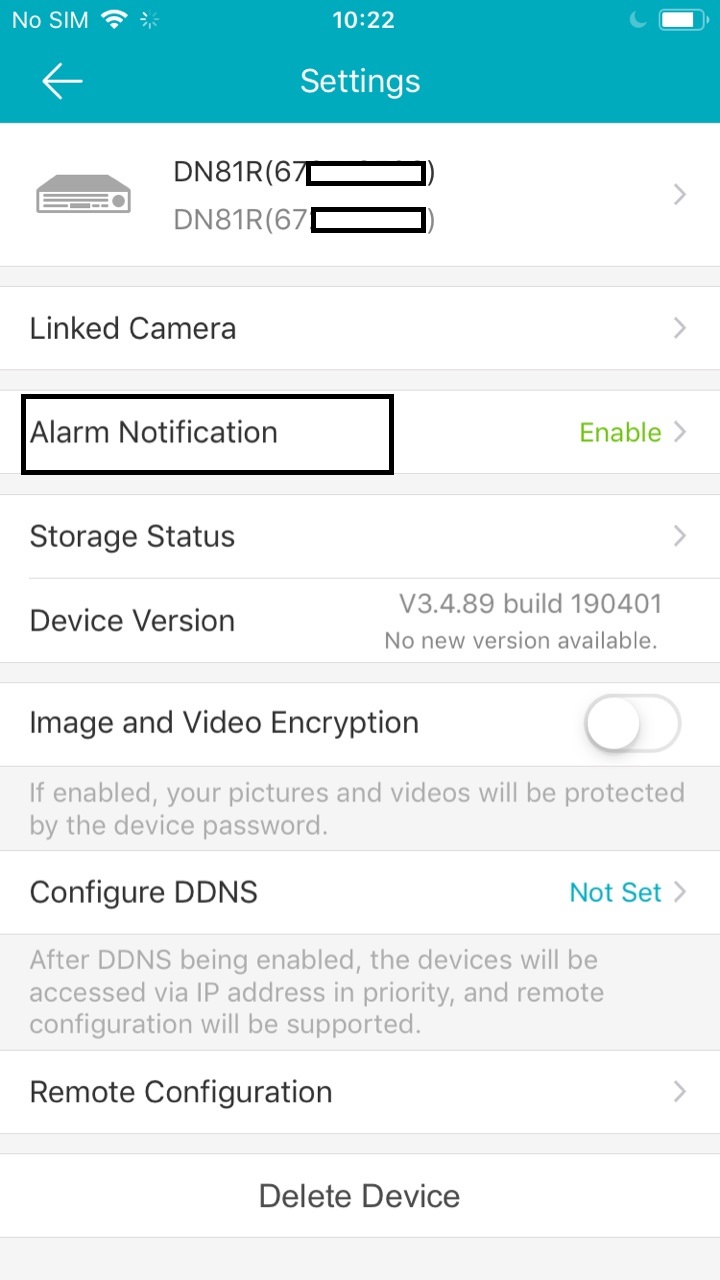
Enter the Settings page of Live View.
-
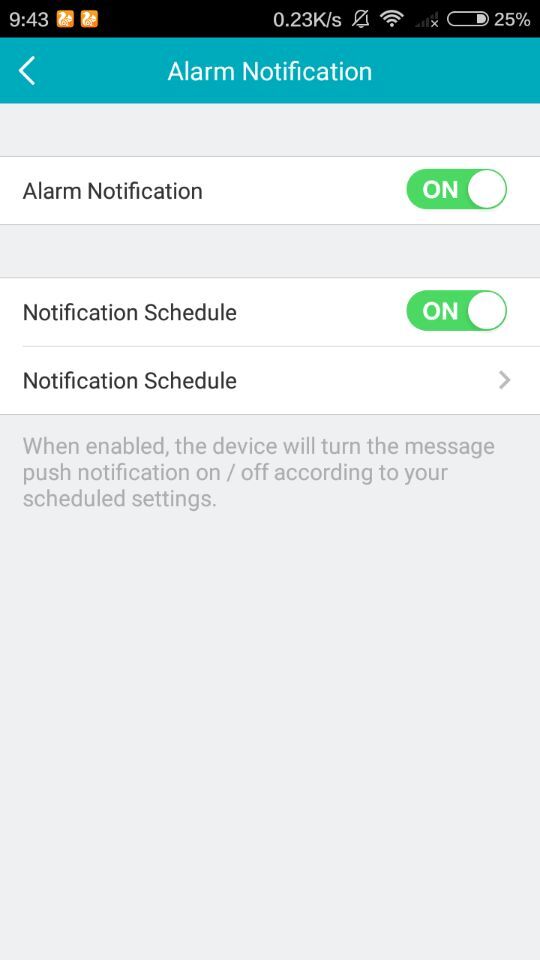
Tap Alarm Notification to enter the Alarm Notification page.
-
Tap the icon
 /
/ to enable/disable Alarm Notification.
 - Set the Notification Schedule(Optional).
Tap the icon on the right of the Notification Schedule to enable the Notification Schedule.
Tap the second Notification Schedule to enter the Notification Schedule page.
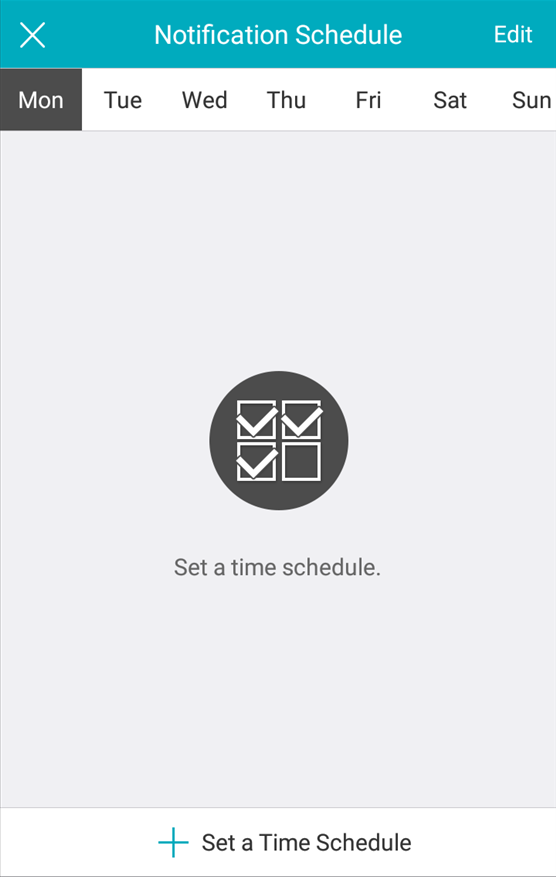
- Tap Set a time schedule.
- Choose the day and edit the Start Time and End Time.
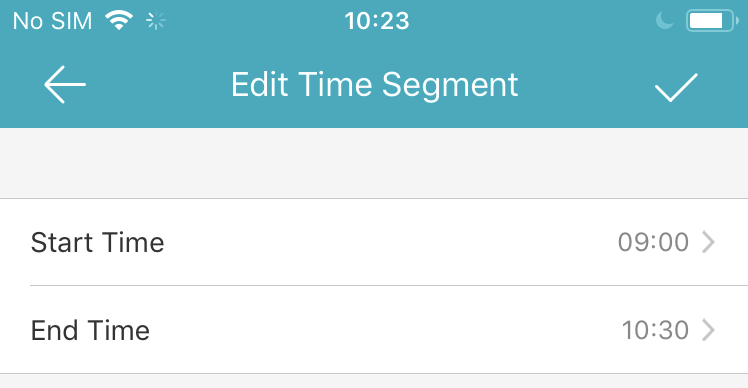
- Tap the icon
 to confirm the settings.
Long tap the schedule and tap Delete to delete the schedule(Optional).
You can tap the template to edit the notification template(Optional).
For the notification schedule button description:
A. Disable: Default is disabled, disable means you can receive the push always. 24h*7
B. Enable: You can enable it to set your own notification schedule.
Such as Monday: 00:00--08:00 + 15:00--18:00 ( It default is 00:00--23:59, so if you want to add multiple time segment, please edit the default 00:00--23:59 to your first-time segment, and then add the second one. Or you will get an error prompt message: The time segments cannot be overlapped.) And please note that the setting will be effective from the next day.
So if you want to enable the push function always, we suggest you disable the notification schedule, and the push function will effective immediately.
Was this article helpful?
Bu bilgiler sorununuzu çözmeye yardımcı oldu mu?
Still need help?
Uzman ekibimiz size yardımcı olmak için burada.