Annke Vision - Set up NAT on Annke DVR/NVR
20 Aug 2026
444 views
Applies to:
DT41Y/DT61Y/DT81Y/DN41R/DN61R/DN81R/DT41GB/DT81GB/DT61GB/DT41DB/DT81DB/DT61EQ/DW41JD/DW81KD/DW61LD/DT81DP/N48PI/N44PI/N46PI/N44PAM/N48PAW/N46PCK/N88PCH/N441Y/N481Y/S500/S300/FC200/NCK800/H800/H500/E500/E800
Purpose:
Universal Plug and Play (UPnP™) can permit the device to seamlessly discover the presence of other network devices on the network and establish functional network services for data sharing, communications, etc.
It can also enable the fast connection of the device to the WAN via a router without port mapping.
Before you start:
- If you want to enable the UPnP™ function, you must enable the UPnP™ function of the router to which your device is connected.
- When the network working mode of the device is set as multi-address, the Default Route of the device should be in the same network segment as that of the LAN IP address of the router.
- Click Menu > Configuration > Network.
Setting Auto as Mapping Type:
Steps:
-
Click the NAT tap to enter the UPnP™ settings interface.
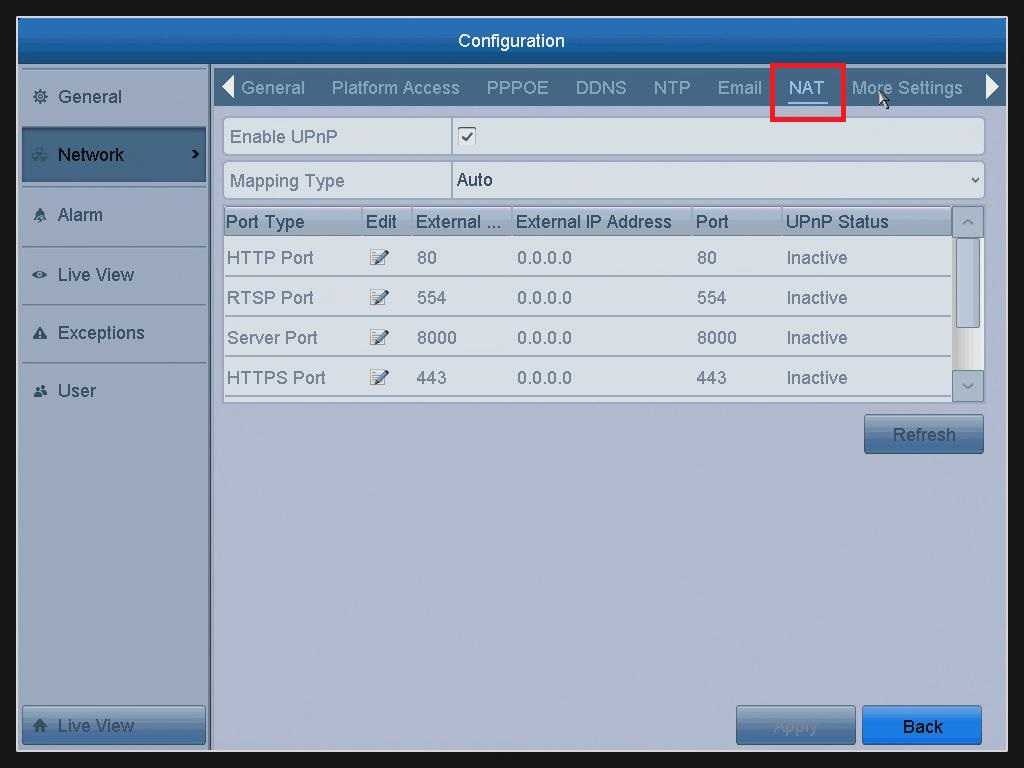
- Check the checkbox to enable UPnP™.
- Select the Mapping Type Auto in the drop-down list.
If you select Auto, the Port Mapping items are read-only, and the external ports are set by the router automatically. - Click the Apply button to save the settings.
-
You can click the Refresh button to get the latest status of the port mapping.
Setting Manual as Mapping Type:
Steps:
- Repeated the above steps(1&2).
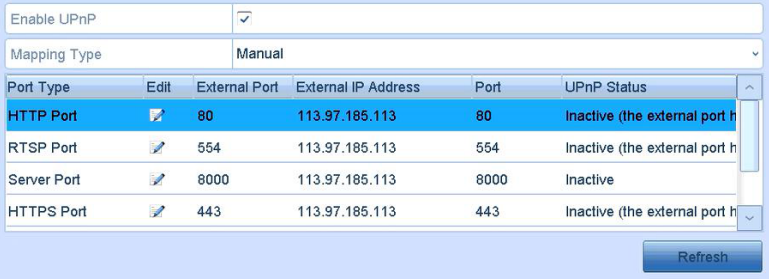
- Select the Mapping Type Manual in the drop-down list.
- Click
 to activate the External Port Settings dialog box.
Configure the external port No. for Server port, HTTP port, and RTSP port respectively like the below window: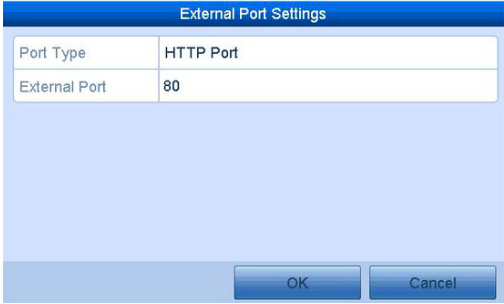
Notes:
External Port indicates the port No. for port mapping in the router.
The value of the RTSP port No. should be 554 or between 1024 and 65535, while the value of the other ports should be between 1 and 65535 and the value must be different from each other.
- Click the Apply button to save the settings.
- You can click the Refresh button to get the latest status of the port mapping.
Was this article helpful?
Bu bilgiler sorununuzu çözmeye yardımcı oldu mu?
Thanks for your feedback!
Still need help?
Uzman ekibimiz size yardımcı olmak için burada.