Annke Vision - Set up ANNKE PoE Camera on Blue Iris
Applies to: I81FB/I81HC/I91BK/I81HB/I51DE/I51DF/I51DK/I51DB/I51DD/I51DJ/I51DL/I51DN/I51DM/I51DP/I91BF/I91BE/I91BG/I91BM/I91BN/I91BL/I41BK
Note:
1. Blue Iris can only work with ANNKE IP PoE cameras. It can not work with ANNKE NVR. So if you have already had a POE system ( NVR+ IP camera), it can not directly get the steam from the POE port. Please connect the IP cameras directly to your router. Please do not forget to have an extended power ( 12V/1A ) for the cameras.
2. Blue Iris can only support H.264 decode. If your PoE camera support H.265/H.265+, please remeber to switch the camera stream to H.264 below you start below steps.
Step:
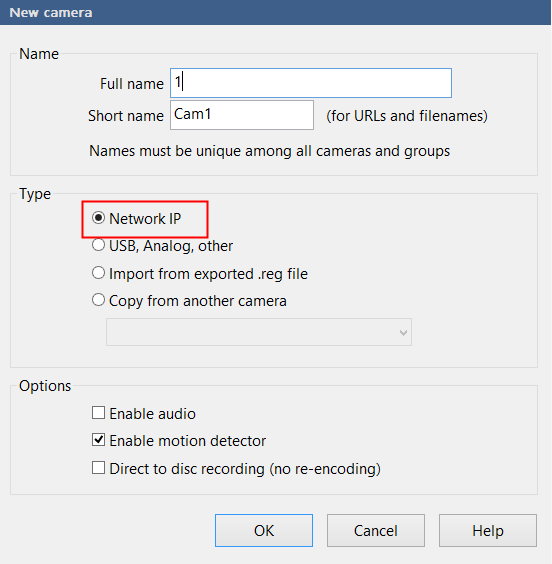
1. When you successfully installed the Blue Iris software, run it then right click to select Type with Network IP.
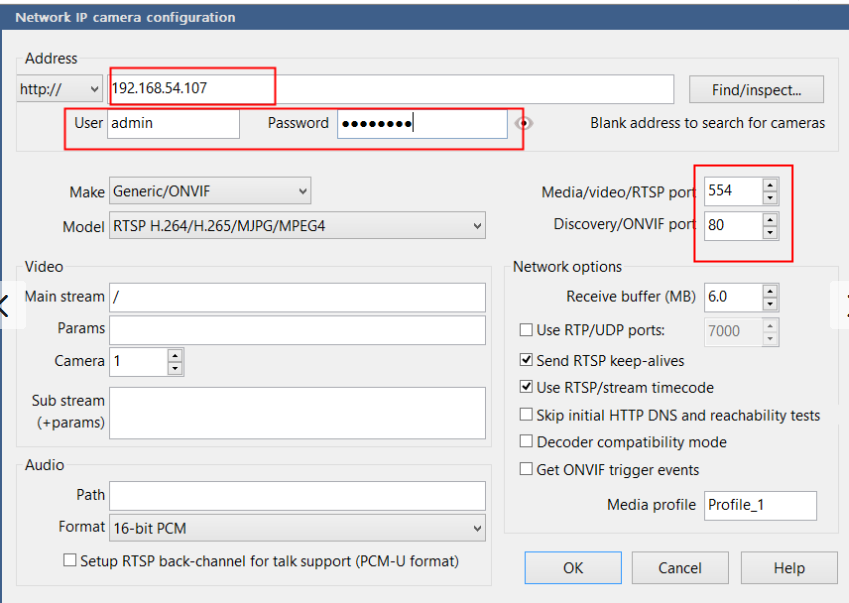
2. Input the correct information contains the IP/ account/ port.
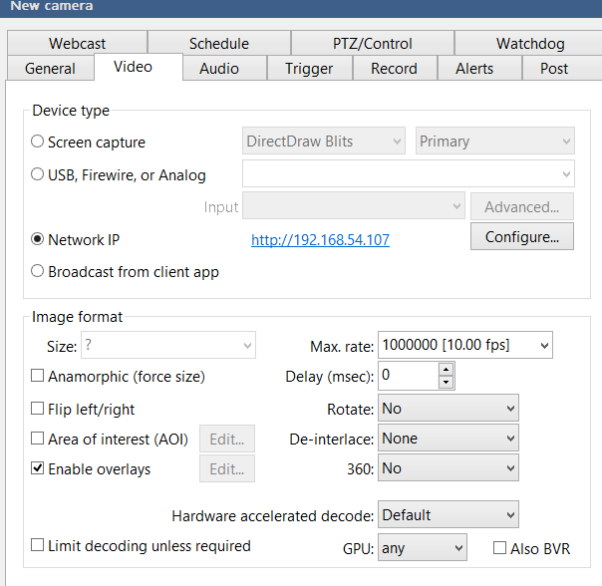
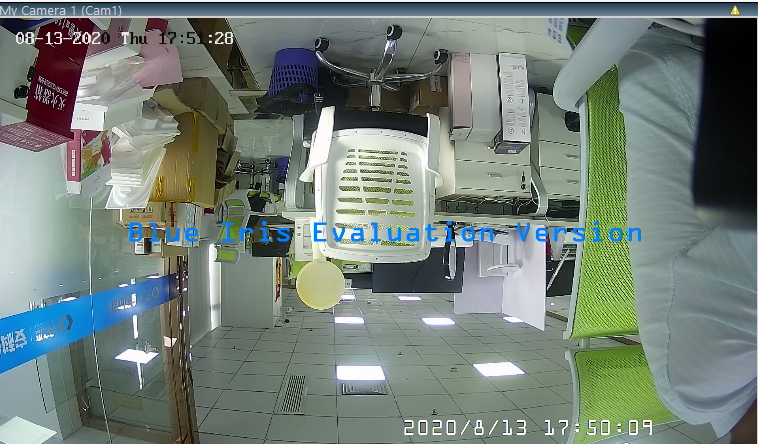
3. Go to the Video tab, Kindly please leave it as default, then click OK to finish the camera adding.
Was this article helpful?
Bu bilgiler sorununuzu çözmeye yardımcı oldu mu?
Still need help?
Uzman ekibimiz size yardımcı olmak için burada.