Annke Vision - Reading and Editing Messages received on Annke Vision App
20 Aug 2026
372 views
Applies to: DT41Y/DT61Y/DT81Y/DN41R/DN61R/DN81R/DT41GB/DT81GB/DT41DB/DT61EQ/DW81KD/DW61LD/DT81DP/N48PI/N46PI/N44PI/N44PAM/N48PAW/N46PCK/N88PCH/N441Y/N481Y/I21AE/I21AF/I41DQ/I61DQ/I61DR/I61DS/I41HG/I41CS/S500/S300/FC200/NCK800/H800/H500/E500/E800
Purpose: When received the messages, you can read and edit messages.
Before you start:
- Set the device event.
- Enable the message push notification function, and the device alarm is triggered.
- Run the app and make sure you have log in to your account.
Steps:
1. On the Annke Vision main page, Tap the Notification to enter the Notification page to read messages.
You can choose the message you want to read.
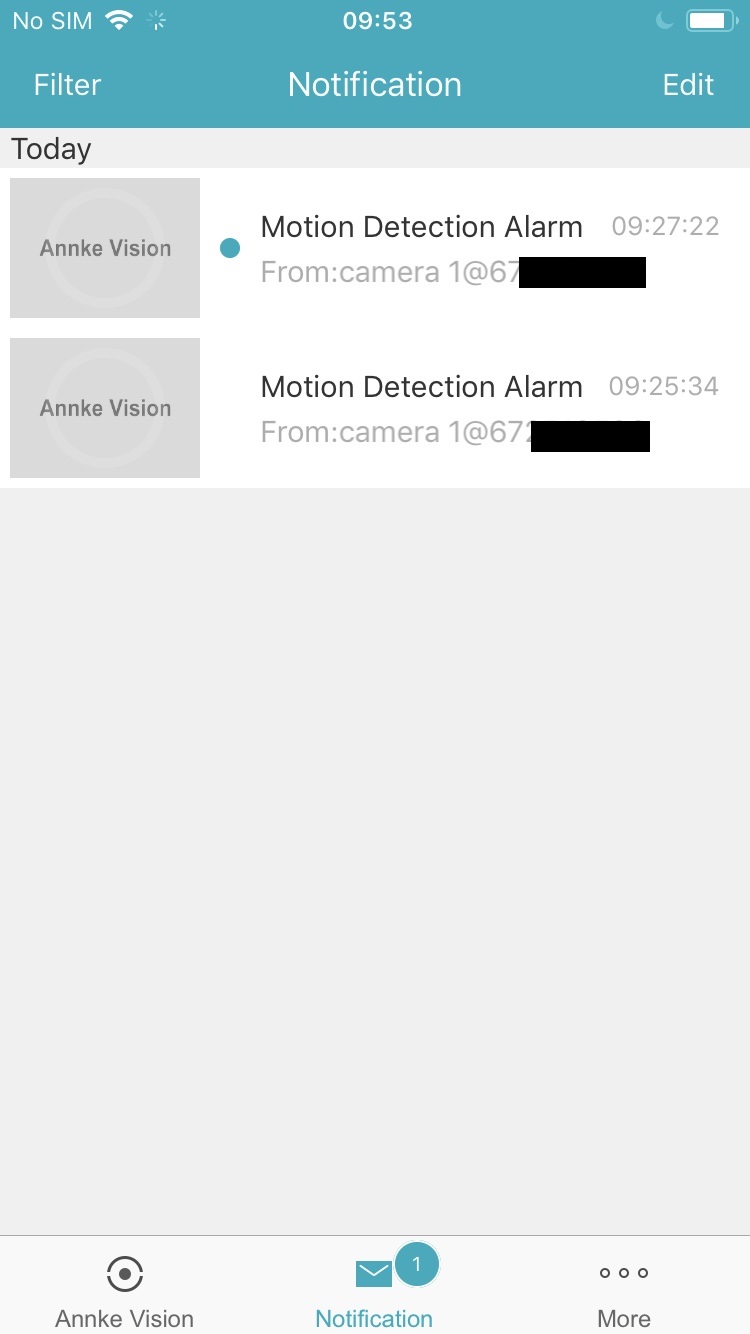
Note: If the device has linked a camera, and the camera has captured pictures or recorded video when the alarm is triggered, you can view the picture and play the video.
2. Tap Edit at the upper-right corner of the page to edit messages.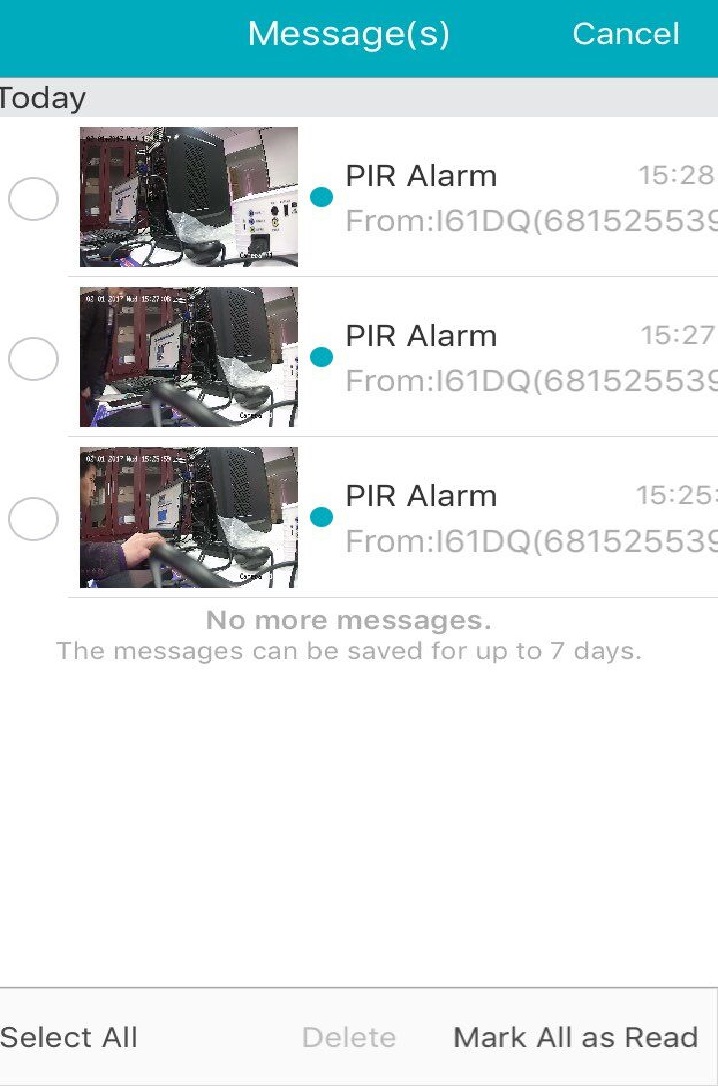
- Select messages or tap Select All to select all messages.
- Tap Mark All as Read to mark the selected unread messages as read.
- Tap Delete to delete all the messages.
Note: The calling messages of the video intercom device cannot be displayed in the Messages page.
Was this article helpful?
Bu bilgiler sorununuzu çözmeye yardımcı oldu mu?
Thanks for your feedback!
Still need help?
Uzman ekibimiz size yardımcı olmak için burada.