Annke Vision - Login/Logout on Annke DVR/NVR
20 Aug 2026
297 views
Applies to: DT41Y/DT61Y/DT81Y/DN41R/DN61R/DN81R/DT41GB/DT81GB/DT61GB/DT41DB/DT81DB/DT61EQ/DW41JD/DW81KD/DW61LD/DT81DP/N48PI/N44PI/N46PI/N44PAM/N48PAW/N46PCK/N88PCH/N441Y/N481Y/S500/S300/FC200NCK800/H800/H500
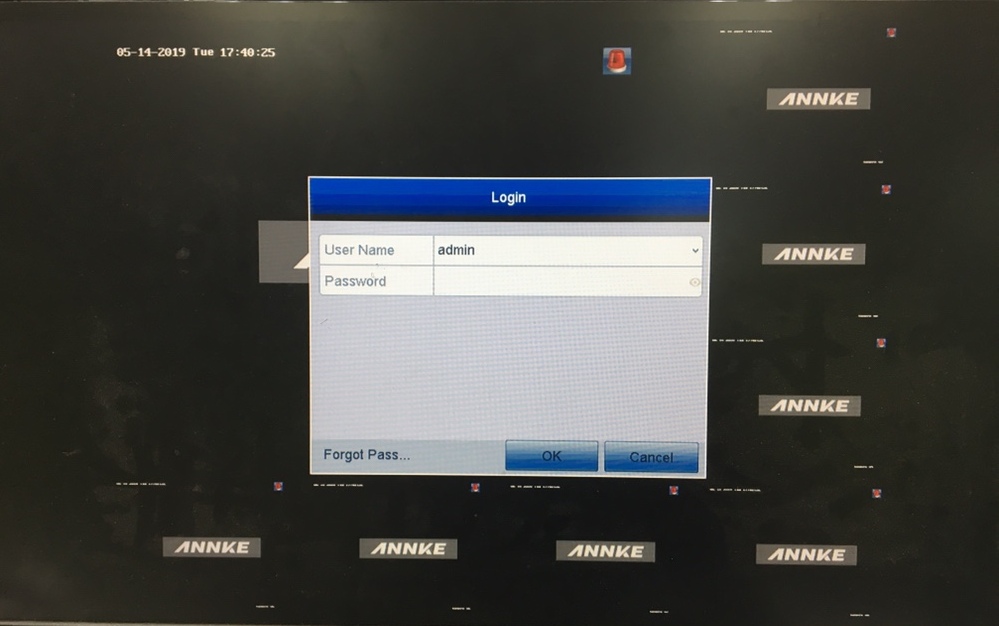
You have to log in to the device before operating the menu and other functions.
Steps:
- Select the User Name in the dropdown list.
- Input the Password.
- Click OK to log in.
Note:
In the Login dialog box, if you have entered the wrong password for 7 times, the current user account will be locked for 60 seconds. If you forget the system password, please click it: forget the password.
In the Login dialog box, if you have entered the wrong password for 7 times, the current user account will be locked for 60 seconds. If you forget the system password, please click it: forget the password.
When you log out, the monitor turns to the live view mode, the system will be locked and can't operate.
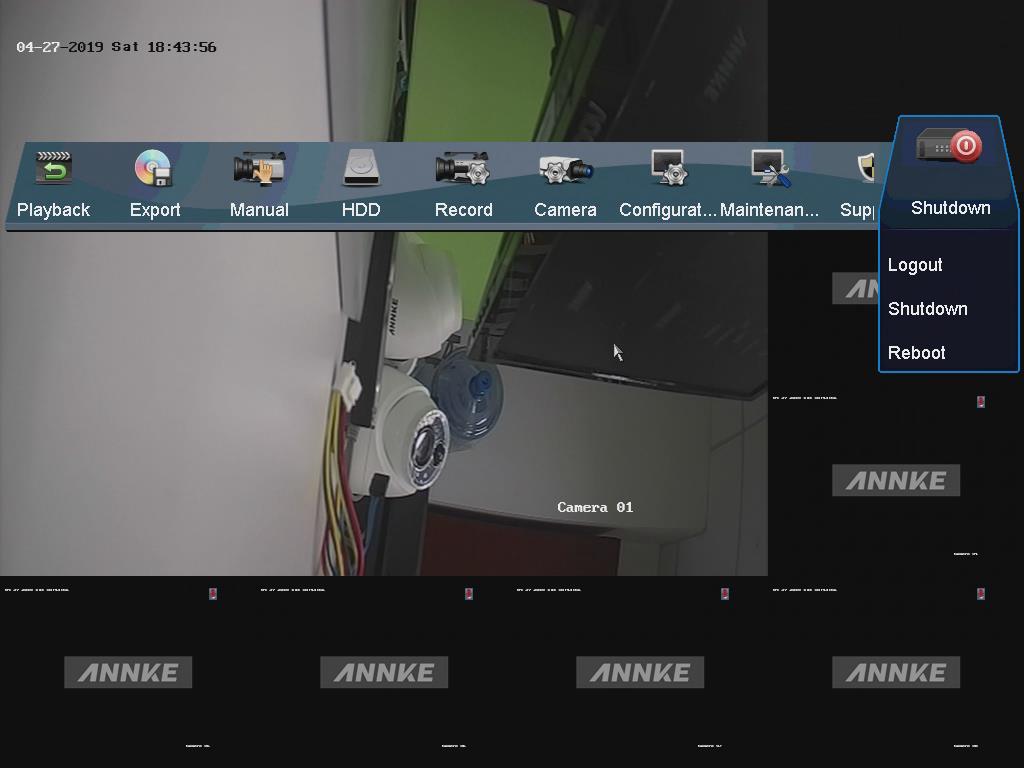
Manual logging out, you can log out manually by the following steps.
Steps:
- Click Menu > Shutdown
- Click Logout.
Automatic logging out, you can set auto logout at Menu>Configuration>General>More Settings.
Note: After you have logged out of the system, the menu operation on the screen is invalid. It is required to input a user name and password to unlock the system.
Was this article helpful?
Bu bilgiler sorununuzu çözmeye yardımcı oldu mu?
Thanks for your feedback!
Still need help?
Uzman ekibimiz size yardımcı olmak için burada.